5.
1Routineequipmentchecks
Itisrecommendedthatyouperformthefollowingroutinechecks,onaregularbasis,toensurethe
correctandreliableoperationofyourequipment:
•Examineallcablesforsignsofdamageorwearandtear.
•Checkthatallcablesaresecurelyconnected.
5.2Productcleaning
Bestcleaningpractices.
Whencleaningproducts:
•Switchoffpowersupply.
•Useacleandampclothtowipeclean.
•DoNOTuse:abrasive,acidic,ammonia,solventorotherchemicalbasedcleaningproducts.
•DoNOTuseajetwash.
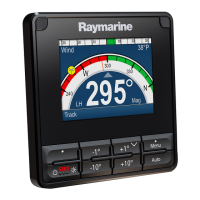
5.3Cleaningthedisplayscreen
Acoatingisappliedtothedisplayscreen.Thismakesitwaterrepellent,andpreventsglare.T oavoid
damagingthiscoating,followthisprocedure:
1.Switchoffthepowertothedisplay.
2.Rinsethescreenwithfreshwatertoremovealldirtparticlesandsaltdeposits.
3.Allowthescreentodrynaturally.
4.Ifanysmearsremain,verygentlywipethescreenwithacleanmicrofibrecleaningcloth.
5.4Cleaningthedisplaycase
Thedisplayisasealedunitanddoesnotrequireregularcleaning.Ifitisnecessarytocleanthe
display,followthisbasicprocedure:
1.Switchoffthepowertothedisplay.
2.Wipethecasewithaclean,lint-freecloth.
3.Ifnecessary,useamilddetergenttoremovegreasemarks.
5.5Cleaningthesuncover
Thesuppliedsuncoverfeaturesanadhesivesurface.Incertainconditionsunwantedcontaminants
maysticktothissurface.Toavoiddamagingthemonitordisplay,cleanthesuncoverregularly
followingthisprocedure:
1.Carefullyremovethesuncoverfromthedisplay.
2.Rinsethesuncoverwithfreshwatertoremovealldirtparticlesandsaltdeposits.
3.Allowthesuncovertodrynaturally.
38



 To Next Page
 Loading...