6 Radome Scanners - Users Guide
What’s in the box?
Components are dependant on your system package, but are either:
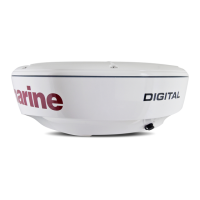
• 18” 2 kW Radome scanner and 15 m light cable, or
• 24” 4 kW Radome scanner and 15 m heavy cable.
• Fixing bolts and washers.
•Grease.
• Handbook.
What tools do I need to install the scanner?
Radome Scanner
Inter-unit cable
Installation template
D8853_1
Drill 4 holes, 10 mm diameter
(18'' and 24'' Radomes)
141.5 mm
27.5 mm
18'' or 24'' NGS Radome
Mounting Template
Center Line of Radome
3026-136-A
Artwork Number 3032-866-A
Center Line of Radome
Forward
233 mm
Grease
Fixing bolts
and washers X4
Drill
Adhesive tape
10 mm drill bit
13 mm socket
Torque wrench
Philips screwdriver
D8854_1



 To Next Page
 Loading...