R
eflectivesurfacessuchasmetalsurfaces,sometypesofglassandevenmirrorscandrastically
affectperformanceorevenblockthewirelesssignal.
Interferenceandotherequipment
Wirelessproductsshouldbeinstalledatleast1m(3ft)awayfrom:
•Otherwireless-enabledproducts.
•Transmittingproductsthatsendwirelesssignalsinthesamefrequencyrange.
•Otherelectrical,electronicorelectromagneticequipmentthatmaygenerateinterference.
Interferencefromotherpeople’swirelessdevicescanalsocauseinterferencewithyourproducts.
Youcanuseathird-partywirelessanalyzertool/smartphoneapptoassessthebestwirelesschannel
touse(e.g.achannelnotinuseoroneusedbytheleastnumberofdevices).
Pre-installationsitesurvey
Beforeinstallingawirelessdevice,asitesurveyshouldbeperformedtoensurethewirelesssignal
strengthatthedesiredinstallationlocationissufficienttomaintainareliableconnection.
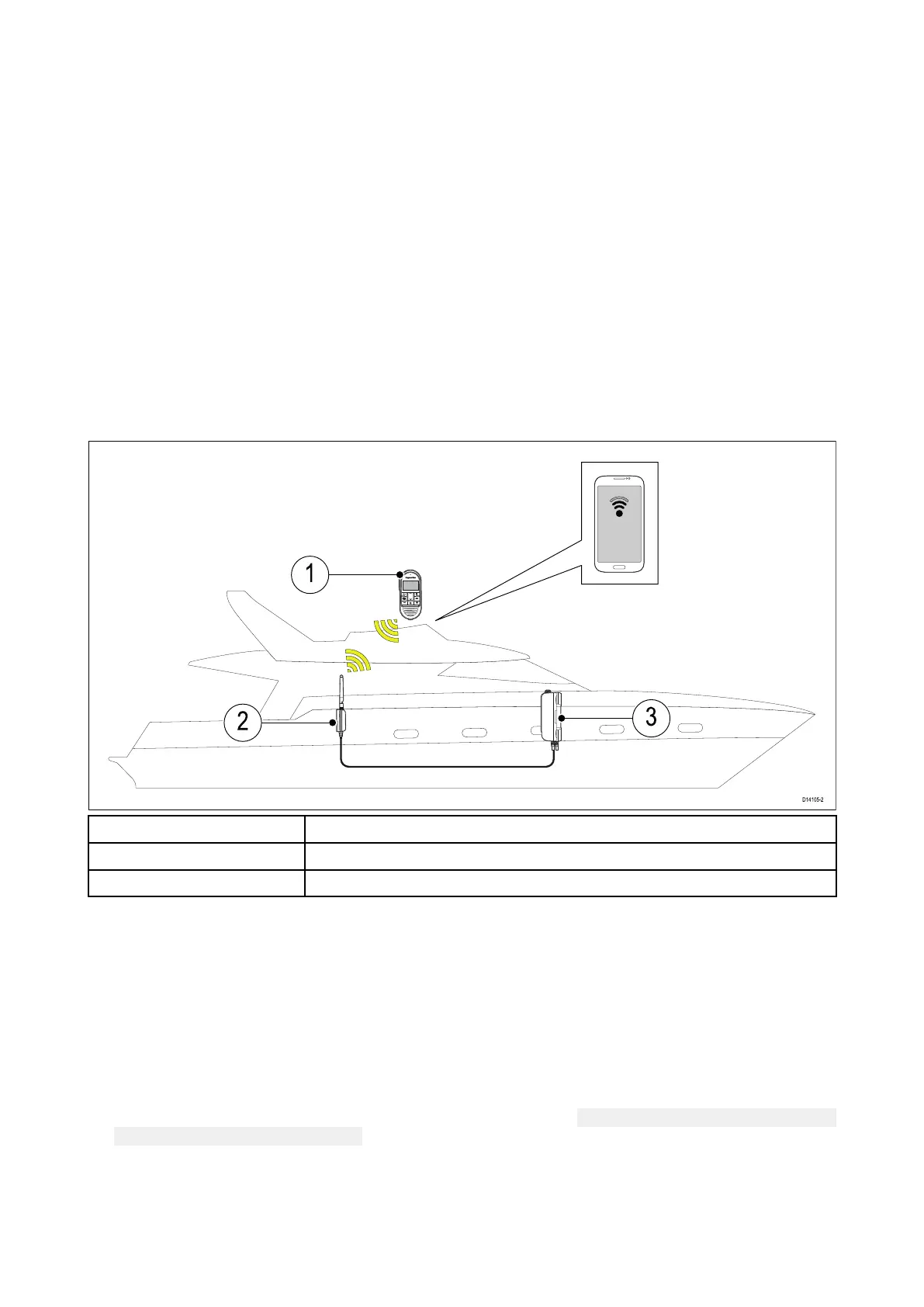
Youcanperformasitesurveyusingyoursmartphoneortabletandawirelesssignalanalyzerapp,
suchas“Wi-FiAnalyzer”byFarprocorsimilar.
1Wirelesshandset
2
Wirelesshub
3
VHFR adio
1.Installthewirelessanalyzerapponyoursmartdevice .
2.ConnectthewirelesshubtoyourVHFRadio.
3.Movethehubtoitsdesiredlocation.
Thehubshouldbelocatedasclosetothedesiredlocationofthewirelesshandsetaspossible.
Anadditionalwirelesshubantennaextensioncablemayalsoberequired;thisisavailableto
orderasaccessoryA80541,andprovidesanadditional5metersofcablelength.
4.PoweronyourVHFRadio.
5.Makeanoteofyourwirelesshub’sname(SSID).
Thewirelesshub’snamecanbefoundusingawiredhandset:
Menu Menu
Menu
> >
>
Set Set
Set
- -
-
up up
up
> >
>
Wireless Wireless
Wireless
set set
set
- -
-
up up
up
> >
>
Wireless Wireless
Wireless
hub hub
hub
set set
set
- -
-
up up
up
> >
>
Hub Hub
Hub
name name
name
.(BydefaultthehubnamewillbeRMfollowedbythefullpart
numberandserialnumberoftheVHFRadioitisconnectedto,e.g.:RME70517107828).
6.Gotothelocationyouhavechosenforyourwirelesshandset.
7.Openthewirelessanalyzerapponyoursmartdeviceandscanavailablenetworks.
8.Establishthesignalstrengthofyourhub’swirelessnetworkatthechosenlocation.
50



 To Next Page
 Loading...




