5.
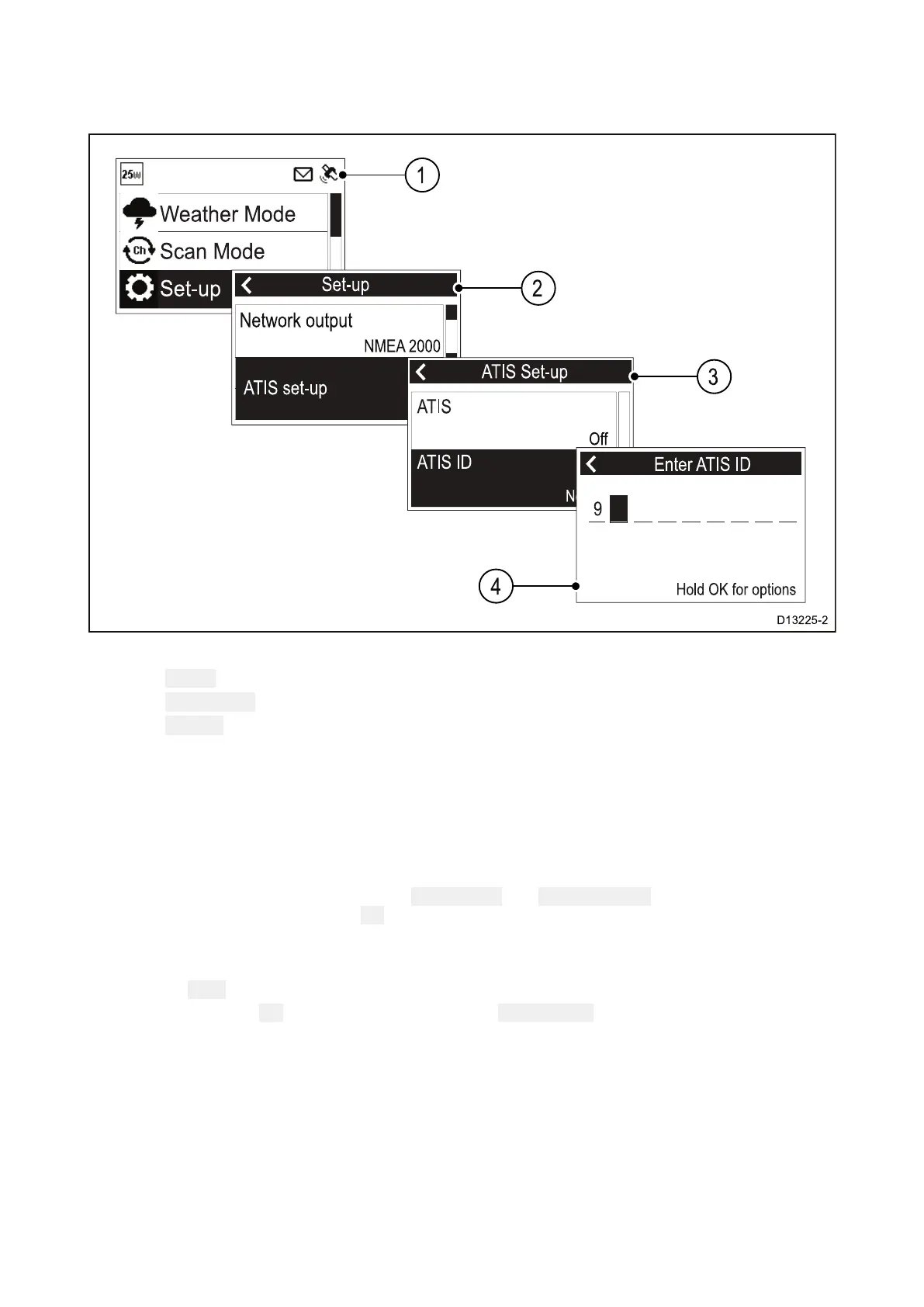
12EnteringyourATISID
AuniqueATISIDmustbeenteredbeforeATISmodecanbeenabled.
FromtheMainmenu.
1.Select Set-up.
2.Select
ATISset-up.
3.Select ATISID.
NotsetwillbedisplayedifnoATISIDhasbeenset.
Thefirstdigitissettoa‘9’andcannotbechanged,thisisbecauseallATISIDsstartwitha‘9’.
AsmostATISIDsconsistofa‘9’followedbyyour9digitMMSInumber;ifyourradioalreadyhas
anMMSInumbertheATISIDwillbepre-filledinthisformat.
4.IftheA TISIDhasbeenpre-filled,checkitcarefullyagainstyourissuedATISID.
5.ToenteryourATISIDmanually,usethe ChannelUpand ChannelDownbuttonstocyclethrough
theavailablenumbersandpressOKtoconfirmeachnumberandmovetothenextdigit.
Y oushouldonlyentertheunique10digitATISIDprovidedbyyourlicensingauthority.
6.Pressthe Backbuttonatanytimetoeditdigitsyouhavealreadyentered.
7
.Pressandholdthe OKbuttontodisplayoptionsto Movecursorbackandforwardthrough
thedigits.
Gettingstarted
77



 To Next Page
 Loading...








