BasestationandRaymichandset
softwarecompatibility
TheRaymicHandset’ssoftwareversionmustbecompatiblewith
thesoftwareinstalledontheBasestation.
Ray90/Ray91softwarecompatibility
TobecompatiblewithyourRay90orRay91thehandsetmustbe
runningsoftwareversionVH1.26orgreater.
Ray60/Ray70softwarecompatibilitytable
BaseStationsoftwareCompatibleHandsetsoftware
V1.40VH1.09
V1.39VH1.09
V1.35VH1.06
V1.31VH1.06
V1.24
VH1.01/VH1.04
V1.22
VH1.01/VH1.04
V1.13(Ray70introduction)VH1.01/VH1.04
V1.06(Ray60introduction)VH1.01/VH1.04
V1.04(Ray50only)N/A
Important:
Pleaseensurecompatiblesoftwareversionsareinstalledon
boththeBasestationandHandset.TheHandsetwillnot
operatecorrectlyifincompatiblesoftwareversionsareused.
Poweringthehandset
TopowertheHandsetonandofffollowthestepsbelow.
WiththeBasestationpoweredOn:
1.PressandholdthePowerbutton,locatedonthetopofthe
Handset,for2seconds.
TheHandsetwillpoweron.
2.TopowerofftheHandset,pressandholdthePowerbuttonfor
approximately3seconds,untilthescreenturnsoff.
Handsetcontrols
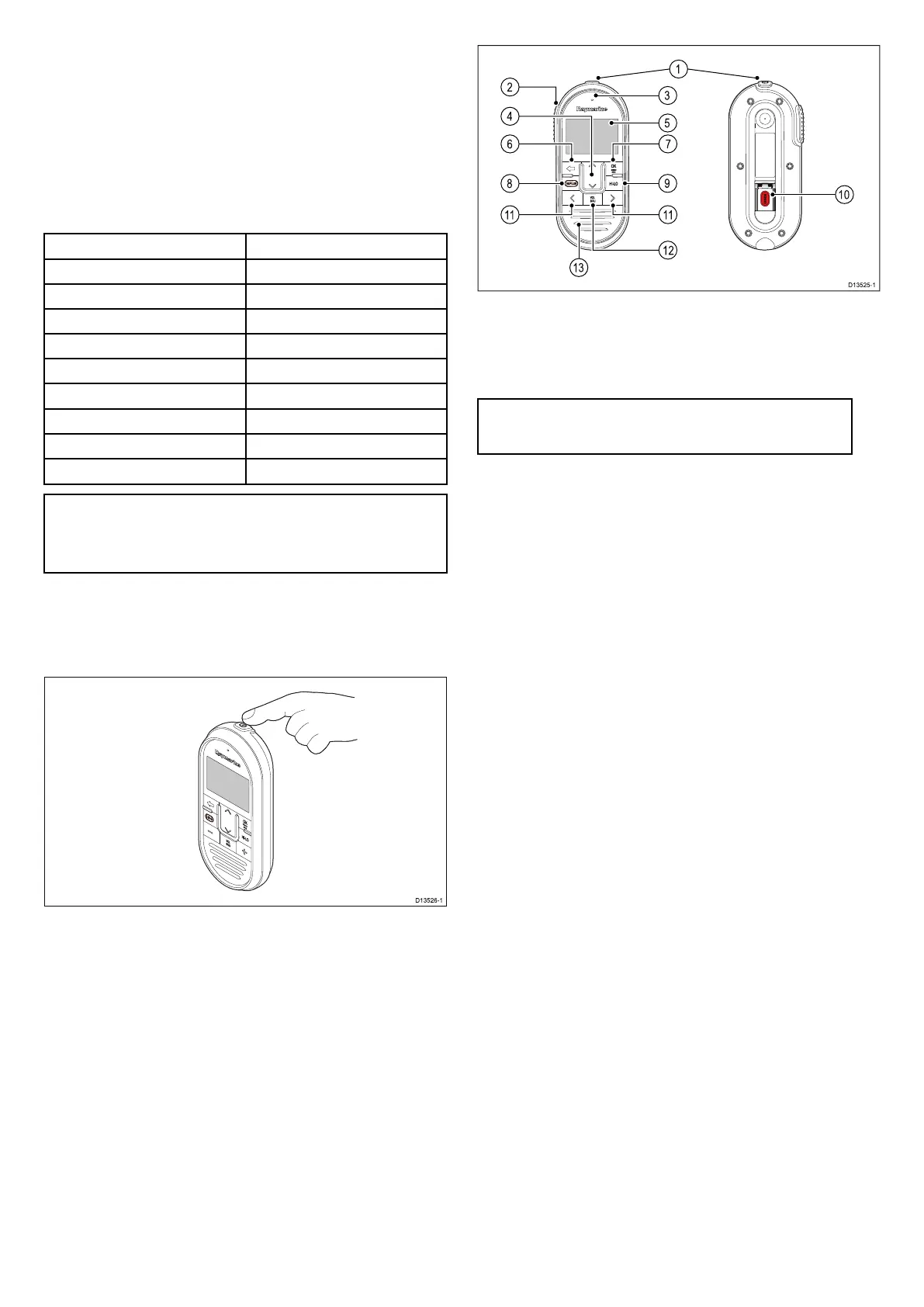
TheHandset’scontrolsareshownbelow.
1.Power—Presstopowerthehandseton.Pressandholdfor
3secondstopowerthehandsetoff.Momentarypressto
accesstheshortcutlist.
2.PTT(PushtoTalk)—Pressandholdtosendavoicemessage.
Releasetoreturntoreceivemode.
Note:Themaximumtransmittimeislimitedto5minutes
topreventun-intentionaltransmissionsfromoccupyingthe
VHFchannel.
3.Microphonelocation
4.ChannelUpandChannelDown—Changestothenextor
previousVHFchannel,alsousedtoselectoradjustsetting
optionsinthemenu.
5.LCDscreen
6.Back—Gotothepreviousmenu/screen.Pressandholdto
returntotheHomescreen.
7.OK/menubutton—Pressbuttontoaccessmenu/DSC
functionsandtoconfirmselections.
8.16/+—Whenpoweredonpresstoswitchbetweenpriority
channels.
9.HI/LO—PresstoswitchbetweenHigh(25W)andlow(1W)
transmitpower.
10.DISTRESS—Liftupthespringloadedcoverandpressthis
buttontomakeaDSCdistresscall.
11.VolumeUpandVolumeDown—Presstoadjustvolumeor
squelchupordown.
12.VOL/SQ—Pressbuttontoswitchbetweenvolumeand
squelchcontrol.
13.Built-inspeaker
Ray60/Ray70
Secondhandsetstation—Ray60/Ray70
TheRaymichandsetaccessorycanbeconnectedtothesecond
stationconnectorlocatedontherearoftheradio,thiswillcreatea
secondfullyfunctionalstation.
2
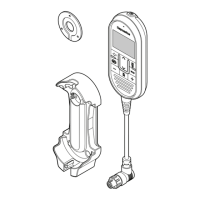
Raymicwiredhandsetinstallationinstructions


 To Next Page
 Loading...