

EasyManua.ls Logo

Raynic NOAA CR1020 - User Manual

Raynic NOAA CR1020
2 pages
Print Icon
To Next Page IconTo Next Page
Loading...
Made in China
Version 1.2
- 02 -
Chapter 2 POWER SUPPLY MODE
There are 4 power supply to power the radio:
1. Micro USB Adapter Charging
(1) Connect the USB cable (included) to a regular AC power adapter (not
included).
(2) Plug the USB cable into the Micro USB port of the radio.
(3) Plug the AC adapter into a standard 110-220V outlet.
A 5V/2A AC power adapter is highly recommended.
2. Hand Crank Charging
Unfold the crank handle and rotate it in either direction (generating
350mA of current) for approximately 7 hours to fully charge the
flashlight.
Note: Rotate the crank handle at 2 revolutions per second and it will produce 300-
350mA of power.
3. Solar Panel Charging
The solar panel can be charged by placing it in the sunlight (do not charge
indoors)
Note: Solar panel charging will produce about 30-50mA of current, it is
difficult to fill the flashlight, mostly used to maintain the
rechargeable battery.
4. Rechargeable Lithium Polymer Battery
- 01 -
Chapter 1 LOCATION OF CONTROLS
CR1020
Emergency Alert Radio
with AM/FM/NOAA weather/Flashlight
CR1020 meets the NWS evaluation criteria for NWR All Hazards logo use
1. Flashlight
2. Light Control Button
3. Telescopic Antenna
4. Reading Lamp
5. Solar Panel
6. Battery Status Indicator
7. Radio Rotating Disk
8. Speaker
9. Crank Handle
10. DC Charging Jack
11. USB Output Charging Jack
12. AM/FM/WB Selector
13. Radio Switch & Volume
Adjustment Gear
1312
10
9
11
1
3
2
4 5
6
7
8
2
3
1
VOL
ON OFF
AM
FM
WB
Contact our experts
support@raynic.com
https://www.raynic.com
Question and Answer IconNeed help?

Do you have a question about the Raynic NOAA CR1020 and is the answer not in the manual?

Overview

This document describes the CR1020, a multi-functional device designed for emergency preparedness and daily use, combining a NOAA Weather Radio with various utility features.

Function Description

The CR1020 serves as an Emergency Alert Radio, capable of receiving AM/FM/NOAA weather/flashlights broadcasts. It is designed to keep users informed during all hazards, providing critical weather and emergency alerts. Beyond its primary radio function, it integrates several practical tools: a flashlight, a reading lamp, a telescopic antenna, and a solar panel for charging. It also features a USB output for charging external devices, making it a versatile power bank in emergency situations. The device supports multiple power sources, including a built-in rechargeable lithium polymer battery, solar charging, hand crank charging, and USB input.

Important Technical Specifications

Radio Frequencies:

  • AM: 520 - 1710MHz
  • FM: 87.5 - 108MHz
  • NOAA Weather:
    • 162.400MHz / 162.425MHz / 162.450MHz / 162.475MHz / 162.500MHz / 162.525MHz / 162.550MHz

Dimensions: 8.66" x 3.03" x 3.03" Weight: 0.74lbs

Lighting:

  • Flashlight Lumens: 300LM
  • Reading Lamp Lumens: 200LM

Power:

  • Solar Panel Power: 30-50mA
  • Crank Power: 300-350mA
  • Battery: Built-in 104050 rechargeable battery
  • AC Power Input Interface: Micro USB

Battery Status Indicator:

  • Red Light: Battery is charging
  • Green Light: Battery is full charged
  • Red Light Flash: Battery is low

Usage Features

1. Powering the Device: The CR1020 can be powered by multiple methods:

  • Micro USB Adapter Charging: Connect the USB cable (included) to a regular AC power adapter (not included) and plug it into the Micro USB port of the radio. A 5V/2A AC power adapter is highly recommended.
  • Hand Crank Charging: Unfold the crank handle and rotate it in either direction (generating 350mA of current) for approximately 7 hours to fully charge the flashlight. Rotate the crank handle at 2 revolutions per second to produce 300-350mA of power.
  • Solar Panel Charging: Place the device in direct sunlight. The solar panel will produce about 30-50mA of current. This method is primarily for maintaining the rechargeable battery, not for rapid charging.

2. Radio Operation:

  • Turn on the Radio: Turn the radio switch upward and hear a click to turn on the radio.
  • Band Selector: Toggle the selector to choose the band you want to listen to (AM, FM, or Weather Band).
  • Tune the Radio: Select the rotating disk until you receive the station you want.
  • Extend Telescopic Antenna: When listening to the radio, extend the telescopic antenna to receive the best signal, preferably near a window or in an open area for better reception.
  • NOAA Weather Radio: The device receives local weather band reports. When you change your location, whether for a day trip or a move, you may need to select a different band to get local reports for that location.

3. SOS Alert: In an emergency, you can turn on the SOS alert.

  • Press and hold the power button to turn on the SOS alert.
  • Press the power button again to turn off the SOS alert. The SOS mode, including the SOS light, will be accompanied by the SOS alarm sound at 116dB.

4. Flashlight Operation:

  • Press the power button continuously to adjust the light brightness and mode:
    • High brightness (300 lumens)
    • Medium brightness (150 lumens)
    • Low brightness (75 lumens)
    • Strobe mode (300 lumens)
    • SOS light mode (300 lumens)
  • If you press the power button interval of more than 4s, the second time you press the power button will directly off the light.

5. Reading Lamp: Key out the solar panel so that it is 90 degrees to the flashlight, then the reading light is on and can be used as a night light.

6. Charging External Devices (Power Bank Function):
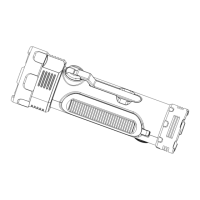
  • Connect your phone charging cable with the USB output port by opening the covered rubber flap.
  • The CR1020 has no power, you can rotate the crack handle for 8-15 minutes (the time depends on your speed of rotation), then your phone will get enough power to start up.
  • Note: This feature is only for charging Micro USB devices. Other USB devices should be charged with original charging cable.

Maintenance Features

  • Battery Status Indicator: The device includes a battery status indicator to help you monitor the charge level. A red light indicates charging, a green light indicates a full charge, and a red flashing light indicates a low battery.
  • Rechargeable Battery: The built-in rechargeable lithium polymer battery is designed for long-term use. Regular charging through various methods helps maintain its lifespan.
  • Cleaning: The manual does not specify cleaning instructions, but general electronic device care suggests keeping it free from dust and moisture.

Raynic NOAA CR1020 Specifications

General IconGeneral
BrandRaynic
ModelNOAA CR1020
CategoryRadio
LanguageEnglish