3. SETTING UP YOUR LAPTOP
1.
2.
3.
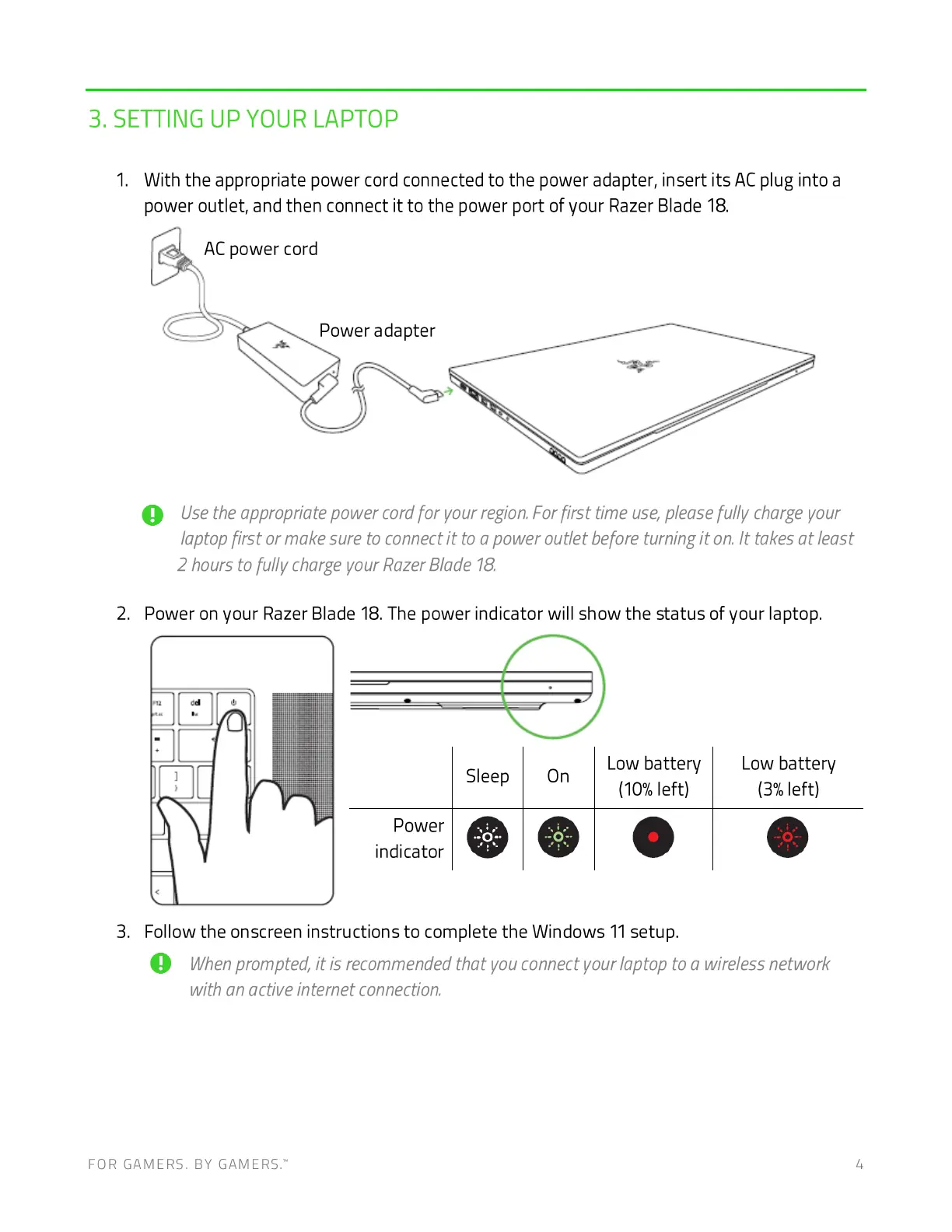
With the appropriate power cord connected to the power adapter, insert its AC plug into a
power outlet, and then connect it to the power port of your Razer Blade 18.
AC power cord
Power adapter
O Usetheappropriatepowercordfor yourregionForfirst timeuse,pleasefully chargeyour
laptop first or make sure to connectit to a power outlet before turning it on. It takes at least
2 hours to fully charge your RazerBlade 18.
Power on your Razer Blade 18. The power indicator will show the status of your laptop.
Power
indicator
Sleep
o
Low battery
On
(10%left)
Low battery
left)
Follow the onscreen instructions to complete the Windows 11 setup.
O Whenprompted,it is recommendedthat vouconnectyourlaptoptoa wirelessnetwork
with an active internet connection.
FOR GAMERS. BY GAMERS:



 To Next Page