EasyManua.ls Logo

Razer LEVIATHAN V2 - Static and Wave Lighting; Advanced Effects and Chroma Studio

Razer LEVIATHAN V2
30 pages
Print Icon
To Next Page IconTo Next Page
To Previous Page IconTo Previous Page
Loading...
FOR GAMERS. BY GAMERS .
21
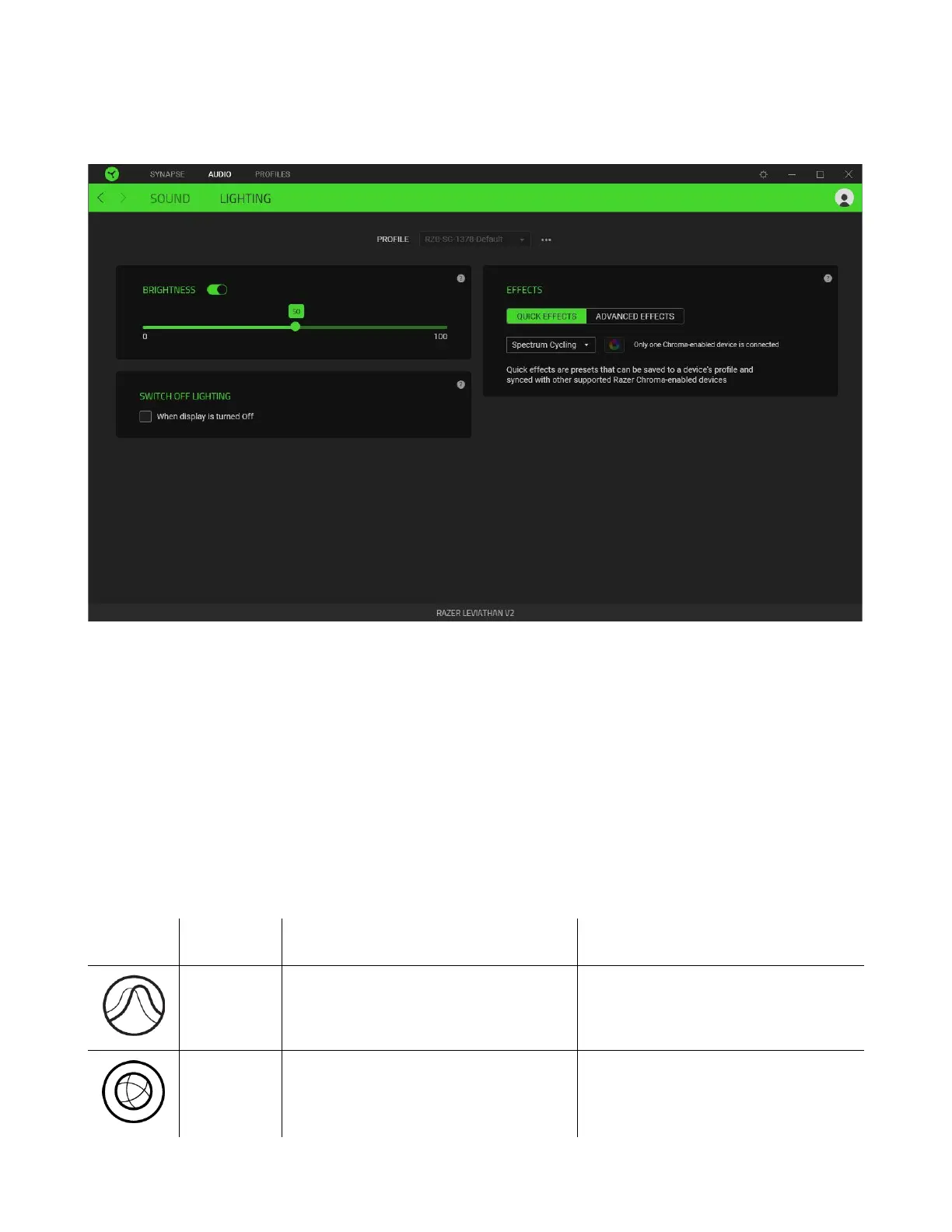
Lighting
The Lighting subtab enables you to customize the lighting on the soundbar.
Brightness
You can turn off the soundbar lighting by toggling the Brightness option or increase/decrease the
luminance using the slider.
Switch Off Lighting
This power saving tool allows you to disable soundbar lighting when your system’s display is turned
off.
Quick Effects
A number of quick effects can be selected and applied to your soundbar’s lighting, as listed here:

Name
Description
How to set up
Breathing
The lighting will fade in and out of
the selected color(s)
Select up to 2 colors or randomize
colors
Spectrum
cycling
The lighting will cycle between 16.8
million colors indefinitely
No further customization required

Related product manuals