9 | razer™
LOW BATTERY WARNING
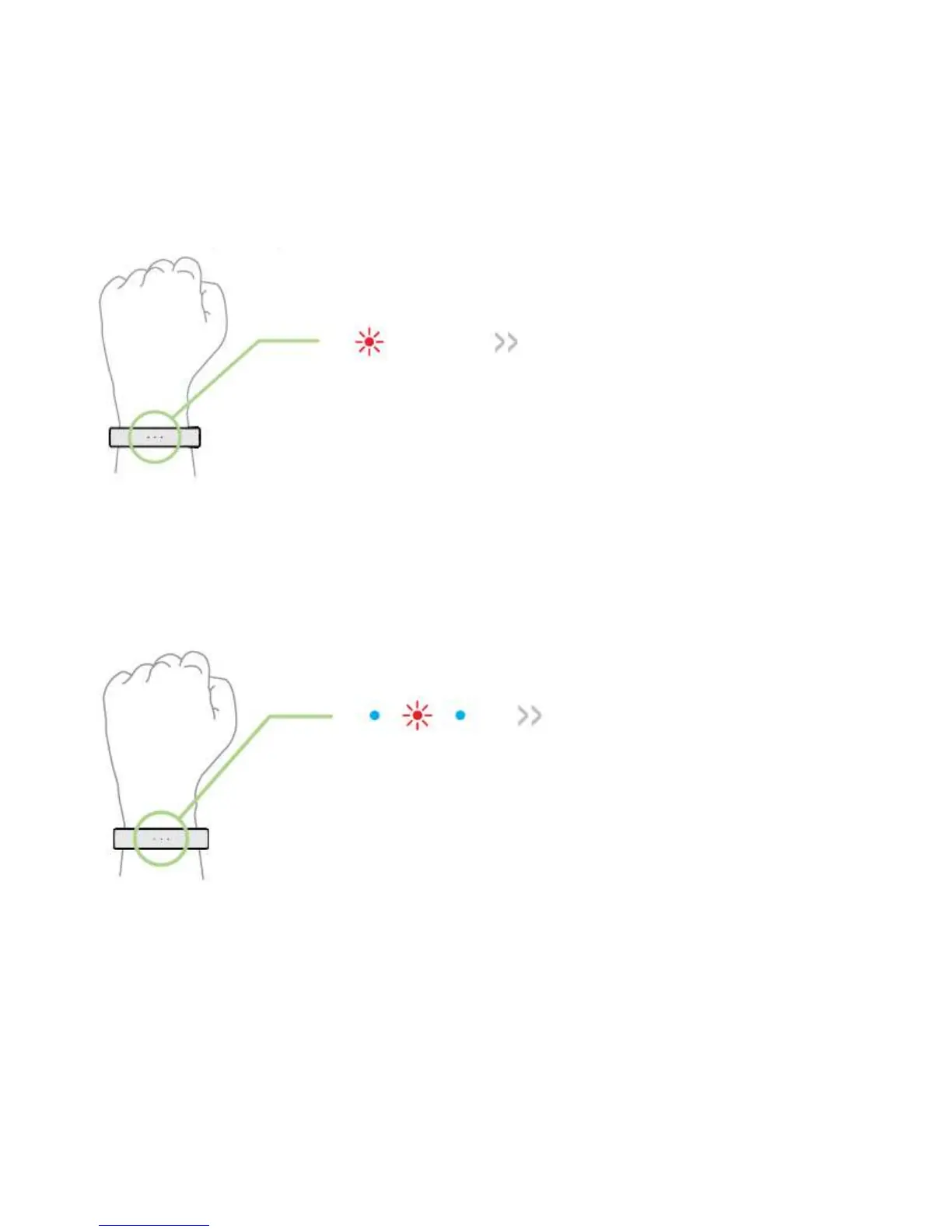
When the battery level is below 15%, the Nabu X will vibrate and display a red blinking
LED to indicate that it is time to charge your smartband. Once the battery level is below
5%, the Nabu X will vibrate again; this time the red LED will blink faster.
CONNECTIVITY
When the Nabu X displays a blinking red light in-between two blue lights, this means
that the Nabu X is no longer within the reach of your device.
To re-establish a connection, simply open the Nabu X Utility App and bring the Nabu X
closer to the paired device.
Caution: Sources that emit radio waves such as WiFi and Bluetooth can interfere with the connection
process. Please avoid these sources whenever possible.


 To Next Page