12 | For gamers. by gamers™
PROFILE
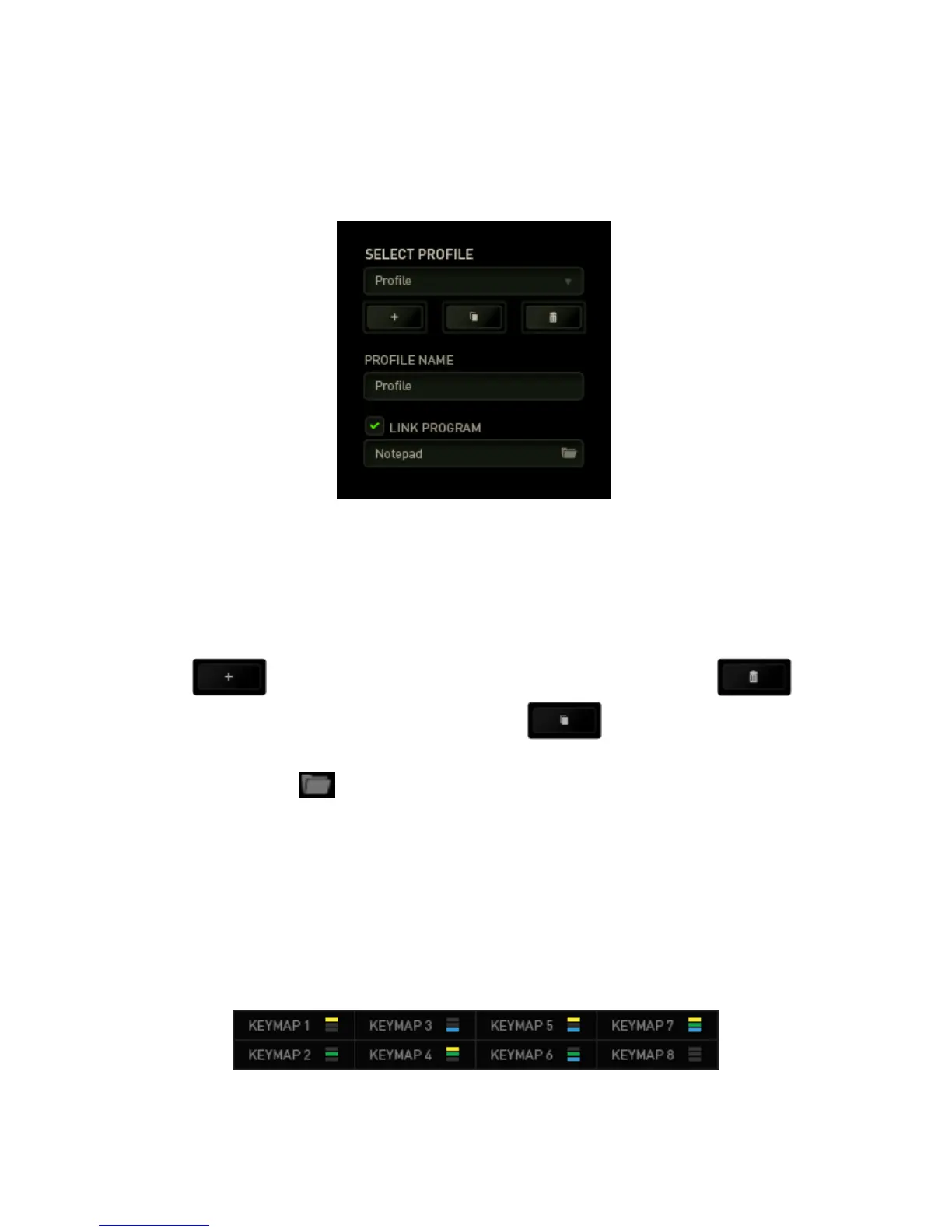
A Profile is a convenient way of saving all of the changes you have made on your
device. A single Profile can store numerous settings such as key assignments.
Profile contains the default settings of your device. Any changes made within the
Customize Tab will be automatically saved. If you want to rename this profile, you may
do so by typing on the field below PROFILE NAME.
There are other options available in the profile section such as creating a new profile by
clicking the button, deleting the current profile by clicking the button
and duplicating the current profile by clicking the button. You may even set a
profile to work with a specific program or application by using the LINK PROGRAM
option and clicking the button to search for it.
KEYMAPS
Keymaps are especially useful for games which require different play-styles for
different character classes. With Keymaps, you can have up to 8 sets of key
assignments per profile. Each keymap has an equivalent color on the Keymap Indicator
to make it easier to check your current keymap.


 To Next Page