Home
Razer
Video Game Controller
PANTHERA
Page 12
Razer PANTHERA - Page 12
20 pages
Manual
Save Page as PDF
To Next Page
To Next Page
To Previous Page
To Previous Page
Loading...
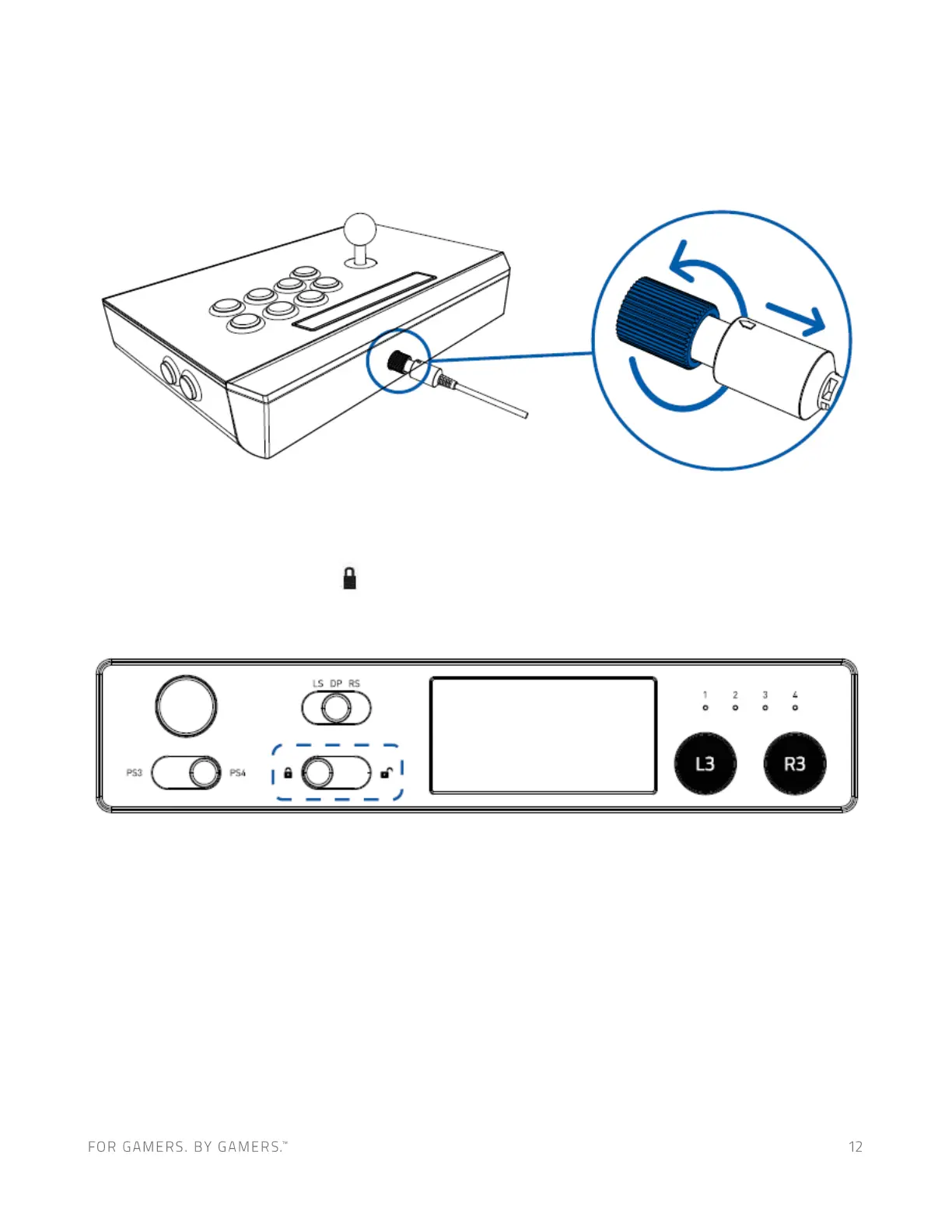
To
remove
the
detachable
cable
,
rotate
the
screw
collar
counterclockwise
to
loosen
,
and then
gently pull the cab
le.
USING THE LOCK /
UNLOCK SWITCH
Setting
this
switch
to
Lock
(
)
will
disable
the
Select
/
Share,
St
art
/
Options,
and
PS
Button.
11
13
Table of Contents
Main Page
Table of Contents
2
Package Contents / System Requirements
3
Registration / Technical Support
4
Device Layout
5
Using Your Razer Panthera Arcade Stick for Playstation
8
Customizing Your Razer Panthera for Playstation
13
Safety and Maintenance
17
Legalese
19
Related product manuals
Razer Panthera Evo
6 pages
Razer SABERTOOTH
27 pages
Razer hydra
11 pages
Razer Wildcat
23 pages
Razer Raiju
20 pages
Razer Raiju Ultimate
34 pages
Razer Wolverine Ultimate
3 pages
Razer WOLVERINE V2 PRO
19 pages
Razer KISHI V2 PRO FOR ANDROID
10 pages
Razer Wolverine V2
8 pages
Razer KISHI V2
10 pages
Razer KISHI V2 USB C
12 pages










 To Next Page