6. USING YOUR RAZER PRO TYPE ULTRA
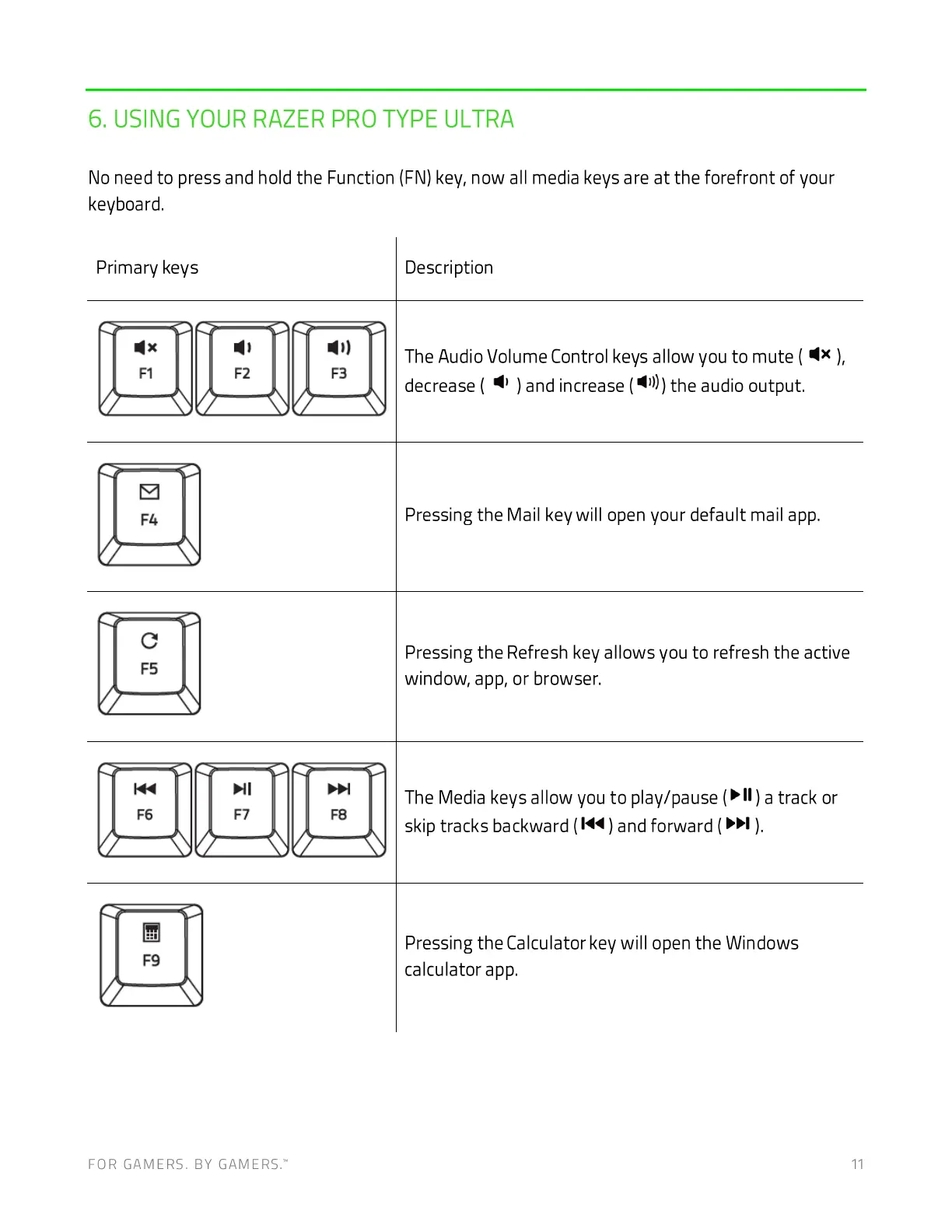
No need to press and hold the Function (FN) key, now all media keys are at the forefront of your
keyboard.
Primary keys Descri ption
IAIJelJB!
The Audio Volume Control keys allow you to mute ( ),
)andincrease( Q)))the audiooutput.
decrease (
c
Pressing the Mail key will open your default mail app.
Pressing the Refresh key allows you to refresh the active
window, app, or browser.
JBIJBIJBI
The Media keys allow you to play/pause ( ) a track or
skip tracks backward (1<4) and forward ( ).
Pressing the Calculator key will open the Windows
calculator app.
FOR GAMERS. BY GAMERS: 11







 To Next Page