Ø
Disable
This option renders the assigned key unusable. Use Disable if you do not want to use the selected
key or if it interferes with your gaming.
Lighting
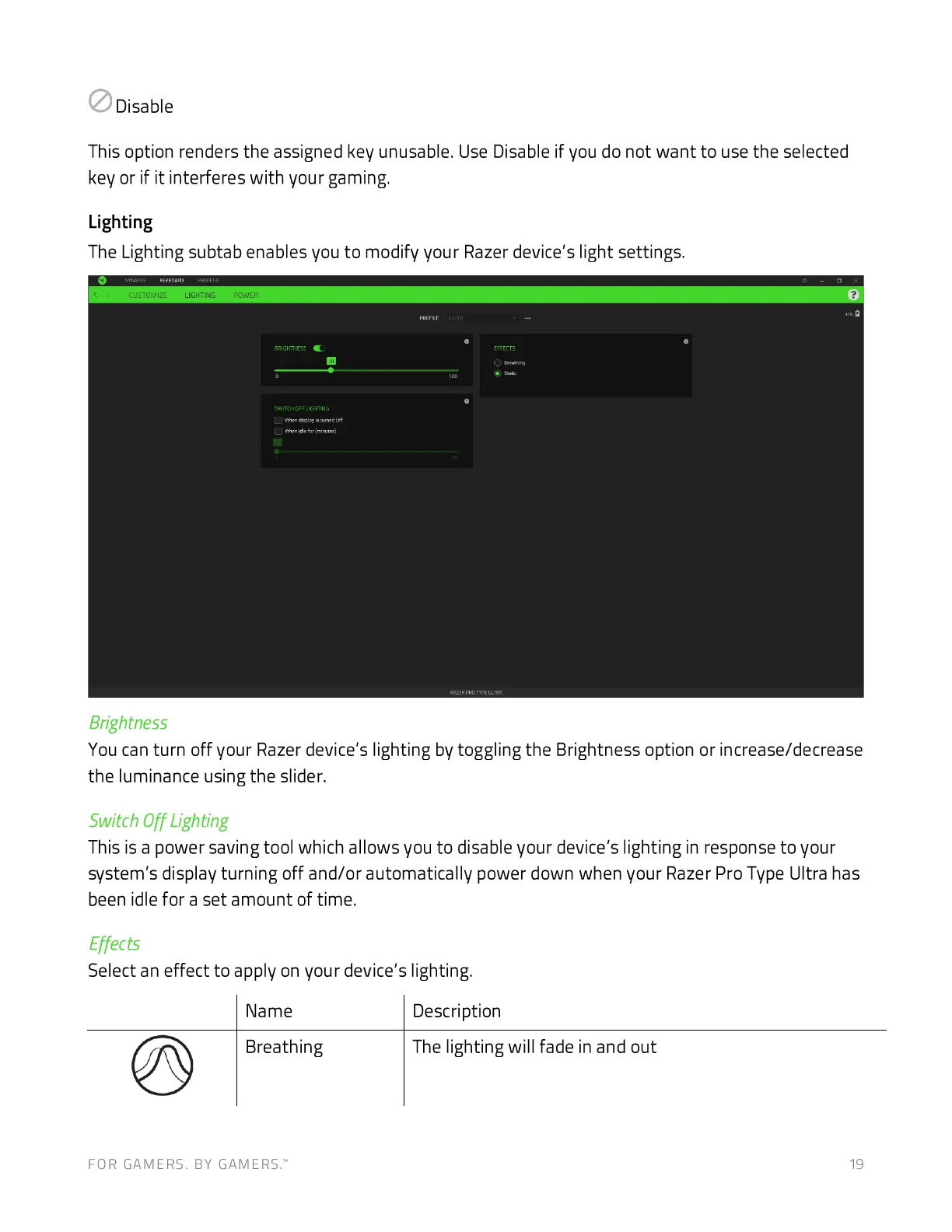
The Lighting subtab enables you to modify your Razer device's light settings.
CUSTOMIZE LIGHTING
cvg
Brightness
You can turn off your Razer device's lighting by toggling the Brightness option or increase/decrease
the luminance using the slider.
Switch Off Lighting
This is a power saving tool which allows you to disable your device's lighting in response to your
system's display turning off and/or automatically power down when your Razer Pro Type Ultra has
been idle for a set amount of time.
Effects
Select an effect to apply on your device's lighting.
Name
Breathing
FOR GAMERS. BY GAMERS:
Description
The lighting will fade in and out
19







 To Next Page