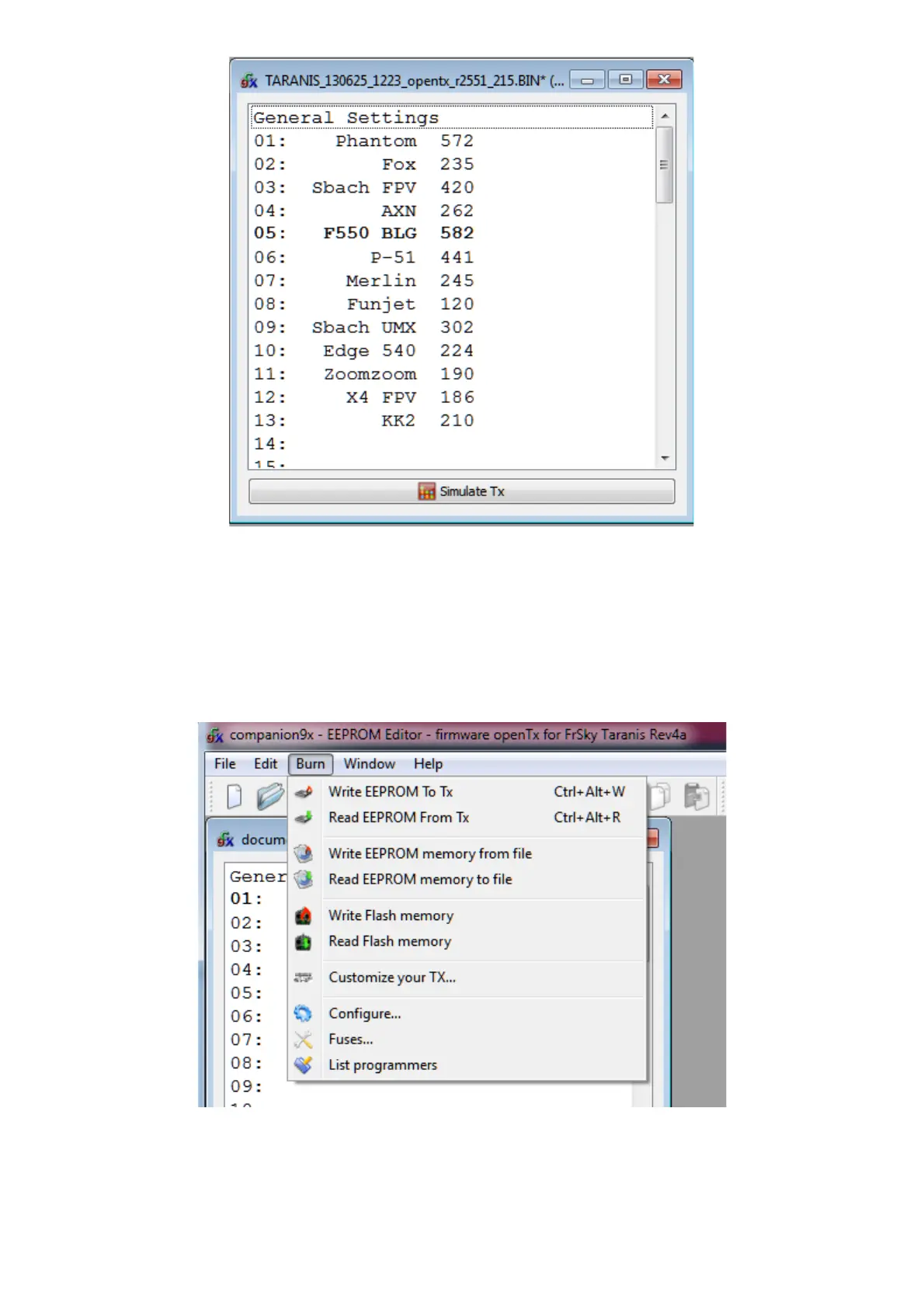
The document window consists in a "General Settings" entry on which you can double-click to access the radio
settings, and a number of model slots (60 for the Taranis). The model slot that is displayed in bold is the one that
is currently selected on the radio. It can be chosen in OpenTX companion by right-clicking on the model slot, and
choosing "Use as default". Double-clicking on a model slot will open the editor for that model, creating one if it was
empty.
Memory operations to/from the radio are handled by the different entries of the "Burn" menu:
● Read EEPROM from TX will read the EEPROM contents from the radio, and open them in a new
document in OpenTX companion. The document is opened for editing, but is not saved to disk
automatically.
● Write EEPROM to TX sends a currently open and selected document (if you have more than one open,
make sure to click on the one you want to transfer first to select it) to the radio.
35


 To Next Page
 Loading...