Adjusting Your TV
Sound Settings: Speakers
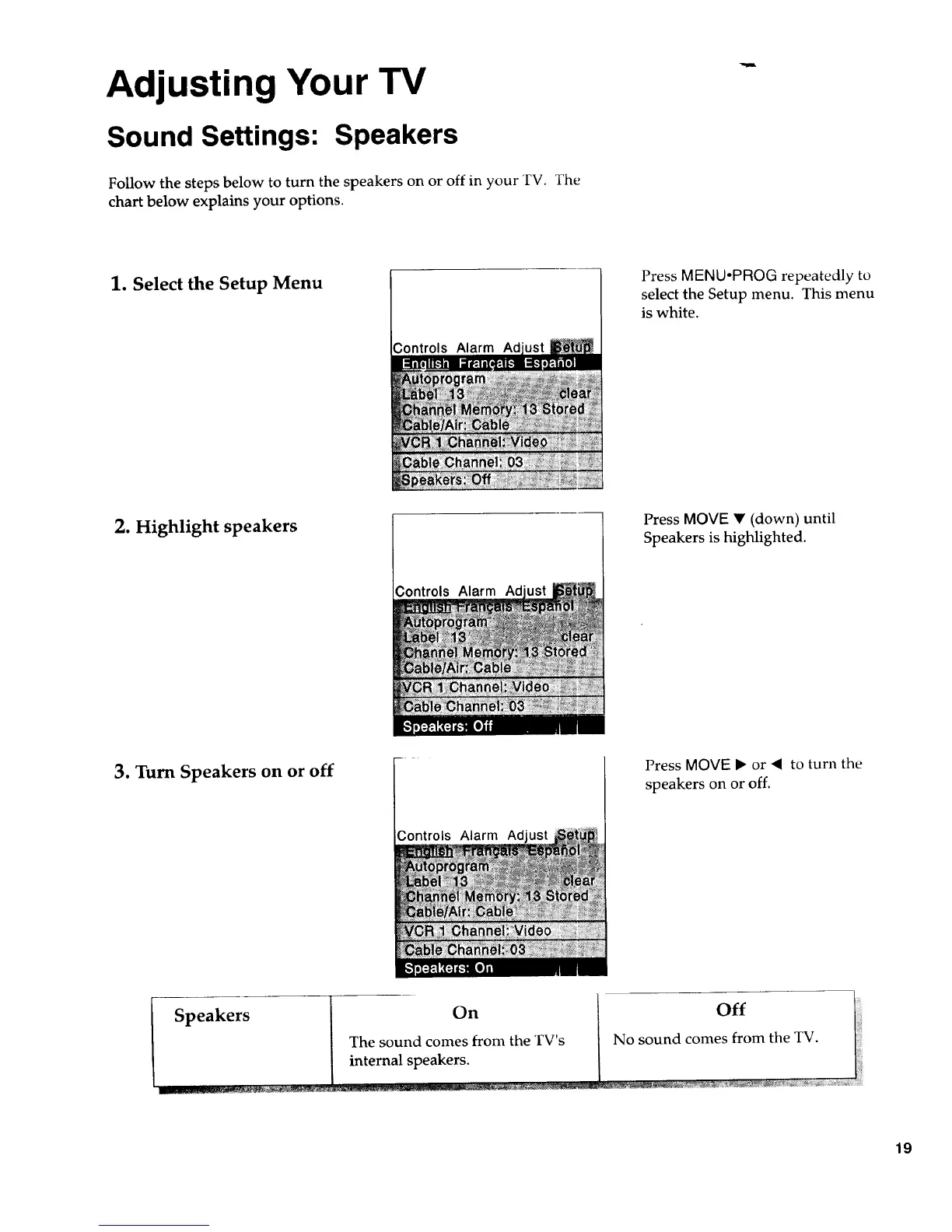
Follow the steps below to turn the speakers on or off in your TV. The
chart below explains your options.
1. Select the Setup Menu
Controls Alarm Ad
Press MENU.PROG repeatedly to
select the Setup menu. This menu
is white.
2. Highlight speakers
Controls Alarm Ad
Press MOVE • (down) until
Speakers is highlighted.
3. Turn Speakers on or off
Controls AJarm Ad
Press MOVE • or • to turn the
speakers on or off.
Speakers
On
The sound comes from the TV's
internal speakers.
19



 To Next Page