Using Advanced Features
Setting the Sleep Timer
You can set your TV to turn itself off. If you're watching TV at night and
fall asleep, the TV will turn off for you.
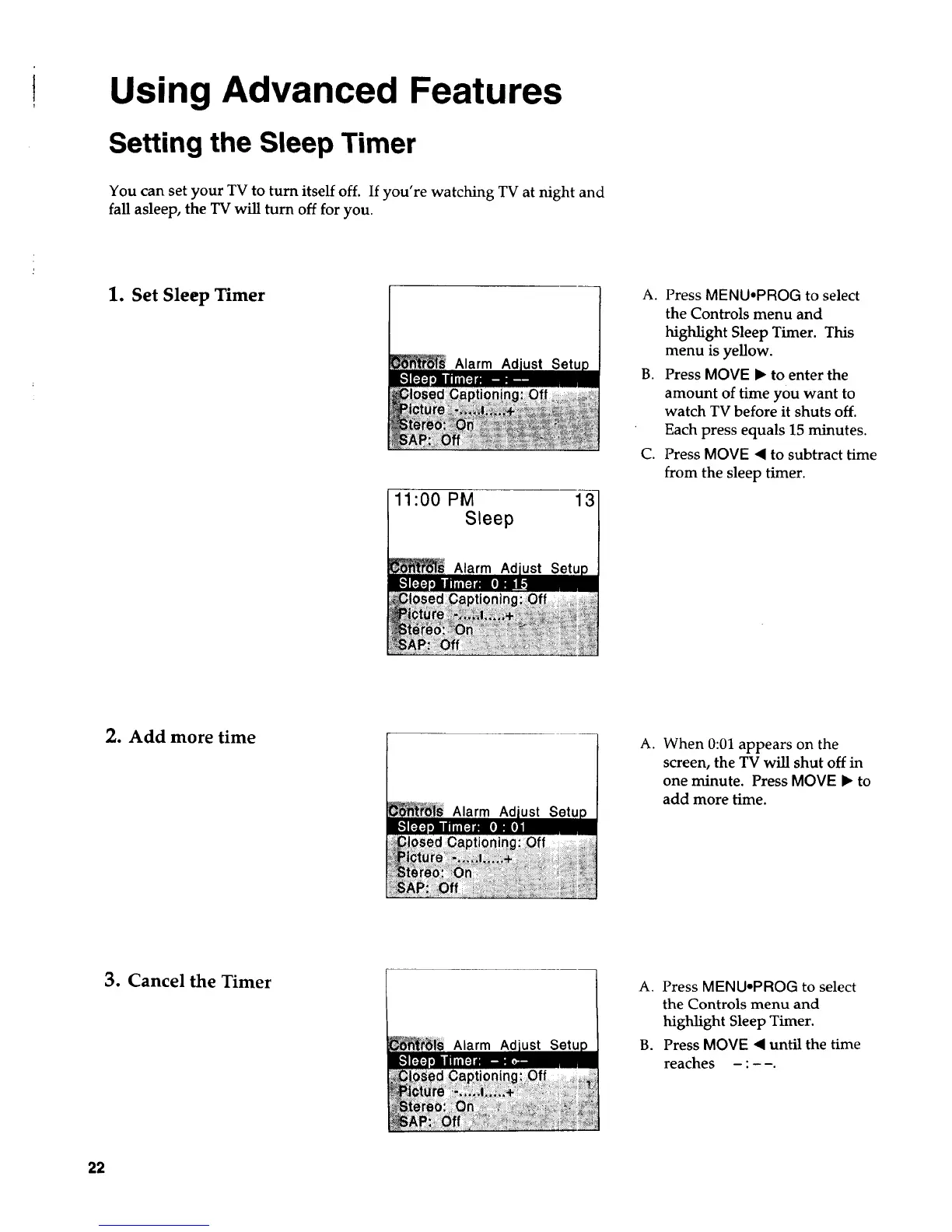
1. Set Sleep Timer
Alarm Ad
11:00 PM 131
Sleep
Alarm Ad
A. Press MENU.PROG to select
the Controls menu and
highlight Sleep Timer. This
menu is yellow.
B. Press MOVE • to enter the
amount of time you want to
watch TV before it shuts off.
Each press equals 15 minutes.
C. Press MOVE • to subtract time
from the sleep timer.
2. Add more time
Alarm Ad
a.
When 0:01 appears on the
screen, the TV will shut off in
one minute. Press MOVE • to
add more time.
3. Cancel the Timer
Alarm
A. Press MENU-PROG to select
the Controls menu and
highlight Sleep Timer.
B. Press MOVE • until the time
reaches :
22



 To Next Page