EN - 13
Battery Management and Charging
The tablet has a built-in rechargeable battery.
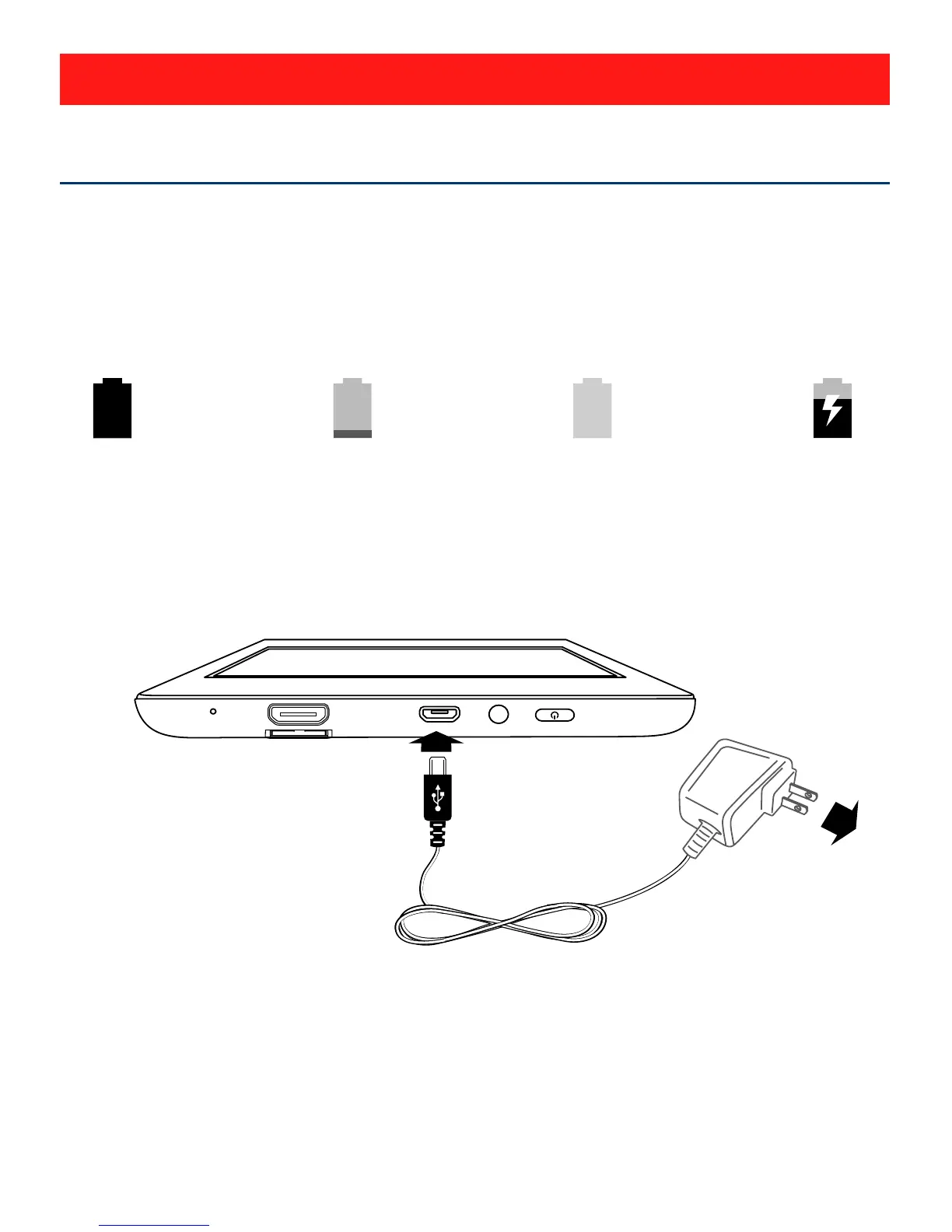
Battery Icon
The battery icon in the upper-right corner shows the battery
level or charging status.
Charging the Battery
Use the AC Adapter to charge the battery, and also you can
charge it via the Micro-USB port.
Note: In order to keep the battery working in best
condition, please pay attention to the following:
• The included AC adapter is for use with this unit only.
Do not use it with other equipment.
• Please do not charge the battery in high temperatures.
Full battery
Low battery Need to be
charged
Charging
AC Adapter
(included)
To Wall
Outlet
To Mico-USB port
Connections


 To Next Page
 Loading...