GENERAL CONTROLS
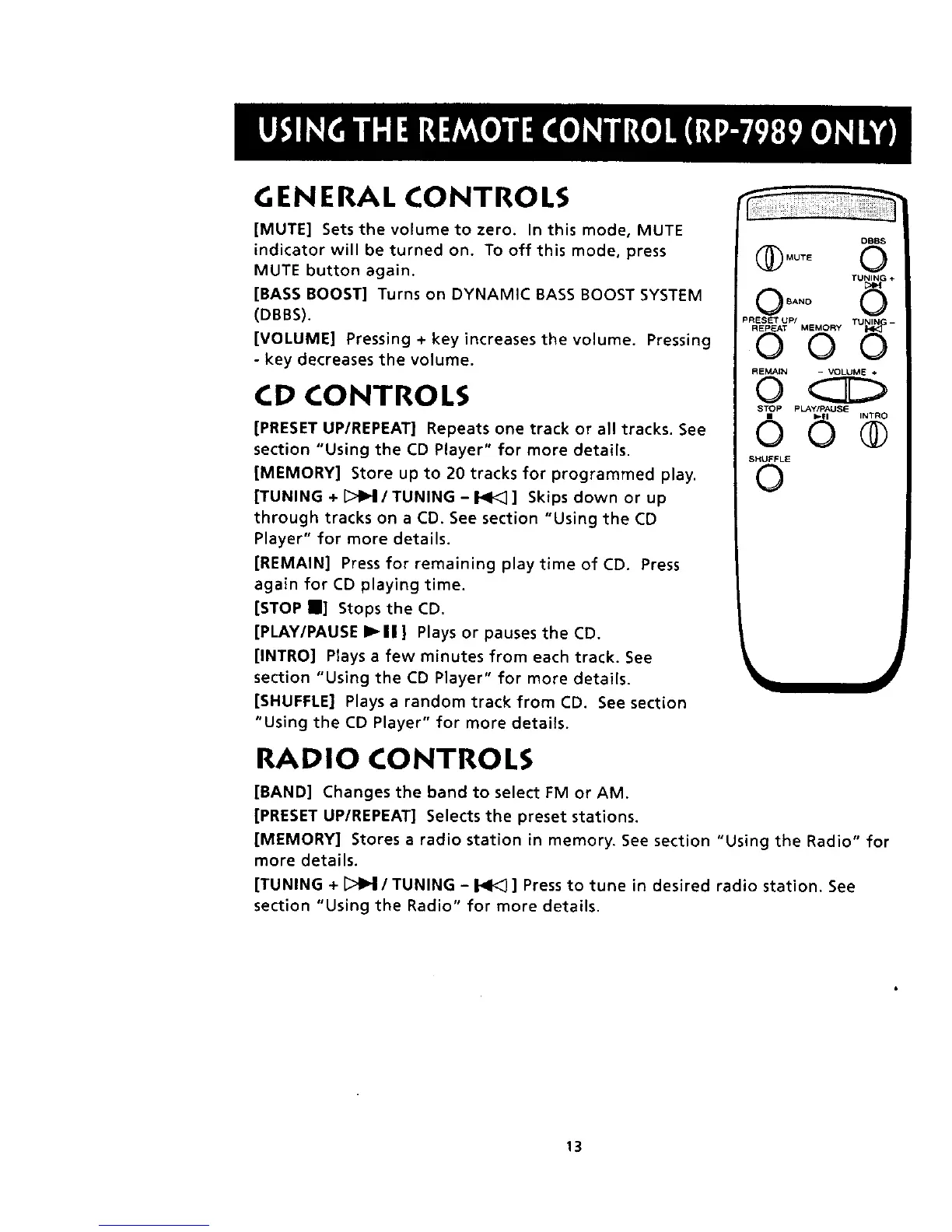
[MUTE] Sets the volume to zero. In this mode, MUTE
indicator will be turned on. To off this mode, press
MUTE button again.
[BASS BOOST] Turns on DYNAMIC BASS BOOST SYSTEM
(DBBS).
[VOLUME] Pressing + key increases the volume. Pressing
- key decreases the volume.
CD CONTROLS
[PRESET UP/REPEAT] Repeats one track or all tracks. See
section "Using the CD Player" for more details.
]MEMORY] Store up to 20 tracks for programmed play.
[TUNING + [_11_1/TUNING - I_1<_] Skips down or up
through tracks on a CD. See section "Using the CD
Player" for more details.
[REMAIN] Press for remaining play time of CD. Press
again for CD playing time.
[STOP I] Stops the CD.
[PLAY/PAUSE I_11 ] Plays or pauses the CD.
[INTRO] Plays a few minutes from each track. See
section "Using the CD Player" for more details.
[SHUFFLE] Plays a random track from CD. See section
"Using the CD Player" for more details.
DBBS
@O0TEO
TUNING ÷
O BANO _
PRESET UP/ TUNIN_ --
REMAIN - VOLUME ÷
OO
STOP pLAy/PAUSE
SHUFFLE
0
RADIO CONTROLS
[BAND] Changes the band to select FM or AM.
[PRESET UP/REPEAT] Selects the preset stations.
[MEMORY] Stores a radio station in memory. See section "Using the Radio" for
more details.
[TUNING + _/TUNING - _ ] Press to tune in desired radio station. See
section "Using the Radio" for more details.
13


 To Next Page