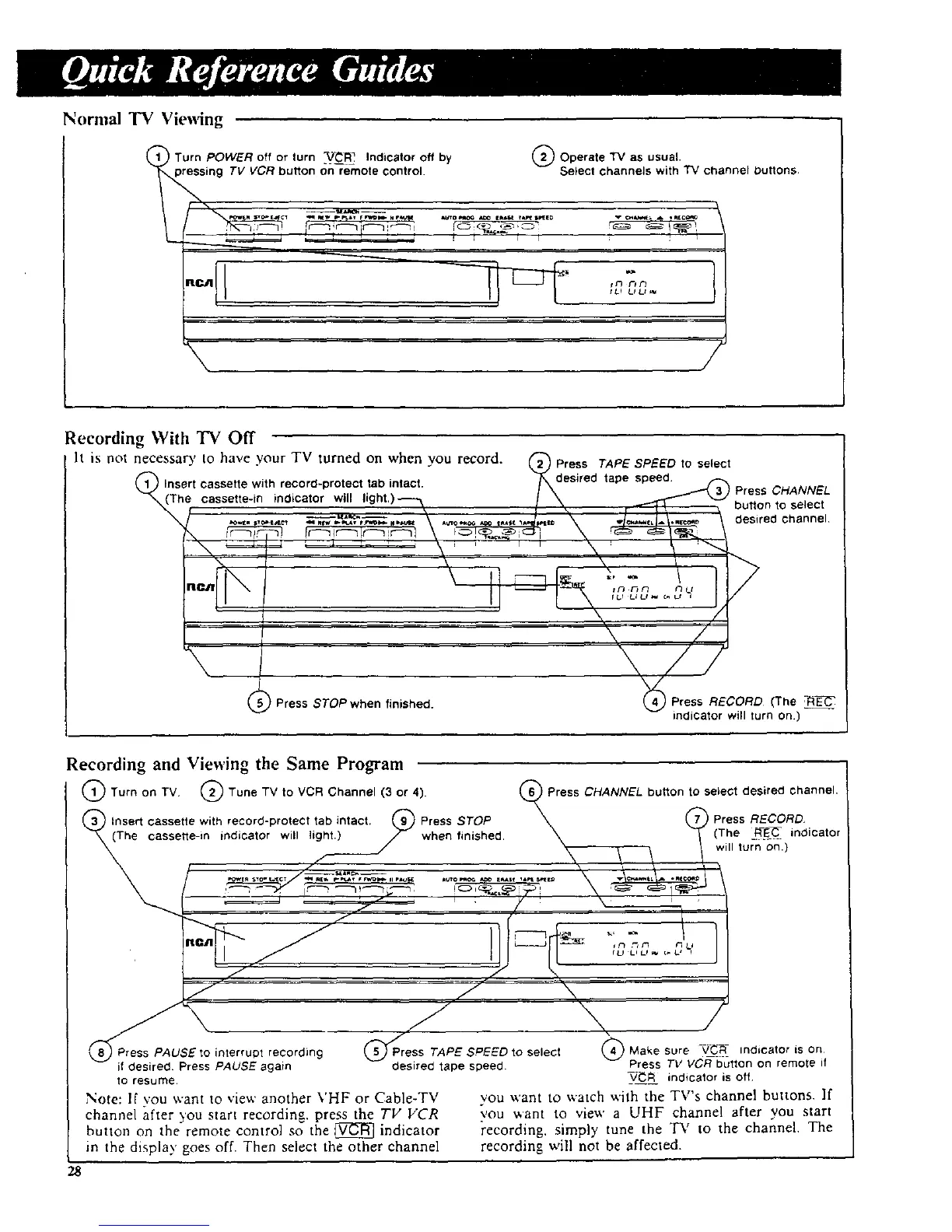
Normal "IV Viewing
Turn POWER off or turn -V_]_ Indicator off by (_ Operate TV as usual.
sing TV VCR button {_nre-mote control. Select channels with TV channel Duffons.
%
IU LS Lt '_
\
/
Recording With "IV Off
h is not necessa_, to have your TV turned on when you record. @ Press TAPESPEED to select
(_ Insert cassette with record-protect tab intact. /Xk_desired tape speed..... _ Press CHANNEL
_(The cassette-in indicator will light.)-_-_ / \ _ _ button to select
'-./ --\ -\ _
Im / 1\ ...... J
, \ /
I \ /
\ ; \//
Press STOPwhen finished. _ Press RECORD (The -RE_
indicator will turn on.)
recording and Viewing the Same Program
Turn on TV. (_ Tune TV to VCR Channel (3 or 4).
Insert cassette with record-protect tab intact. (_ Press STOP
(The cassette-in indicator will light.) _ when finished,
d-
Press CHANNEL button to select desired channel,
mPress RECORD,
(The R E_._ indicator
will turn on.)
mPress PAUSE to interrupt recording ;PEED to select _) Make sure -VC_::_ indicator is on
if desired Press PAUSE again desired tape speed. Press TV VCR button on remote if
to resume _/_ indicator is off
Note: If you want to view another VHF or Cable-TV you want to watch with the TV's channel buttons. If
channel after you start recording, press the TV VCR you want to view a UHF channe! after you start
button on the remote control so the _ indicator recording, simply tune the TV to the channel. The
in the display goes off. Then select the other channel recording will not be affected.
28



 To Next Page