EN-20
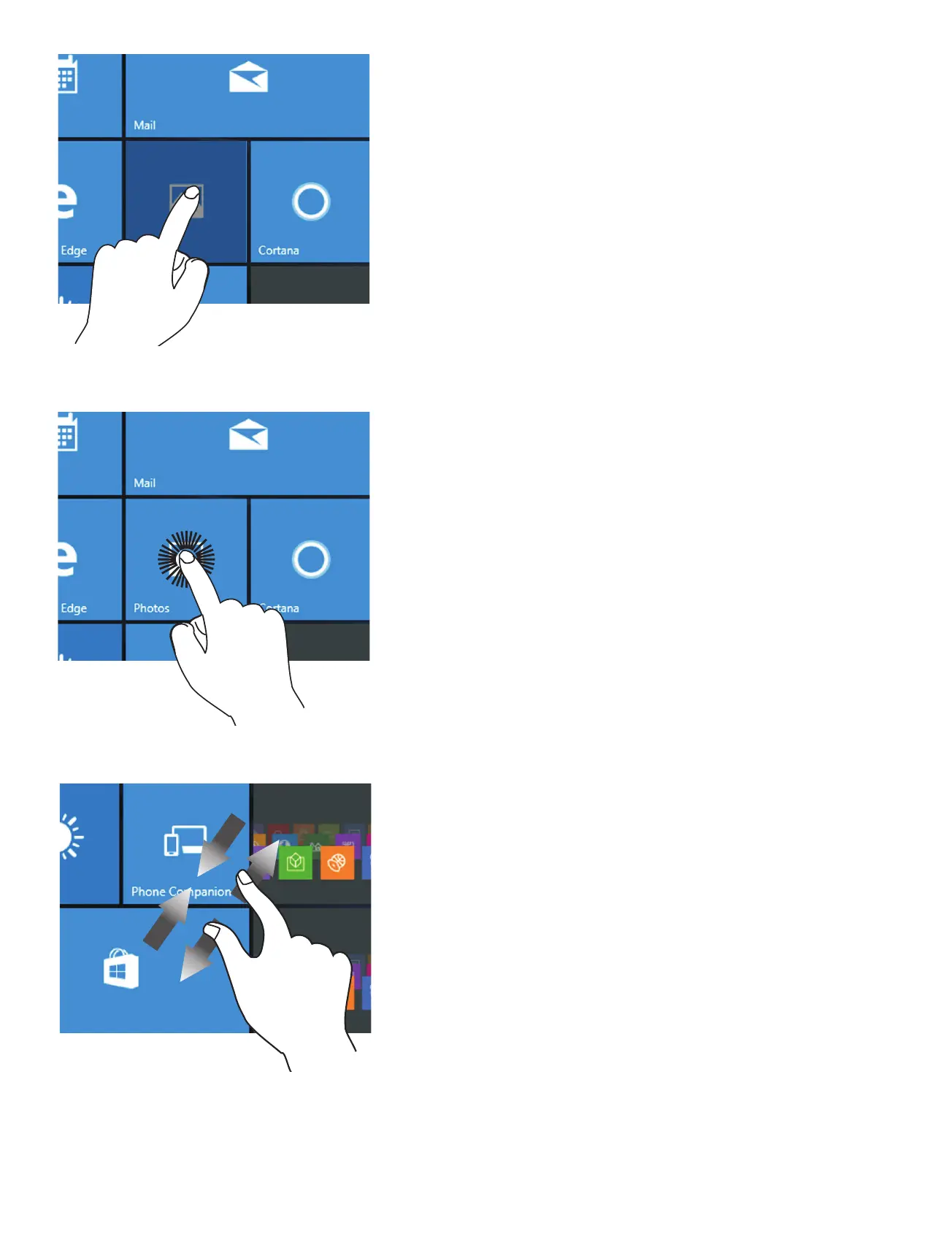
Zoom
By placing two fingers on the
screen, you can slide them
apart to "Zoom In", or pinch
them together to "Zoom Out".
Tap/Double tap
To select an item on the
touchscreen, lightly tap it.
On Desktop mode, double tap
an application to launch it.
Touch & Hold
To move an app, touch and
hold the app tile and drag it
to a new position;
Touch and hold an app to
customize it.


 To Next Page