Sarasota, FL 34243
Info@ReactHealth.com
www.Reacthealth.com
PO2BLK
PO2BLU
PULSE OXIMETER USER MANUAL
Instructions to User
The information contained in this document is subject to change without notice.
The Manual describes, in accordance with the Pulse Oximeter’s features and requirements, main structure, functions, specications, correct methods for
transportation, installation, usage, operation, repair, maintenance and storage, etc. as well as the safety procedures to protect both the user and equipment.
Refer to the respective chapters for details.
Please read the User Manual carefully before using this product. Follow directions carefully for proper use. Manufacturer is not responsible for any issues
caused by improper use of the device. This product can be used repeatedly and has an estimated operating life of 3 years. If you have any questions or
problems with use of this device, please visit us at www.reacthealth.com and navigate to our Support tab for contact options, including submission of an
online support ticket.
WARNING:
Uncomfortable or painful feeling may develop with continuous use. It is recommended that the sensor should not be applied to the same finger for
over 2 hours.
The device can not be clipped on fingers with edema or tender tissue.
The light (the infrared is invisible) emitted from the device is harmful to the eyes, so keep away from eyes.
User cannot use nail polish or artificial nails. As it may cause false readings.
Long nails may impede proper readings.
Please refer to the correlative literature about the clinical restrictions and cautions.
This device is not intended for treatment.
The User Manual is published by React Health. All rights reserved.
1 Safety
1.1 Instructions for Safe Operations
Check the main unit and all accessories periodically to make sure that there is no visible damage that may affect user’s safety and monitoring
performance including cables and transducers. It is recommended that the device should be inspected once a week. When there is obvious damage, stop
using the oximeter .
Necessary maintenance must be performed by qualied engineers ONLY. Users are not permitted to service it by themselves.
The oximeter cannot be used together with devices not specied in User’s Manual. Only the accessories recommended by manufacture can be used
with this device.
This product is calibrated before leaving factory.
1.2 Warnings
Explosive hazard—DO NOT use the oximeter in environment with inammable gas such as some ignitable anesthetic agents.
This device contains rubber.
The disposal of scrap instrument and its accessories and packings (including battery, plastic bags, foams and paper boxes) should follow the local laws
and regulations.
Please check the packing before use to make sure the device and accessories are in accordance with the packing list.
Do not service while patient is wearing the pulse oximeter.
No modication of this equipment is allowed.
The user is an intended operator.
The probe of the device is the applied part.
1.3 Attentions
Keep the oximeter away from dust, vibration, corrosive substances, explosive materials, high temperature and moisture.
If the oximeter gets wet, please do not use.
Allow pulse oximeter to reach room temperature if it has been stored n a hot or cold environment.
DO NOT operate keys on front panel with sharp materials.
High temperature or high pressure steam disinfection of the oximeter is not permitted. Refer to User Manual in the relative chapter for instructions on
cleaning and disinfection.
Do not immerse oximeter in water or other cleaning uids. Device may be cleaned with an alcohol wipe and a soft cloth.
When cleaning the device with water, the temperature should be lower than 60˚C.
Very thin or cold ngers may not provide accurate readings.
Do not use the device on infant or neonatal users.
The product is suitable for adults over 40kg.
The device may not work for all users. If you are unable to achieve stable readings, discontinue use.
The update period of data is less than 5 seconds, which is changeable according to different individual pulse rate.
If some abnormal conditions appear on the screen during test process, pull out the nger and reinsert to restore normal use.
The lanyard attached the product is made from hypo-allergenic material, if particular group are sensitive to the lanyard, stop using it. In
addition, pay attention to the use of the hanging rope , do not wear it around the neck to avoid the risk of strangulation.
The instrument dose not have low-voltage alarm function, it only shows the low-voltage, please change the battery when the icon shows on the screen.
This pulse oximeter does not have audible alarms.
Batteries must be removed if the device is going to be stored for more than one month.
A exible circuit connects the two parts of the device. Do not twist or pull on the connection.
1.4. Indication for Use
The Pulse Oximeter is a non-invasive device intended for the spot-check of saturation of arterial hemoglobin(SpO
2
) and the pulse rate of adult in home use
environments. This device is not intended for continuous monitoring. The device can be multi-used. Intended to monitor heart rate during exercise.
2 Overview
The pulse oxygen saturation is the percentage of HbO
2
in the total Hb in the blood, the O
2
concentration in the blood. It is an important bio-parameter to
monitor for respiratory function. This device will simultaneously measure the oxygen saturation of the blood and the pulse rate.
The Pulse Oximeter features low power consumption, portability and ease of use. Diagnosis of low SpO
2
is as simple as placing the device on your nger.
2.1 Features
Operation of the product is simple and convenient.
The product is small and lightweight.
Power consumption of the product is low and the two originally equipped AAA batteries can be operated continuously for 24 hours.
The product will automatically be powered off when no signal, within 5 seconds.
Low-battery indicator displays as a ashing batery indicator.
2.2 Major Applications and Scope of Application
The Pulse Oximeter can be used in measuring pulse oxygen saturation and pulse rate through nger. The product is suitable for family use(It can be used before
or after doing sports, and it is not recommended to use the device during the process of doing sports).
! This product is not intended to diagnose or treat carbon monoxide patients.
2.3 Environment Requirements
Storage Environment
a) Temperature: -40˚C~+60˚C
b) Relative humidity: ≤95%
c) Atmospheric pressure: 500hPa~1060hPa
Operating Environment
a) Temperature: 10˚C~40˚C
b) Relative Humidity: ≤75%
c) Atmospheric pressure: 700hPa~1060hPa
3 Principle and Caution
3.1 Principle of Measurement
Principle of the Oximeter is as follows: An experience formula of data process is established taking use of Lambert Beer Law according to Spectrum
Absorption Characteristics of Reductive Hemoglobin (Hb) and Oxyhemoglobin (HbO
2
) in glow & near-infrared zones. Operation principle of the instrument
is: Photoelectric Oxyhemoglobin Inspection Technology is adopted in accordance with Capacity Pulse Scanning & Recording Technology, so that two beams
of different wavelength of lights can be focused onto human nail tip through perspective clamp nger-type sensor. Then measured signal can be obtained by a
photosensitive element, information acquired through which will be shown on screen through treatment in electronic circuits and microprocessor.
3.2 Caution
1. The nger should be placed properly (see the attached illustration of this manual, Figure 7), or else it may cause inaccurate measurement.
2. The SpO
2
sensor and photoelectric receiving tube should be arranged in a way with the subject’s arteriole in a position there between.
3. The SpO
2
sensor should not be used at a location or limb tied with arterial canal or blood pressure cuff or receiving intravenous injection.
4. Make sure the optical path is free from any optical obstacles like fabric or articial nails.
5. Excessive ambient light may affect the measuring result. This includes uorescent lamp, dual ruby light, infrared heater, direct sunlight and etc.
6. Strenuous action of the subject or extreme electrosurgical interference may also affect the accuracy.
7. User can not use enamel or articial nails.
3.3 Clinical Restrictions
1. As the measure is taken on the basis of arteriole pulse, substantial pulsating blood ow of subject is required. For a subject with weak pulse due to
shock, low ambient/body temperature, major bleeding, or use of vascular contracting drug, the SpO
2
waveform (PLETH) will decrease. In this case, the
measurement will be more sensitive to interference.
2. For those with a substantial amount of staining dilution drug (such as methylene blue, indigo green and acid indigo blue), or carbon monoxide
hemoglobin (COHb), or methionine (Me+Hb) or thiosalicylic hemoglobin, and some with icterus problem, the SpO
2
determination by this monitor may be
inaccurate.
3. The drugs like dopamine, procaine, prilocaine, lidocaine and butacaine may also be a major factor blamed for serious error of SpO
2
measure.
4. As the SpO
2
value serves as a reference value for judgement of anemic anoxia and toxic anoxia, some users with serious anemia may also report good
SpO
2
measurement.
4 Technical Specifications
1) Display Format: Digital tube Display;
SpO
2
Measuring Range: 0% - 100%;
Pulse Rate Measuring Range: 30 bpm - 250 bpm;
Pulse Intensity Display: columniation display
2) Power Requirements: 2 ×1.5V AAA alkaline battery, adaptable range: 2.6V-3.6V.
3) Power Consumption: Smaller than 25 mA.
4) Resolution: 1% for SpO
2
and 1 bpm for Pulse Rate.
5) Measurement Accuracy: ±2% in stage of 70%-100% SpO
2
, and meaningless when stage being smaller than 70%. ±2 bpm or±2% (select larger) for
Pulse Rate. Clinical Trial :SpO
2
regression plot & Bland–Altman plot,Refer to Figure 2 & Figure 3.
6) Measurement Performance in Weak Filling Condition: SpO
2
and pulse rate can be shown correctly when pulse-lling ratio is 0.4%. SpO
2
error is
±4%, pulse rate error is ±2 bpm or ±2% (select larger).
7) Resistance to surrounding light: The deviation between the value measured in the condition of man-made light, indoor natural light and that of
darkroom is less than ±1%.
8) It is equipped with a switch function. The Oximeter can be powered off when the nger is off the oximeter within 5 seconds.
9) Optical Sensor
Red light (wavelength is 660nm, 6.65mW)
Infrared (wavelength is 880nm, 6.75mW)
5 Accessories
Lanyard
Carry Case
Two batteries
Silicone Cover
6 Installation
6.1 View of the Front Panel
Figure 2 SpO
2
regression plot
Figure 3 Bland–Altman plot
Figure 4. Front View Figure 5. Batteries Installation
6.2 Battery
Step 1. Refer to Figure 5. and insert the two AAA size batteries properly in the right direction.
Step 2. Replace the battery cover. Please take care when you insert the batteries for the improper insertion may damage the device.
! Please take care when you insert the batteries for the improper insertion may damage the device.
6.3 Mounting the Lanyard
Step 1. Put the end of the rope through the hole.
Step 2. Put another end of the rope through the rst one and then tighten it.
Figure 6. Mounting the lanyard Figure 7. Put nger in position
7 Operating Guide
7.1 Insert the two batteries and replace the cover.
7.2 Open the clip as shown in Figure 7.
7.3 Insert the user’s nger between the rubber cushions (make sure the nger is in the right position), and then clip the nger.
7.4 Press the switch button once on front panel.
7.5 Ensure the user is still, without excessive hand movements.
7.6 The users pulse rate and SpO
2
will display on screen.
7.7 Press the button to reset the device.
! Fingernails and the luminescent tube should be on the same side.
8 Repairing and Maintenance
Please change the batteries when the low-voltage displayed on the screen.
Surface clean your device with an alcohol wipe and a soft cloth before using.
To avoid cross contamination, wipe with alcohol between use.
Please remove the batteries if the oximeter is not in use for a long time.
The packed device can be transported by ordinary conveyance or according to transport contract. The device can not be transported mixed with toxic,
harmful, corrosive material.
The best storage environment of the device is - 40ºC to 60ºC ambient temperature and not higher than 95% relative humidity.
! High-pressure sterilization cannot be used on the device.
Figure 1. Operating Principle

 Need help?
 General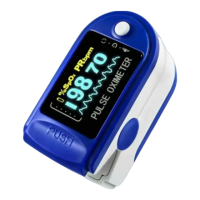

 To Next Page
