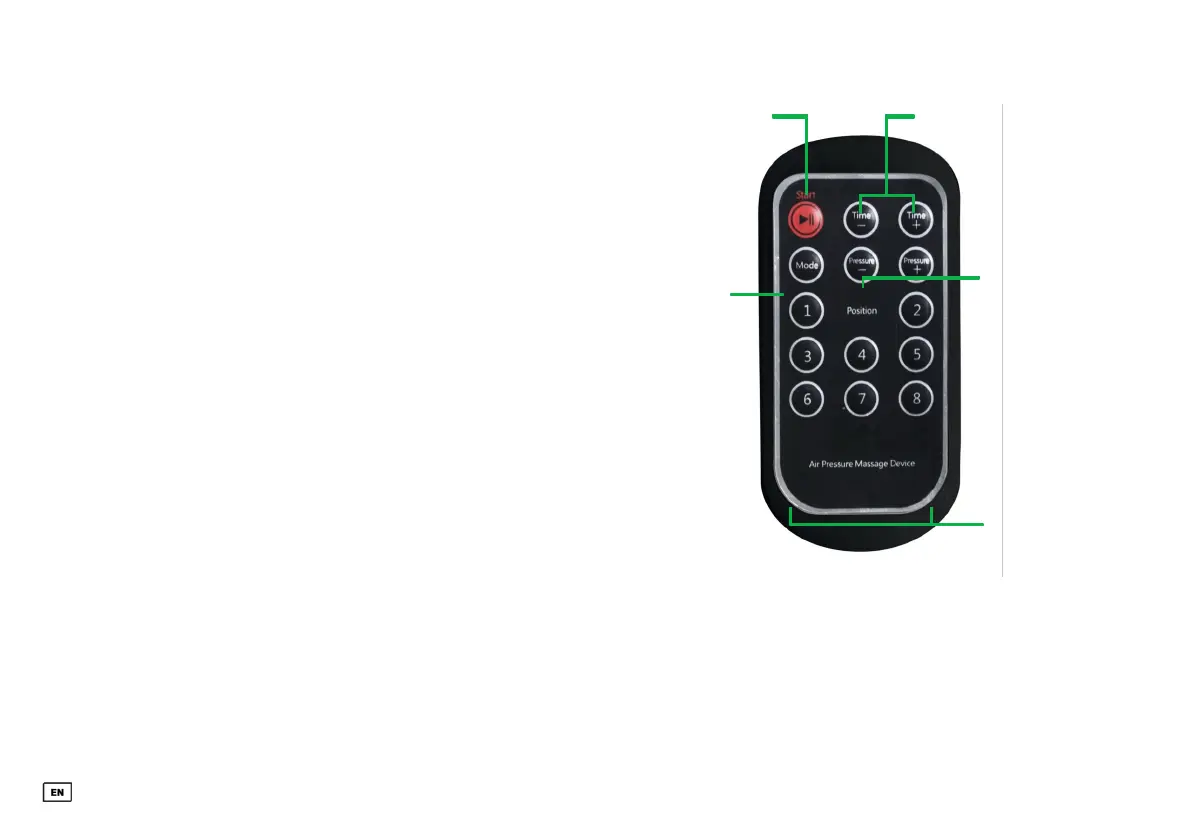
To start a programme, please follow the order of
the graphics indicated on the right. During reboot
application, hold your legs as horizontally as
possible and make sure that the air supply tubes are
not pinched. You can adjust the pressure yourself
from 30 to 240 mmHg in increments of 30. lf
necessary, individual chambers can be omitted in
order to avoid tender spots, for example.
ATTENTION: Before using the remote control for
the first time, the battery protection must be
removed and a battery (type: CR2032) must be
inserted! Due to shipping regulations, we are
unfortunately not allowed to include batteries. We
ask for your understanding.
LITE VERSION: Remote control with 6 compression
chambers each.
3. SELECT
DURATION
4. SELECT
PRESSURE
2. SELECT
PROGRAM
5.
DEACTIVATE
INDIVIDUAL
COMPRESSIO
N
CHAMBERS
OPERATION
1. START
PROGRAM
33


 To Next Page