7
B. INSERT AAA BATTERIES (NOT INCLUDED)
The TR600 typically runs o wall power, but can run o
batteries only. If power is lost, batteries help retain the time/
date. Remove back cover to insert the batteries.
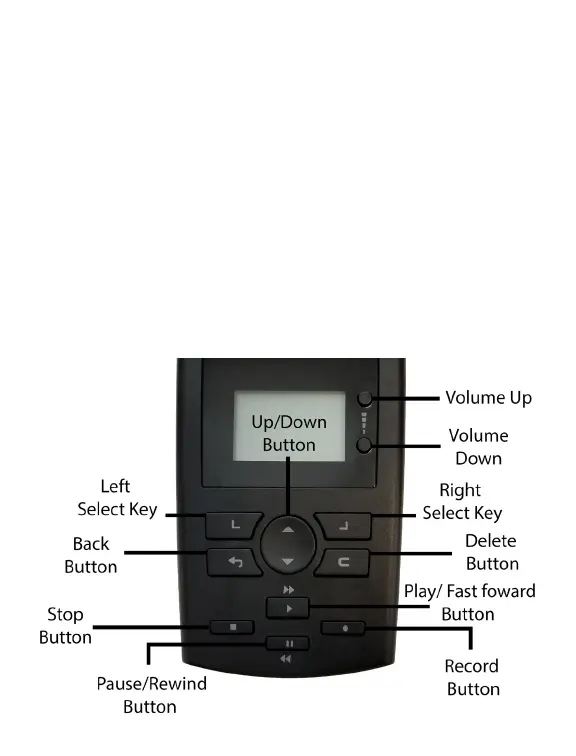
C. NAVIGATING THE TR600
The image below labels the TR600 buttons; they are used to
perform various functions & navigate the menu.
NOTE - The Left/Right Select Buttons correspond to menu items in the
lower left/right of the screen. The Up/Down Button allows you to scroll
up or down to dierent menu options. The Back Button will always take
you back to the previous screen/menu



 To Next Page