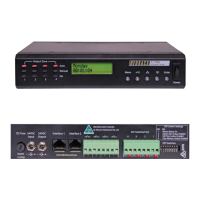
Proudly Assembled in Australia
OPERATING INSTRUCTIONS
Distributed by Altronic Distributors Pty. Ltd. Perth. Western Australia.
This simple to operate digital timer allows numerous
variations of ON/OFF cycles every 24 hours. It can be
configured to 14 on cycles every day. Additionally , it
may be programmed to operate on any combination of
days ( ie. weekdays or weekends). The on duration is
variable and can be set from 1 second to 23 hours 59 min-
utes and 59 seconds. It is ideal for programming period
breaks in schools or change of shift bells in factories and
work places. The in-built digital clock can be set to one of
three modes of operation, manual , automatic and off. In
the manual mode you may override any programmed
setting , the automatic mode switches on at the pre-pro-
grammed times and the off mode disables the pre pro-
grammed on times.
FEATURES
• 19” 2U Rack mount or desk mount
• Timer may trigger Chime or 24VDC out
• Choice of 240VAC or 24VDC operation
• Choice of 5 tones for the bell chime
• In-built manually operated Alert/ Evac switches
• Remote trigger contacts for Alert,Evac and Chime
• Programs are retained during power failure
• Up to 14 “ON” programs per 24 hours
• Unit may be programmed to operate on any
combination of days
• 2 Year warranty
• Made in Australia
OPERATING INSTRUCTIONS
To install and operate the unit you will need to
programme the timer as follows.
1) Set the current time and day .
To set the current day or time press the key to
clear the entire memory. Hold down the CLOCK key and
press either the DAY, HOUR, MIN or SEC key
continuously until the desired day or time is shown.
Then lift your finger off the CLOCK key to start the timer
operating.
2) Set the ”ON” duration for all programs
Press TIMER key, the display will show :
Set the duration of all the programs (T1) by pressing
HOUR, MIN and SEC keys until the desired “ON”
duration is displayed. It is recommended that you use
durations of no more than 1 second for a single chime
tone. For longer chime durations you will need to set dip
switch 3 to ON as well as programming the ON duration
for a longer period.
To review the programmed duration , press the timer
button when in timer function.
3) Set the programmed “ON” times.
After setting the ON duration, press the TIMER
button again to bring up the first “ON” program.
Use HOUR , MIN and SEC buttons to set the first
program start time. Use the DAY button to set the
desired day or sequence of days this program will
operate on.
You may then press TIMER again to set the “ON” time
for programs 2 - 14.


 To Next Page
 Need help?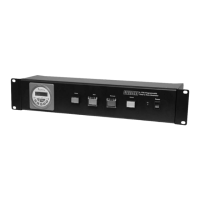

 General