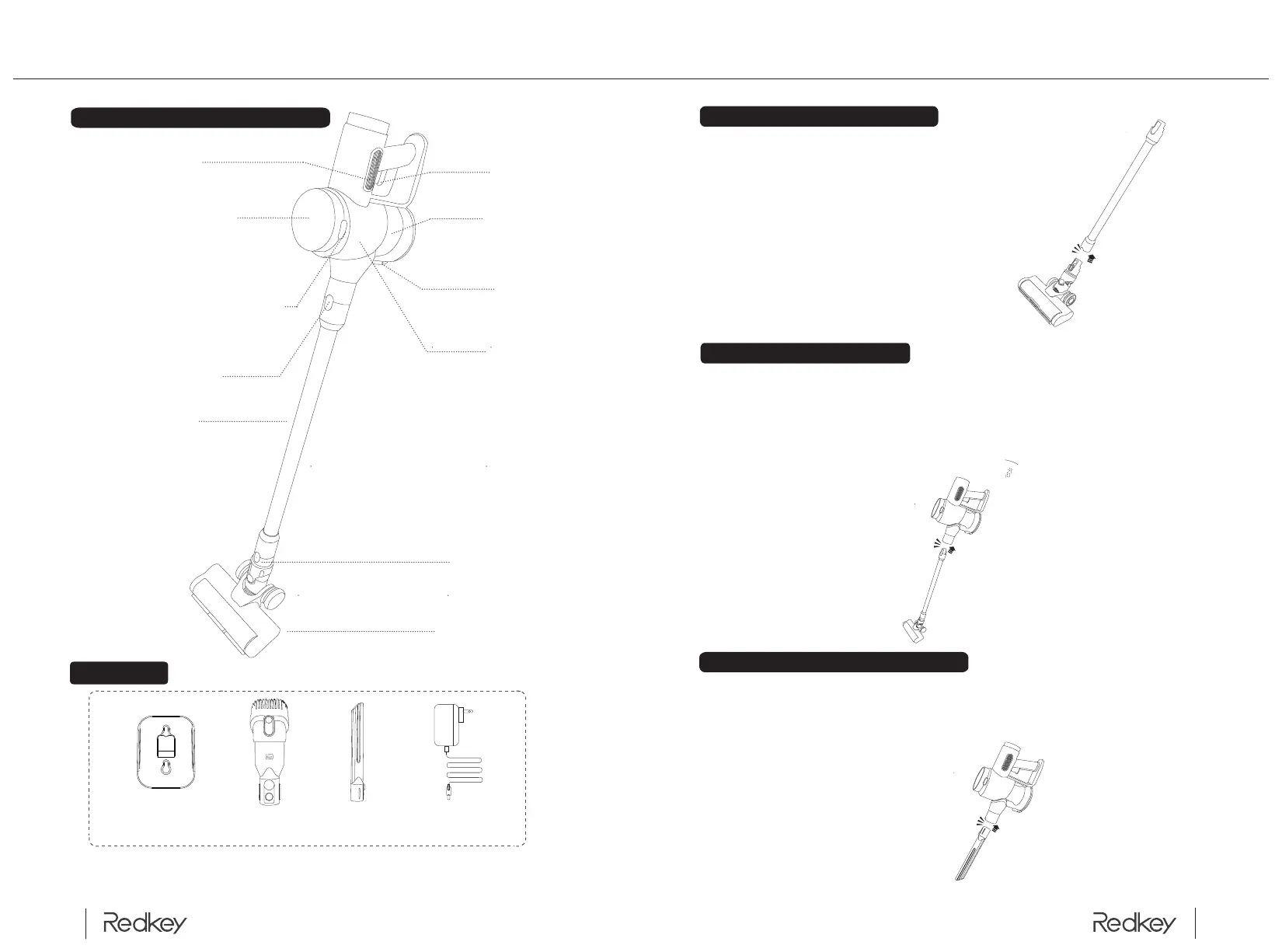
As shown in the picture, align the electric floor brush
with the extension tube connector and gently push it
in. When you hear the "click" sound, the installation is
complete.
(To remove, simply press the locking button shown
below and pull down).
Connect the machine to one end of the extended aluminum tube (hear a
click" to indicate successful installation) and the other end is connected to a
floor brush or other accessory (as shown in the picture) and can be used as
an upright vacuum cleaner. (Figure): or connect the machine to a floor brush
to clean floors, tiles or carpets, etc. It's hard to clean. (To disassemble, simply
press the locking button in the figure to pull it apart)
As shown in the picture, align the slit nozzle with the body connector and
gently push it in. When you hear a "click", the installation is complete (to
remove, simply press the locking button shown in the figure below and pull
down).
3
4
Product Components Introduction
Battery pack release button
Metal tube lock
Display screen
Air Outlet
Switch
Dust Cup
Floor brush
Bracket
Accessories
Multi-function
brush
Battery chargerLong flat nozzle
Brush release button
Body
Dust Cup Button
Metal tube
Installation of the floor brush
Installation of metal pipes
扁吸安装
Installation of the long flat nozzle
Product Installation and Disassembly
Main Machine and Accessories


 To Next Page
 Loading...