Use
30
A9MA03EN 02/2012
Step Action
1 Pull out the padlocking device to set the handle on the circuit breaker to OFF position.
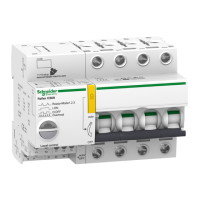
2 Press the pushbutton on the Reflex iC60 circuit breaker for at least 3 seconds so that the LED flashes
alternately green and orange.
3 The LED indicates the active operating mode:
z Mode 1: the LED flashes once red
z Mode 2: the LED flashes twice red
z Mode 3: the LED flashes three times red
NOTE: Mode 3 is only available for integrated control circuit breakers with Ti24 interface.
4 Press the pushbutton several times in succession to select the required operating mode. Each press
switches the circuit breaker from one mode to the next.
5 Once the operating mode is selected, press the pushbutton on the Reflex iC60 circuit breaker for at least
3 seconds to confirm the chosen mode.
The LED indicates the selected operating mode:
z Mode 1: the LED flashes once green
z Mode 2: the LED flashes twice green
z Mode 3: the LED flashes three times green
NOTE: Mode 3 is only available for integrated control circuit breakers with Ti24 interface.
6 Push the padlocking device back in and close the circuit breaker by placing the handle in the upper
position (auto).


 To Next Page