EasyManua.ls Logo

Reflex Lexicon - Page 23

Default Icon
49 pages
Print Icon
To Next Page IconTo Next Page
To Previous Page IconTo Previous Page
Loading...
Performance
Verification
Lexicon
DRAM
Test
(6)
The DRAM
test
is
a little different
than
the other memory
tests
because the
Z80
does not
have
direct
access
to
the actual
DRAM.
The only
way
the Z80
{U12)
can read
from
or
write
to
the
DRAM
(U38-41
or
U20-23)
is
through
the
Lexichip.
The
Lexichip II
has
6
internal
register locations through
which
the
Z80
can
read and
write
data
to
the digital
audio
bus.
A
special
microcode
program
is loaded
into
the
Lexichip
to
run
the
test.
While
the
test
is
running,
the
letter
r
is displayed
to indicate that the
test is
running. The
testtakes
approximately
1
3 seconds
for
64K DRAM
,
50 seconds
for 256K
DRAM
and
4
minutes for
1 MEG
DRAM. The first thing
that the
DRAM
test does
is
determine
the size of
the DRAM.
The
current
software
expects the
DRAM
to
be
either 64K, 256K,
1
MEG
or
4
Meg RAMs.
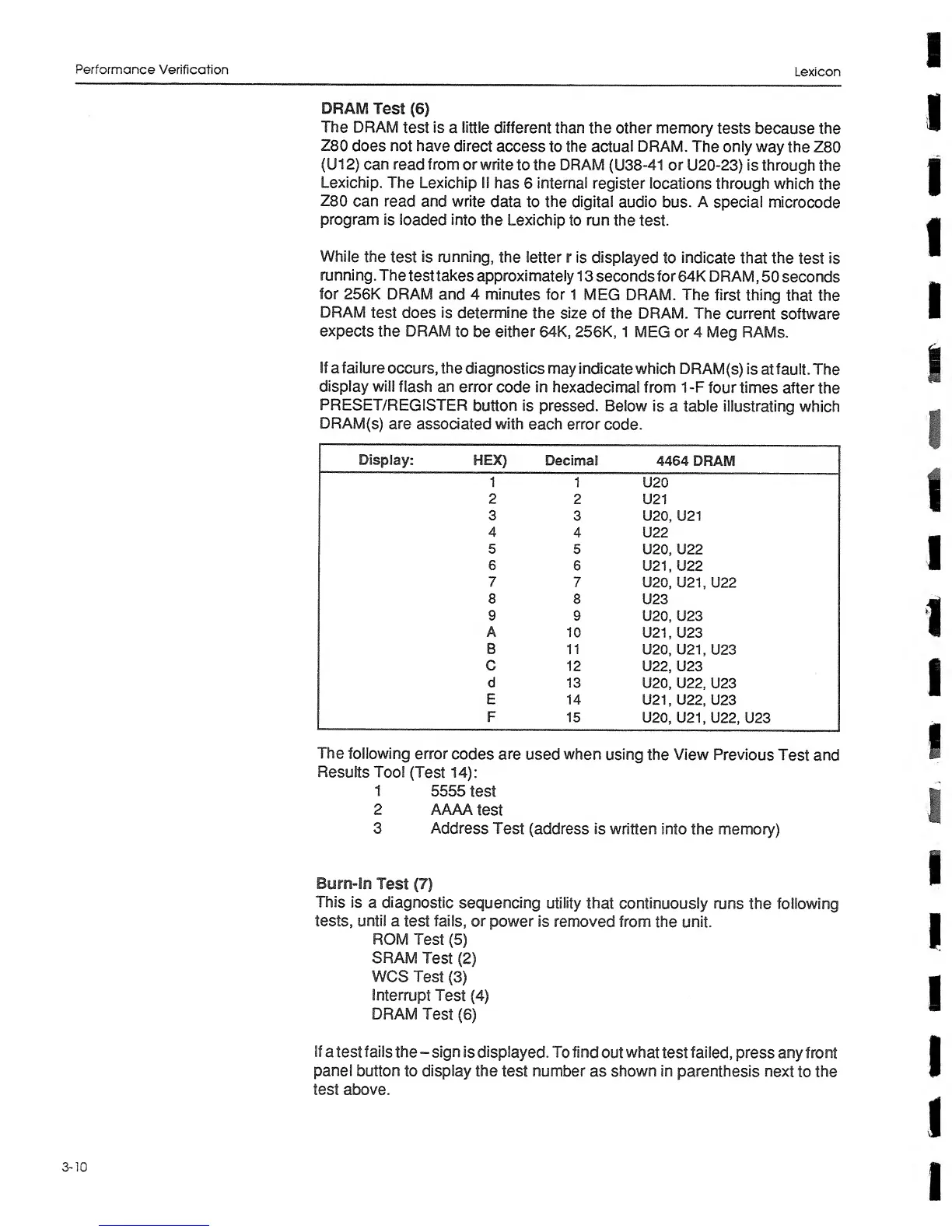
If
a failure
occurs,
the
diagnostics
may indicate
which
DRAM(s)
is
at fault.
The
display
will flash
an error
code
in
hexadecimal
from 1-F
four
times
after
the
PRESET/REGISTER
button is pressed.
Below
is
a
table
illustrating which
DRAM(s)
are
associated with
each
error
code.
Display:
HEX)
Decimal
4464
DRAM
1
1 U20
2
2 U21
3
3 U20,
U21
4
4 U22
5 5
U20, U22
6
6 U21,
U22
7
7
U20, U21, U22
8
8
U23
9
9 U20,
U23
A
10
U21,
U23
B
11
U20, U21,
U23
C
12
U22, U23
d
13
U20, U22,
U23
E 14
U21, U22, U23
F
15
U20, U21, U22,
U23
The
following
error
codes
are
used
when
using the View Previous
Test and
Results Tool
(Test
14);
1
5555
test
2
AAAA
test
3
Address
Test
(address
is
written
into the memory)
Burn-In
Test
(7)
This
is
a
diagnostic
sequencing
utility
that
continuously runs
the following
tests,
until
a test
fails,
or
power is
removed from
the unit.
ROM
Test
(5)
SRAM
Test
(2)
WCS
Test
(3)
Interrupt
Test
(4)
DRAM
Test
(6)
If
a
test
fails
the
-
sign
is
displayed.
To find
out
what
test
failed,
press any
front
panel
button to display the
test number as shown in
parenthesis
next
to
the
test
above.
3-10