TURN TV ON / OFF
• Make sure the power cord is plugged in and the toggle switch is pressed.
• Turn on the unit by pressing the [POWER] button (RED button on the left side of the remote
control) on the unit or remote control.
Note:
The device has a toggle switch with which the device can be completely de-energized. To operate
the unit, make sure that the toggle switch is set to On.
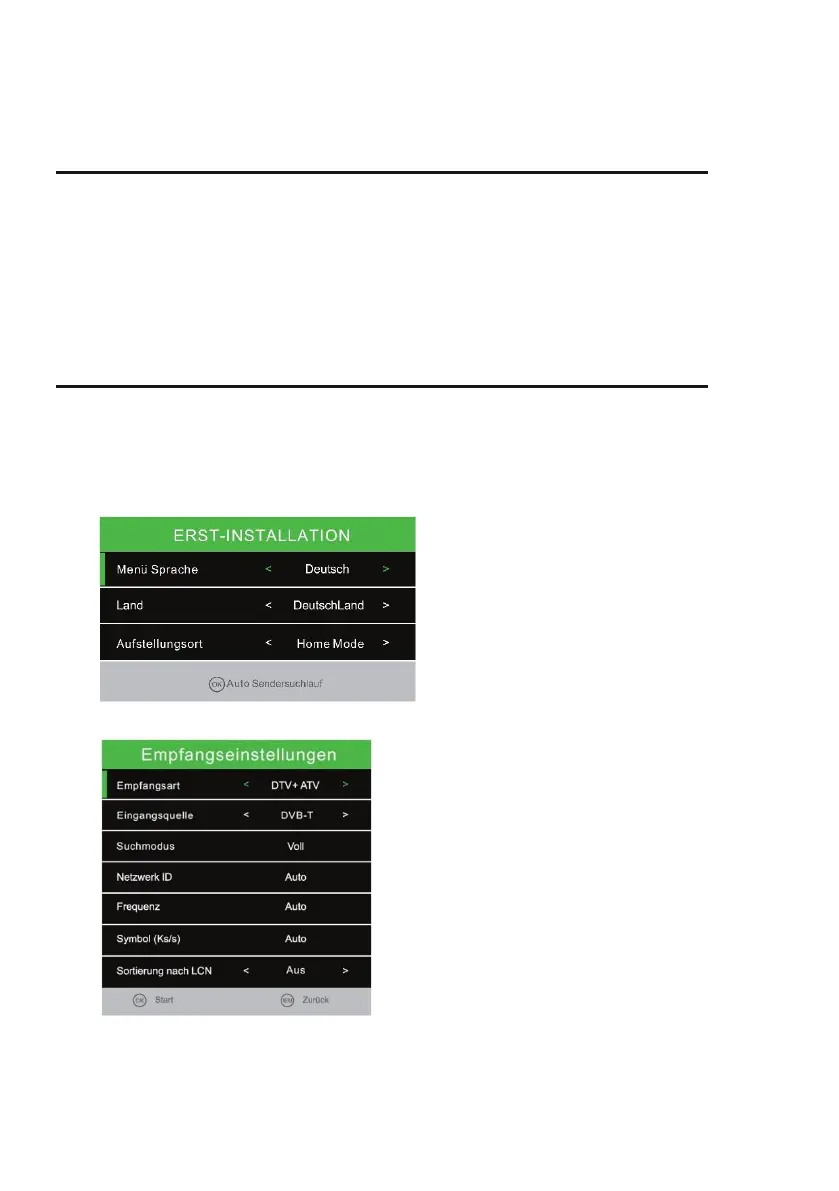
FIRST INSTALLATION
1. Press the [POWER] button on the unit or remote control to turn on the unit.
2. Press the [▲ ▼] key to navigate the menu.
3. Press the [◄►] button to change the menu settings.
Select the menu language; the country
and the site.
4. Press the [OK] key to confirm the entry and enter the tuner selection.
Note:
If you have selected Satellite / DVB-S for
the "input source". After the confirmation,
you can load the "Standard sender list".
Set the "LCN" function to "Off" for the
DVB-T / C station search. If the setting is
"On", this prevents the stations from
being sorted and assigns each station a
fixed program slot.
5. Set the "LCN" function to "Off" for the DVB-T / C station search. If the setting is "on", this
prevents the stations from being sorted and assigned to each other.
6. You can change the settings with the [▲ / ▼ / ◄ / ►] buttons.



 To Next Page