CHANNEL MENU (SATELLITE)
Edit [Green]:
1. Select a satellite or transponder you want to edit with the [▲ ▼ ◄►] buttons.
2. Press the [OK] key to mark the satellite or transponder.
3. Press the [Green] button to enter the satellites and transponder settings.
4. Press the [OK] button when you have made all the settings to apply the setting.
Settings for editing satellites and transponders.
Satelite editing:
Satellite Name: Edit the name of the satellite.
Longitude Direction: East / West
Longitude Angle: Enter a new longitude angle.
Band: Ku / C
Transponder edit:
Frequency: Enter a new frequency.
Symbol (ks/s): Enter a new symbol rate.
Polarity: H (Horizontal) / V (Vertical)
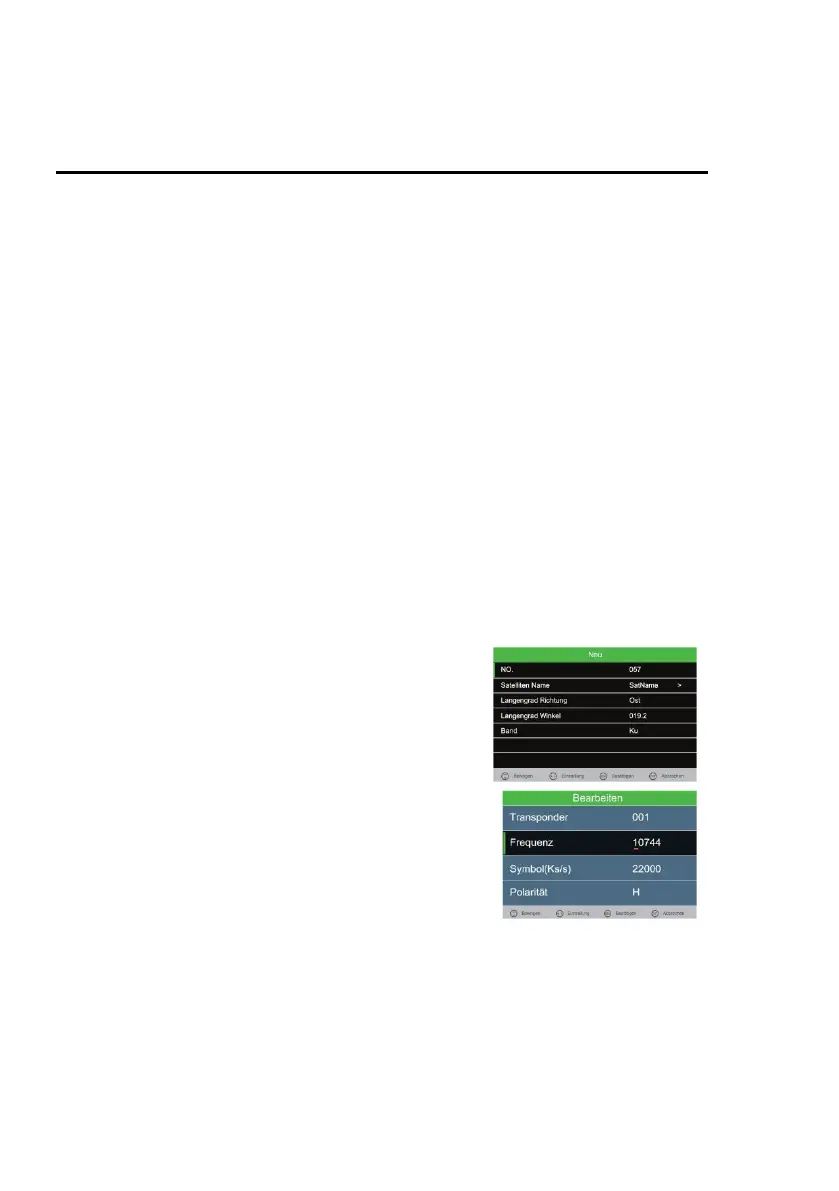
Add [Yellow]
1. In the transponder or satellite list, press the [Yellow] key to manually add a satellite or
transponder.
2. Press the [OK] button when all settings have been made to apply the setting.
Einstellungen für das hinzufügen neuer Satelliten oder Transponder.
Add satellite:
Satellite Name: Edit the name of the
satellite.
Longitude Direction: East / West
Longitude Angle: Enter a new longitude
angle.
Band: Ku / C
Add transponder:
Frequency: Enter a new frequency.
Symbol (ks/s): Enter a new symbol rate.
Polarity: H (Horizontal) / V (Vertical)



 To Next Page