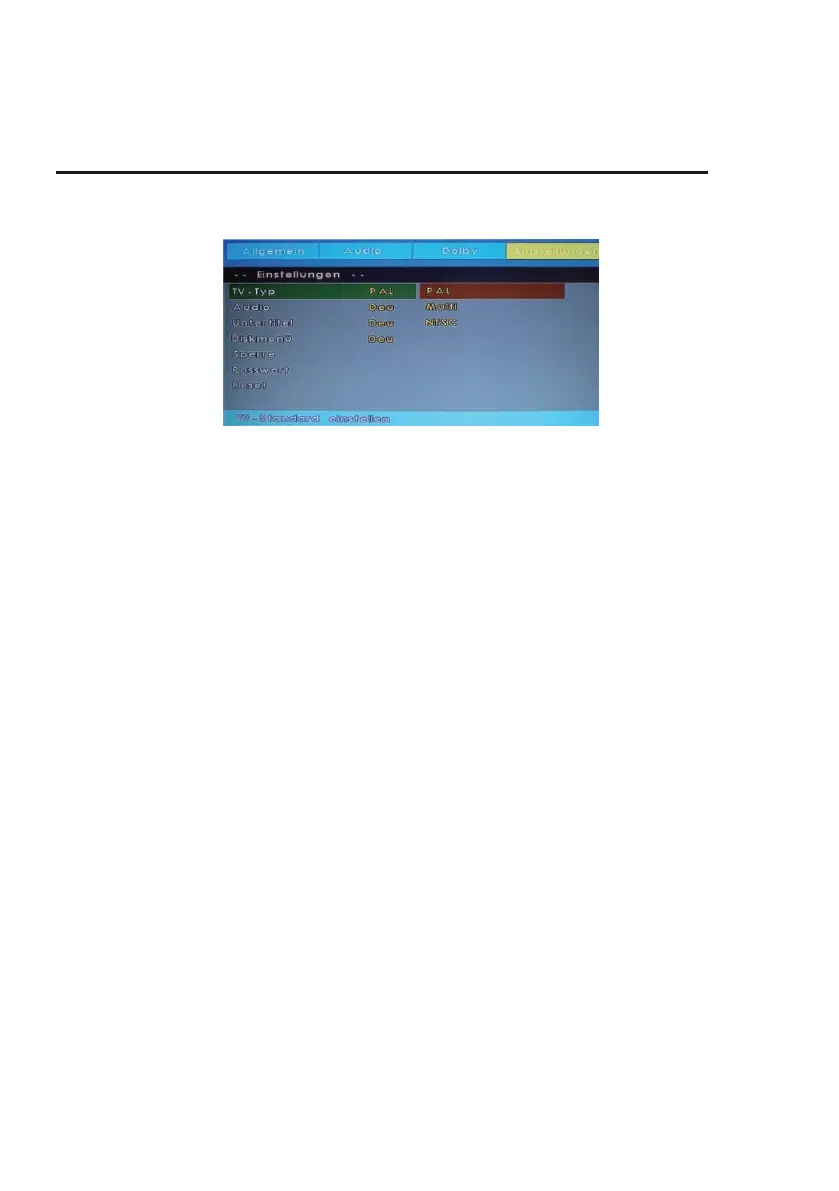
DVD PLAYBACK
Preference Page
TV Type:
Set the colour system for CD / DVD playback here.
PAL:
Select this setting if the inserted CD / DVD matches the PAL colour system.
MULTI:
The device automatically selects the correct colour system based on the inserted CD / DVD.
NTSC:
Select this setting if the inserted CD / DVD matches the NTSC colour system.
Audio:
Select the default audio language. This is automatically selected if the inserted CD / DVD has
multiple audio tracks. If the selected audio track is not available on the inserted CD / DVD, the first
option English is automatically selected.
Subtitle:
Select the subtitle language selected as default. This is automatically selected if the inserted CD /
DVD has multiple subtitle tracks. If the selected subtitle track is not available on the inserted CD /
DVD, the first option English is automatically selected.
Disc Menu:
Select the subtitle language selected as default. This is the selected CD / DVD has multiple subtitle
tracks. If the selected subtitle track is not available on the CD / DVD, the first option English is
automatically selected.
Parental Control:
Choose a level of parental control to protect your child from inappropriate footage.



 To Next Page