EN
51
2. Press the button to switch on the device.
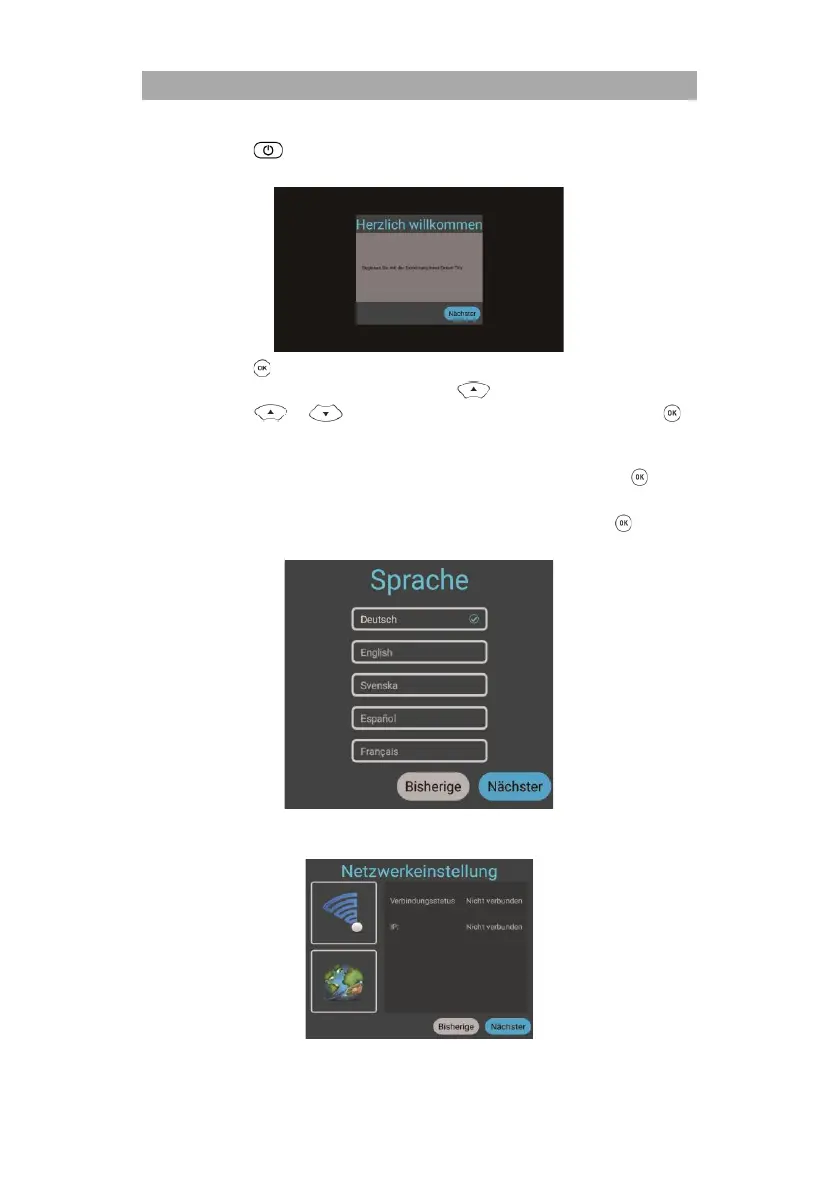
3. A menu overlay for setting up the Smart TV appears on the screen.
4. Press the button to get to the next menu item.
5. Now set the desired menu language. Use the key to access the selection. Now
press the or buttons to select the desired menu language. Press the
button to confirm the selection.
Note:
German is set as standard. If this is your selection, you can press the button
directly to go to the next menu item.
6. Once you have selected the desired language and confirmed it, press the button
again.
7. Network settings: Depending on the connection, you can make WLAN settings
(wireless) or LAN settings (wired connection) to connect the device to your network.



 To Next Page