NPK RELSIB
web: www.relsib.com
e-mail: tech@relsib.com
79/1 Krasniy Prospekt
Novosibirsk, Russia
+7-383-319-64-01
phone:
For inquiries and offers:
e-mail:
ICQ:
+7-383-319-64-01
663-046-665
tech@relsib.com
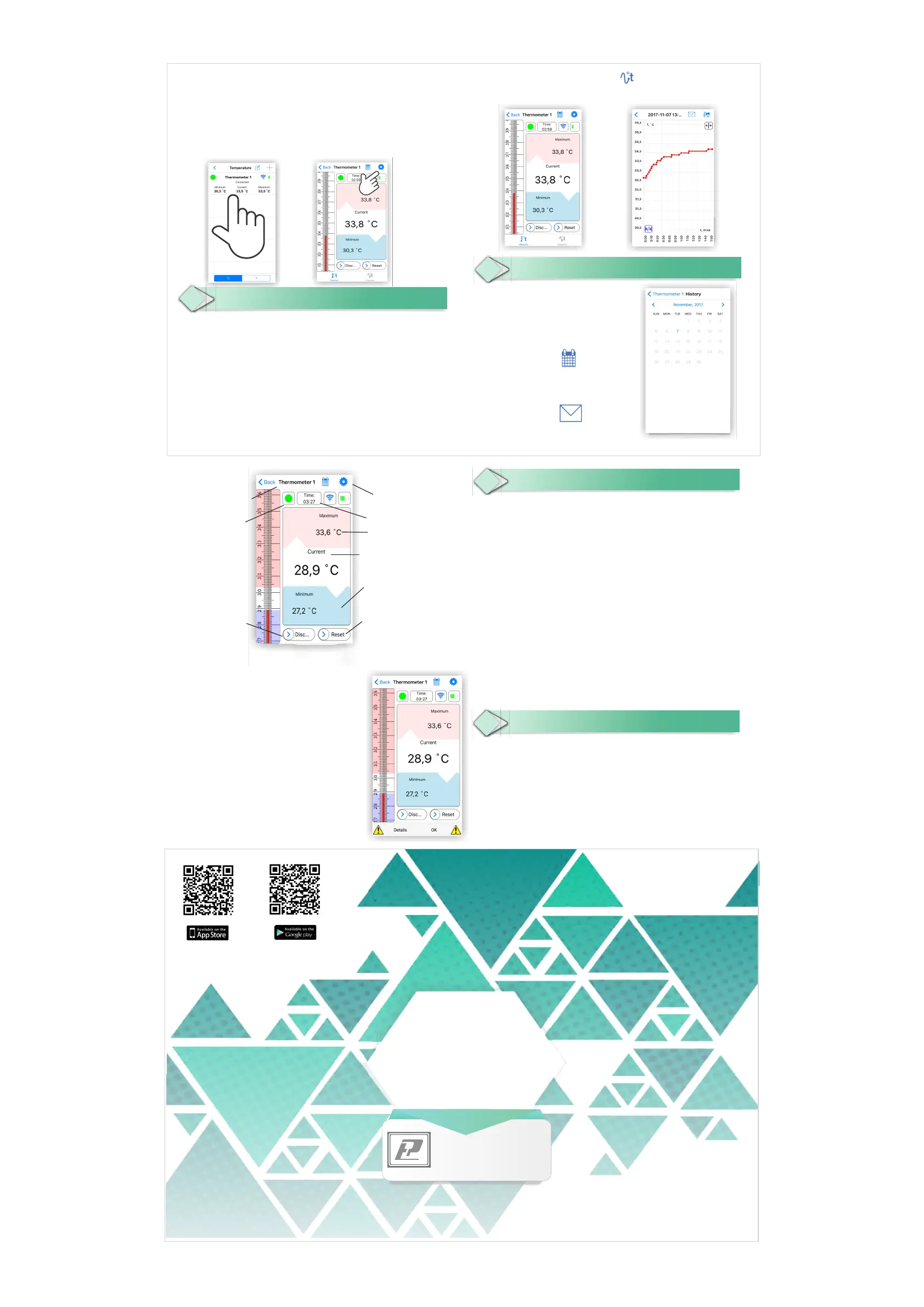
If the temperature is beyond the set upper or lower level
the audible signal and vibration are activated.
To disable the alarm you can press the flashing circle or
a pop-up window (depending on the operating system on
which the App is installed)
After pressing the button "Off" or in case of break
of the connection between the thermometer and
the device data received since the start of the
measurement are automatically archived and
recorded in the memory of the mobile device.
To view the data, you should go to the screen
History by pressing the icon
You can look through the data by double-clicking
on the date in the calendar.
The recorded data in xls format can be sent via
email by clicking on the icon
8
Working with data
Having clicked on the back icon on the settings screen you will get to the screen of the
thermometers connected to the application; it displays the current temperature as well
as maximum and minimum measured temperatures and the level of the battery charge
of the thermometer and the signal level. You can identify the thermometers by a name
and a marker colour.
In order to change the settings of the thermometer, press and hold a line with a
specified thermometer, or press the "gear" icon on the measurement screen
(depending on the operating system on which the app is installed).
Warranty period is 2 years.
The warranty does not cover thermometers damaged by improper use,
penetration of water or other liquids, as well as in case of mechanical damage.
The warranty does not apply to the lithium battery CR2032 and packaging.
In the event of a claim please send the thermometer together with the completed
warranty card to the address of the service department.
Ask to complete the warranty card by a trading organization when purchasing the
thermometer.
9
Technical parameters
10
Warranty
Measurement
7
The name of the thermometer, the color of the selected marker, the button of
measuring units selection, settings icon, level of the Bluetooth signal and the battery
charge level are displayed at the top of the measurement screen.
In the field of measurements the current temperature and the maximum and
minimum values achieved from the start of measurement are displayed. Pink and blue
colors show the upper and lower thresholds for signalling.
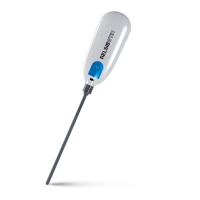
To reset the achieved minimum and maximum values from the beginning of the
measurement use the button "Reset"; to turn off the thermometer use the button
“Off”. The time of measurement (thermometer opeartional time) is displayed at the
top of the screen.
The application can work with 3 ... 6 thermometers (depending on a model of the
mobile device).
If in the measurement mode to press the icon , then you can watch
the changes of the readings in the form of a graph, if necessary you can scale it.
www.termometr-wt51.relsib.com
Manufacturer:
Measurement range: -40 ...+ 125°C
Measurement error: +30 ... + 45°C - ± 0.2°C
-10 ...+70 °C - ± 0.5°C
-40 ...+10 °C and +70 ...+125 °C - ± 0,7°C
Waterproofness: IP 54
Overall dimensions, not more: 28mm(w) x 76 mm(l) x 12 mm(h)
Weight, not more: 50 g
Power of electromagnetic radiation,
not more: 4 dBm (2.5 mW) *
Time of continuous operation
with one battery: 3 months
Operational time with one battery
at everyday 6 hour measuring: 12 months
Lithium battery: CR2032
Data transmission interface: Bluetooth 4.0 (Bluetooth Low Energy)
Operating system of the mobile Application,
version, higher than: iOS v7.1, Android v4.3
* That is 20 time lower than the permitted values for pregnant women and persons under 18 years old.
Marker
Button for the thermometer
switching-off
Settings
Measurement time
Upper level for signaling
Current temperature and upper
and lower achieved measurement
values
Lower level for signaling
Button for current measurements
reset
Name of the thermometer


 To Previous Page
 Loading...