7
, Note: Do not use for removing hair from the eyebrow.
• Keep the product away from hair on the scalp, eyebrows and eyelashes.
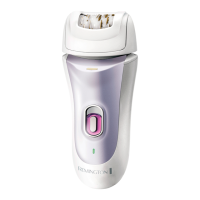
, PRECISION LIGHT
• The precision light is incorporated into the ON/OFF switch to help to see
every hair.
, DETAIL CAP
• The detail cap is designed for small areas (including the face) and spot
treatments.
• Ensure the epilator is switched off.
• Remove the Perfect Angle or Massage Cap.
• Place the Detail Cap into the appropriate slots at the top of the epilator.
• Gently press the Detail Cap into place until you hear a ‘click’.
, MASSAGE CAP WITH ALOE VERA
• The Massage Cap is designed for gentler epilation.
• Ensure the epilator is switched off.
• Remove the Perfect Angle or Detail Cap.
• Place the Massage Cap into the appropriate slots at the top of the epilator.
• Gently press the Detail Cap into place until you hear a ‘click’.
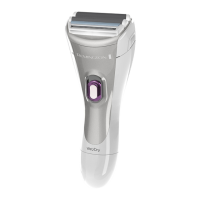
, SHAVER HEAD
• The Shaver Head provides a close shave for sensitive areas.
• Ensure the epilator is switched off.
• Press the head release button and remove the Epilator Head.
• Attach the Shaver Head until it clicks into place.
• Hold the shaver head at a 90° angle to the skin and move against the
direction of hair growth.
, TRIMMING AND SHAPING
• Attach the bikini trimmer attachment.
• Hold the shaver at a right angle to your skin and press down gently.
• Edge and shape the areas as desired.
, EXFOLIATING BRUSH HEAD
• The Exfoliating Brush spins to remove dead skin cells from the surface and
helps to prevent ingrowing hairs.
• Ensure the epilator is switched off.
• Press the head release button and remove the Epilator Head.
• Attach the Exfoliating Brush Head until it clicks into place.
ENGLISH
GBDNLFEIDKSFINPSKCZ
HUN
PLRUTRROGRSIBG HRUAAE


 To Next Page
 Loading...