All information contained on this sheet is the property of Remote King PTY LTD. Unauthorised use or reproduction is prohibited.
RCG12C - GARAGE & GATE
REMOTE PROGRAMMING
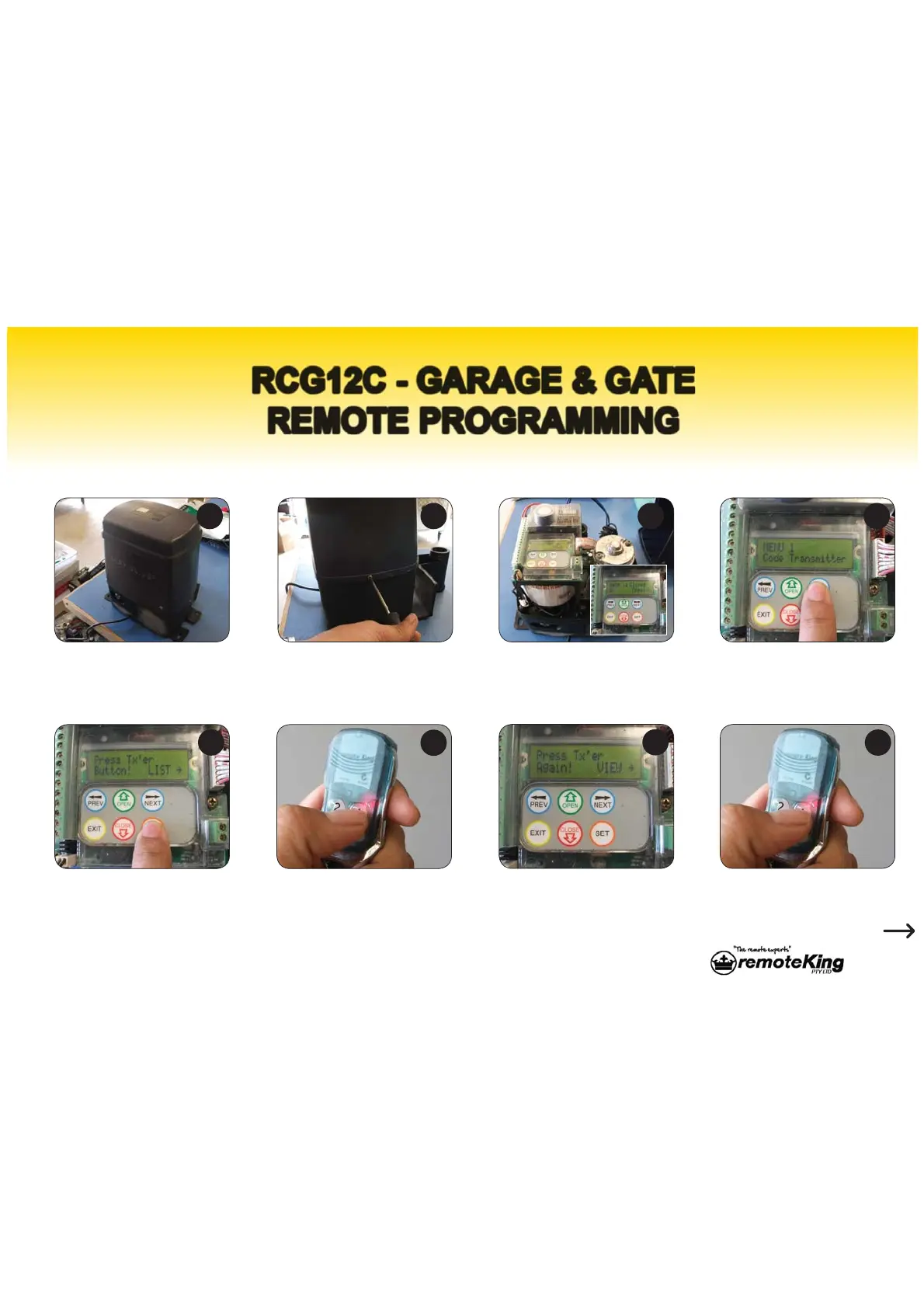
The following procedure is for programming a RCG12C remote to your gate motor:
Identify your gate motor.
Press the orange ‘SET’ button
once, the display should show
the above message and the
unit will start beeping.
The display will show the
following message and the unit
will start beeping faster.
3UHVVDQGUHOHDVHWKH¿UVW
button on your new remote
once.
Press and release the same
button on your new remote
again.
To remove the cover locate
the two cover screw, one
located on each side, and
unscrew them.
Lift off the cover to reveal the
receiver board and digital
display.
Press the blue ‘NEXT’ button
once till the display shows
‘Code Transmitter’.
1 2
6
8
3 4
5
7
RCG12C
27B
Continued



 To Next Page