2.4
STARTING/STOPPING THE ENGINE (2/3)
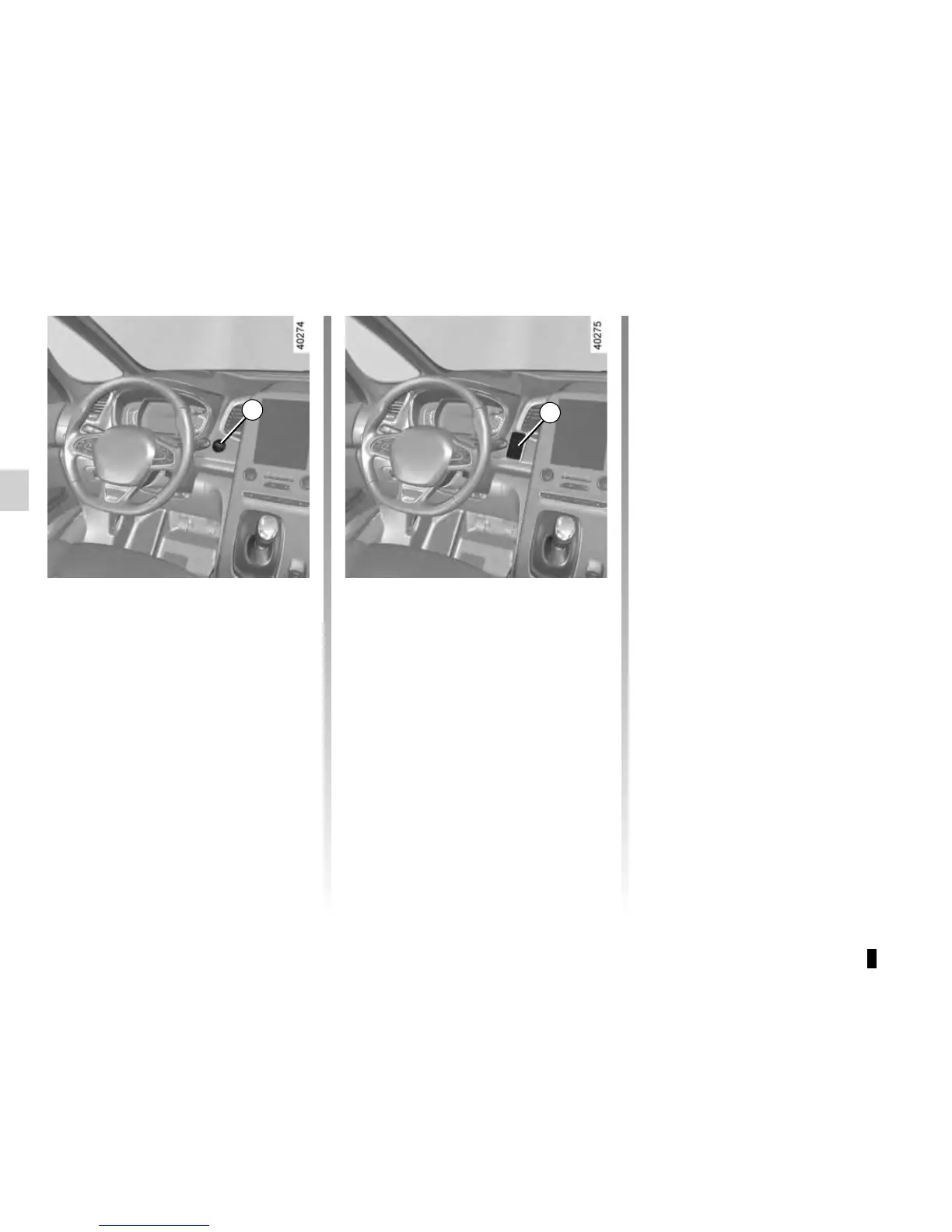
Depress the brake or clutch pedal, then
place the RENAULT 3 card (logo side)
in contact with the start button 2 for
around 2 seconds. Press the 2 button
to start the vehicle. The message goes
out.
2
Accessories function
(switching on the ignition)
Once you have gained access to your
vehicle, you may use some of its func-
tions (radio, navigation, wipers, etc.).
To use the other functions, with the
RENAULT card in the passenger com-
partment, press button 2 without press-
ing the pedals.
3
Operating faults
In certain cases, the RENAULT “hands-
free” card may not work:
– when the RENAULT card battery is
drained, etc.;
– near to appliances operating on the
same frequency as the card (moni-
tor, mobile phone, video game, etc.);
– vehicle located in a high electroma-
gnetic radiation zone.
The message “Place card close to
START button” appears on the instru-
ment panel.











 To Next Page