2.50
OVERSPEED ALERT (2/3)
Activating/deactivating the
system
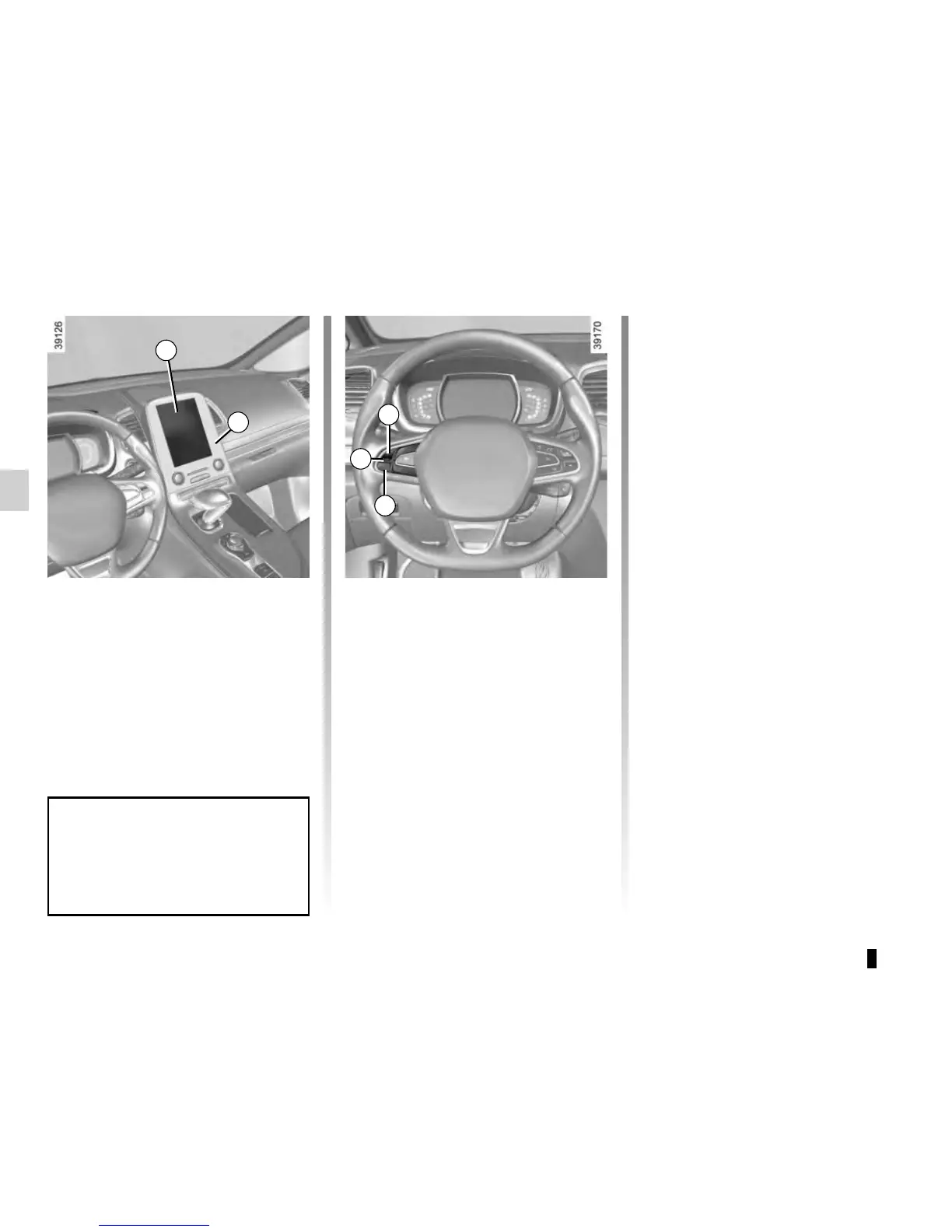
On the multifunction screen 2, select
the “Vehicle” menu, followed by “Driving
assistance”, “Speed alert settings”,
“Speed warning”, then choose “ON” or
“OFF”.
With the function activated and de-
pending on local laws, you can activate
the “increased vigilance zones”. The
system will notify you of the distance
separating you from this zone, and
while you are travelling in the zone.
Varying the limit speed
If the speed limiter notification differs
from the detected speed value, press
and hold switch 4:
– side a (+) to increase the notification
speed to the detected speed;
– side b (-) to reduce the notification
speed to the detected speed.
Operating fault
The system cannot detect the speed
limit if:
– the windscreen is not clean;
– the camera is blinded by the sun;
– there is insufficient visibility (night,
fog, etc.);
– the signs are not legible (snow, etc.)
or are hidden (by another vehicle or
by trees);
– the information taken from a naviga-
tion system is not up to date.
2
3
You can access menu “Driving as-
sistance” directly from button 3
.
4
a
b











 To Next Page