2.71
ASSISTED PARKING (3/4)
Your speed should not exceed around
4 mph (7 km/h).
Once in position to exit the space, the
system will notify you of the end of the
manoeuvre.
Once the warning light
on the
instrument panel goes off and a beep
sounds, the manoeuvre has been com-
pleted.
Suspending the manoeuvre
The manoeuvre is suspended in the fol-
lowing circumstances:
– you take control of the wheel;
– a door or the boot is opened;
– the vehicle is at a standstill for too
long;
– an obstacle in the direction of move-
ment prevents the manoeuvre from
being completed;
– the engine will stop.
Once the warning light
on the
instrument panel goes off and a beep
sounds, the manoeuvre has been sus-
pended. Then to resume the manoeu-
vre, press and hold the system activa-
tion switch.
In this case, the reason for suspending
the manoeuvre will be displayed on the
multifunction screen.
Make sure:
– you have released the steering wheel
and;
– that all doors and the boot are closed,
and;
– that no obstacles are in the way of
the direction of movement, and;
– that the engine is started.
Cancelling the manoeuvre
The manoeuvre can be stopped in the
following cases:
– by pressing the system activation
switch;
– the vehicle speed has exceeded
4 mph (7 km/h);
– You have performed more than ten
forwards/backwards movements in
one manoeuvre;
– the parking distance control sensors
are dirty or blocked;
– the vehicle wheels have skidded.
Once the warning light
on the
instrument panel goes off and a beep
sounds, the manoeuvre has been
ended.
Exiting a parallel parking space
– Select “exit parallel parking space”
mode;
– activate the direction indicator on the
side you wish to go out of;
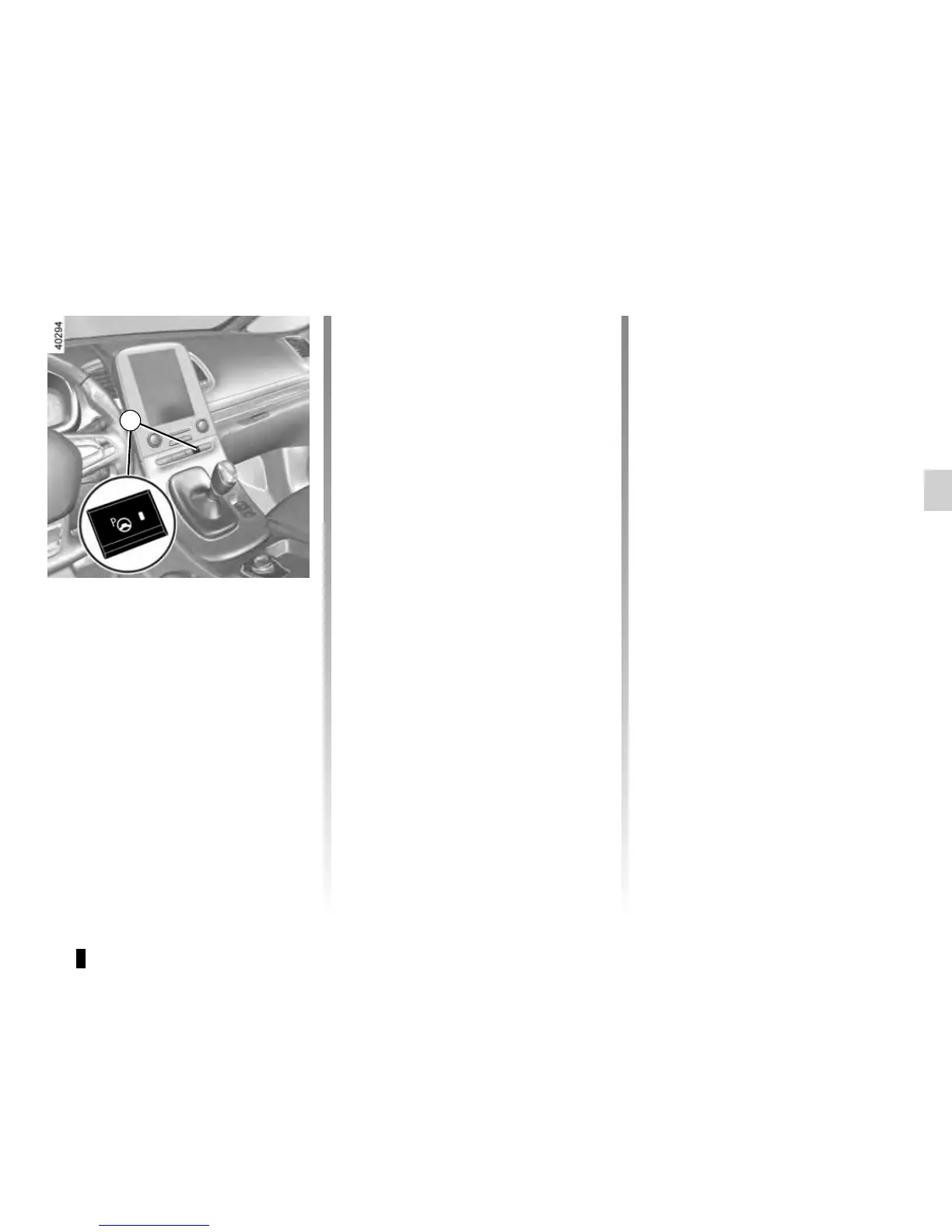
– press and hold switch 1 (around
2 seconds).
Warning light
lights up on the in-
strument panel, along with a beep.
– release the steering wheel;
– go forwards and backwards using
the parking distance control system
alerts.
1











 To Next Page