2.77
AUTOMATIC GEARBOX (4/6)
Driving in manual mode
Driving in temporary manual mode
Temporary manual mode can only be
selected when automatic mode D has
been engaged and the vehicle speed
is over around 6 mph (10 km/h).
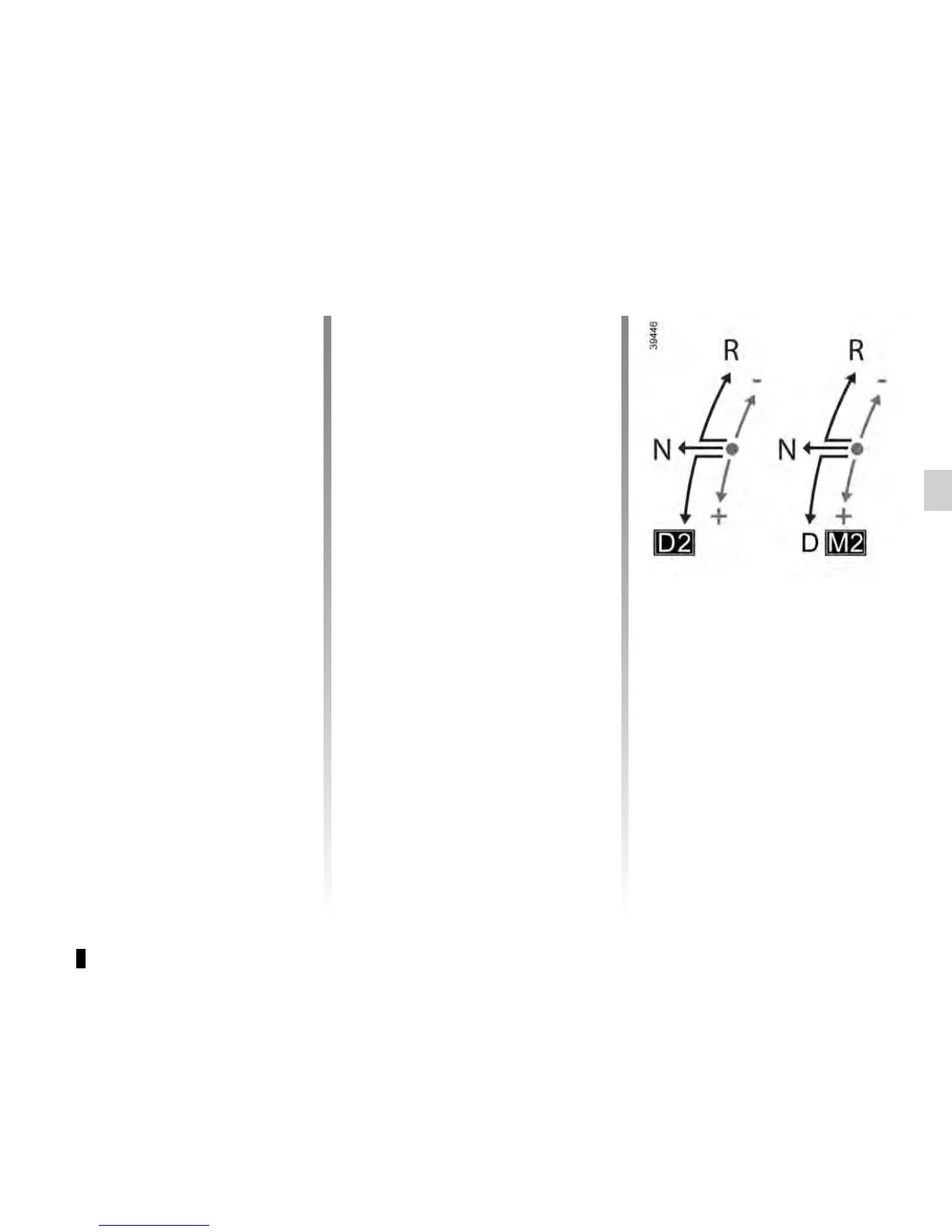
Once D engaged, move the selector 3:
– to the rear +, to request a higher
gear;
– forwards -, to request a lower gear.
The gear selected is displayed to the
right of D on the instrument panel.
Special cases
Under certain driving conditions (e.g.
engine protection, electronic stability
program (ESP) operational etc.: ESC)
etc.) the system can change the gear
automatically.
The requested gear will be maintained
for a period set by the system, based
on the gradient and the driving style.
The system will take over once this
period has elapsed and may then trig-
ger an automatic gear change.
Likewise, to prevent incorrect manoeu-
vres, a gear change may be refused
by the system: in this case the gear dis-
play + or - flashes for a few seconds as
a warning, along with a beep.
Driving in permanent manual mode
Permanent manual mode can only be
selected when automatic mode D has
previously been engaged and the vehi-
cle speed is greater than around 6 mph
(10 km/h).
Once D engaged, move and hold the
selector 3 for around 1 second:
– to the rear +, to request a higher
gear;
– forwards - to request a lower gear.
The gear engaged is first displayed to
the right of D on the instrument panel,
then M followed by the gear engaged
appear under + once permanent
manual mode is activated.
To exit permanent manual mode and
return to automatic mode, move the se-
lector to D.
Any other request for an available gear,
P or R or N will exit permanent manual
mode.











 To Next Page