EasyManua.ls Logo

Renault Master Van 2004 - Page 46

Renault Master Van 2004
190 pages
Print Icon
To Next Page IconTo Next Page
To Previous Page IconTo Previous Page
Loading...
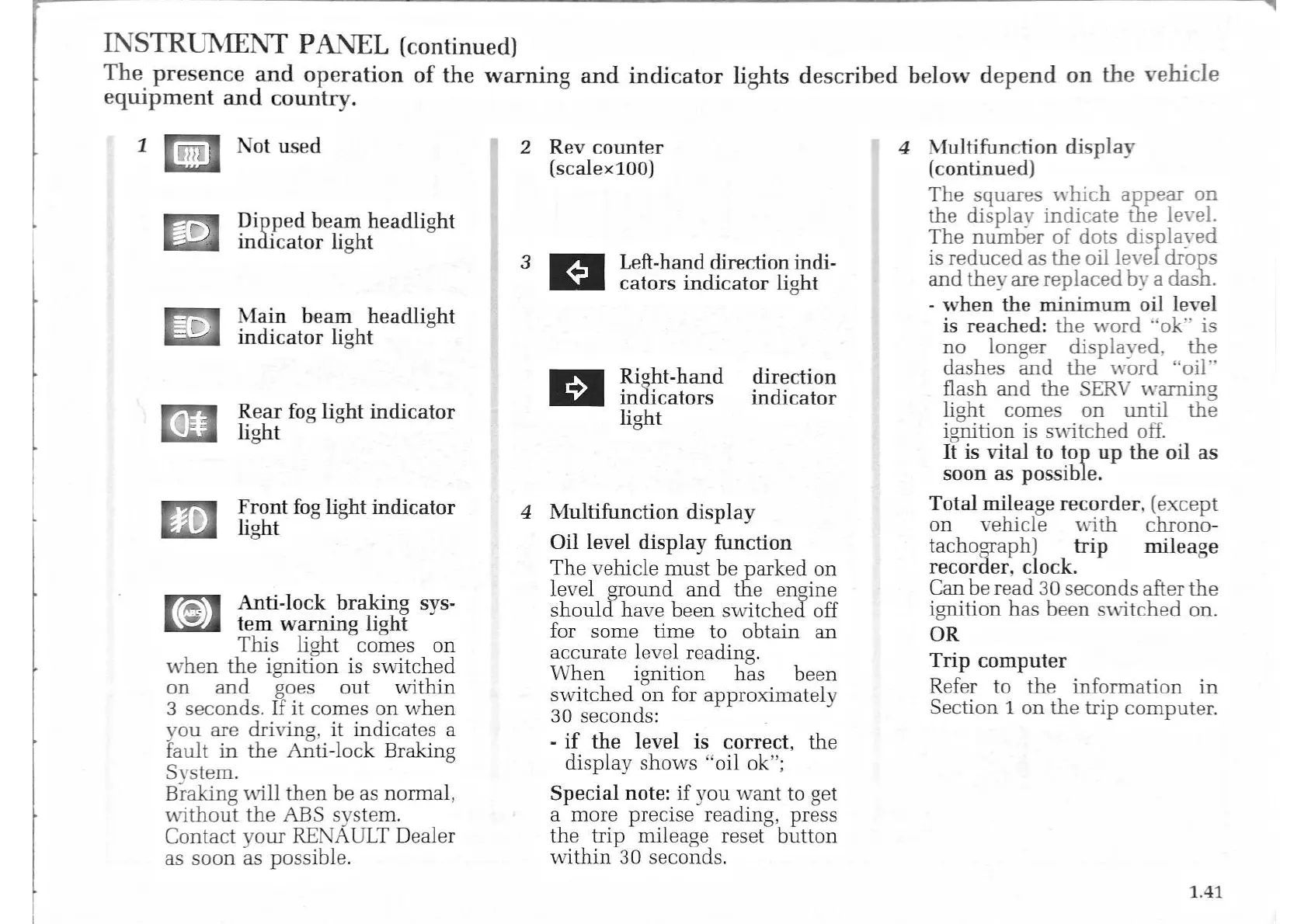
INSTRUMENT
PANEL
(continued)
The
presence
and
operation
of
the
warning
and
indicator
lights
described
below
depend
on
the
vehicle
equipment
and
country.
2
Rev
counter
4
Multifunction
display
1
Not
used
Dipped
beam
headlight
indicator
light
5
Main
beam
headlight
indicator
light
o
Rear
fog
light
indicator
light
Front
fog
light
indicator
light
Anti-lock
braking
sys-
tem
warning
light
This
light
comes
on
when
the
ignition
is
switched
on
and
goes
out
within
3
seconds.
If
it
comes
on
when
you
are
driving,
it
indicates
a
fault
in
the
Anti-lock
Braking
System.
Braking
will
then
be
as
normal,
without
the
ABS
system.
Contact
your
RENAULT
Dealer
as
soon
as
possible.
GaGa
(scalex100)
3
Left-hand
direction
indi-
cators
indicator
light
Es
Right-hand
direction
indicators
indicator
light
4
Multifunction
display
Oil
level
display
function
The
vehicle
must
be
parked
on
level
ground
and
the
engine
should
have
been
switched
off
for
some
time
to
obtain
an
accurate
level
reading.
When
ignition
has
been
switched
on
for
approximately
30
seconds:
-
if
the
level
is
correct,
the
display
shows
“oil
ok”;
Special
note:
if
you
want
to
get
a
more
precise
reading,
press
the
trip
mileage
reset
button
within
30
seconds.
(continued)
The
squares
which
appear
on
the
display
indicate
the
level.
The
number
of
dots
displaved
is
reduced
as
the
oil
level
drops
and
they
are
replaced
by
a
dash.
-
when
the
minimum
oil
level
is
reached:
the
word
“ok”
is
no
longer
displayed.
the
dashes
and
the
word
“oil”
flash
and
the
SERV
warning
light
comes
on
until
the
ignition
is
switched
off.
It
is
vital
to
top
up
the
oil
as
soon
as
possible.
Total
mileage
recorder,
(except
on
vehicle
with
chrono-
tachograph)
trip
mileage
recorder,
clock.
Can
be
read
30
seconds
after
the
ignition
has
been
switched
on.
OR
Trip
computer
Refer
to
the
information
in
Section
1
on
the
trip
computer.
1.41

Related product manuals