EasyManua.ls Logo

Renault Master Van 2004 - Page 79

Renault Master Van 2004
190 pages
Print Icon
To Next Page IconTo Next Page
To Previous Page IconTo Previous Page
Loading...
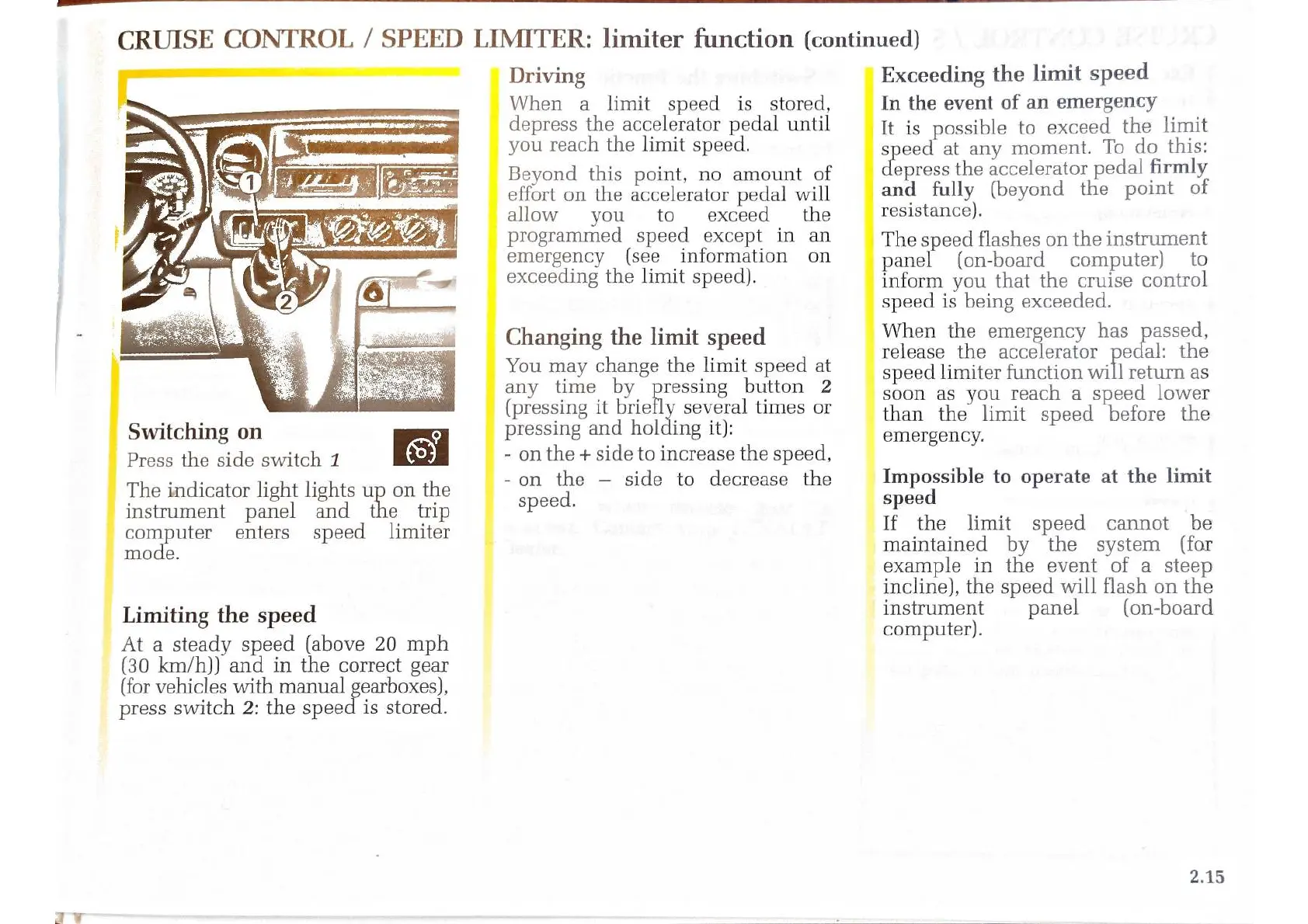
Switching
on
Press
the
side
switch
1
The
indicator
light
lights
up
on
the
instrument
panel
and
the
trip
computer
enters
speed
limiter
mode.
Driving
When
a
limit
speed
is_
stored,
depress
the
accelerator
pedal
until
you
reach
the
limit
speed.
Beyond
this
point,
no
amount
of
effort
on
the
accelerator
pedal
will
allow
you
to
exceed
the
programmed
speed
except
in
an
emergency
(see
information
on
exceeding
the
limit
speed).
Changing
the
limit
speed
You
may
change
the
limit
speed
at
any
time
by
pressing
button
2
(pressing
it
briefly
several
times
or
pressing
and
holding
it):
-
on
the
+
side
to
increase
the
speed,
-on
the
side
to
decrease
the
speed.
CRUISE
CONTROL
/
SPEED
LIMITER:
limiter
function
(continued)
Exceeding
the
limit
speed
In
the
event
of
an
emergency
It
is
possible
to
exceed
the
limit
speed
at
any
moment.
To
do
this:
epress
the
accelerator
pedal
firmly
and
fully
(beyond
the
point
of
resistance).
The speed
flashes
on
the
instrument
panel
(on-board
computer)
to
inform
you
that
the
cruise
control
speed
is
being
exceeded.
When
the
emergency
has
passed,
release
the
accelerator
pedal:
the
speed
limiter
function
will
return
as
soon
as
you
reach
a
speed
lower
than
the
limit
speed
before
the
emergency.
Impossible
to
operate
at
the
limit
speed
If
the
limit
speed
cannot
be
maintained
by
the
system
(for
example
in
the
event
of
a
steep
incline),
the
speed
will
flash
on
the
Limiting
the
speed
instrument
panel
(on-board
ter).
At
a
steady
speed
(above
20
mph
semiputer)
(30
km/h))
and
in
the
correct
gear
(for
vehicles
with
manual
gearboxes),
press
switch
2:
the
speed
is
stored.
2.15

Related product manuals