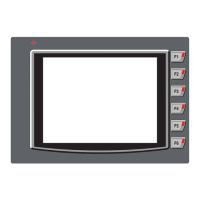
RAM 256MB
Hard Disk 800MB (including 200MB for the .NET
Space Framework Redistributable)
Display 1024 x 768 High Color 16-bit
Mouse/ Required
Keyboard
(i) Insert the CD in the PC drive and follow the instructions given.
(ii) In case the software does not autoexecute, please run the
\DISK1\SETUP.EXE file from CD.
(iii) In case software has been downloaded from the Web site, first
Extract the software installation files, then run the Setup.exe file.
Getting Started:
User should follow the given sequence to configure and use any
Flexi Panel series unit:
1. Install FlexiSoft Software.
2. Create a PZM application using FlexiSoft software.
3. Connect programming cable.
4. Download Firmware i.e. driver for the PLC if PLC is
being used. FP unit cannot communicate with PLC till
the required driver is downloaded to the unit.
5. Download application.
6. Now FP unit is ready to use in the system.
Install the software:
The minimum system requirements for running the FlexiSoft
software are:
Processor 800MHz Pentium processor OR euivalent
processor
Operating Microsoft Windows 2000
System Microsoft Windows XP Professional / Home
Edition with SP2 / Vista
Technical Support
For Technical support please contact factory along with the unit
serial number and revision number written on the address sticker
of the unit. Also provide information of the PLC if used in
application.
Renu Electronics Pvt. Ltd.
Survey No. 2/6, Baner Road, Pune – 411 045.
Maharashtra, INDIA
Tel: +91 20 27292840
Fax: +91 20 27292839
E-mail: support@renuelectronics.com
Website: www.renuelectronics.com
MANUAL REVISIONS:
Rev. No. Doc. No. Date Description
1.00A QS\FP5\0310 21/12/10 Rated input voltage is
mentioned.
1.00B QS\FP5\0310 17/01/11 Wattage & weight of
the unit is updated.
1.00C QS\FP5\0310 28/06/11 Ethernet models added.
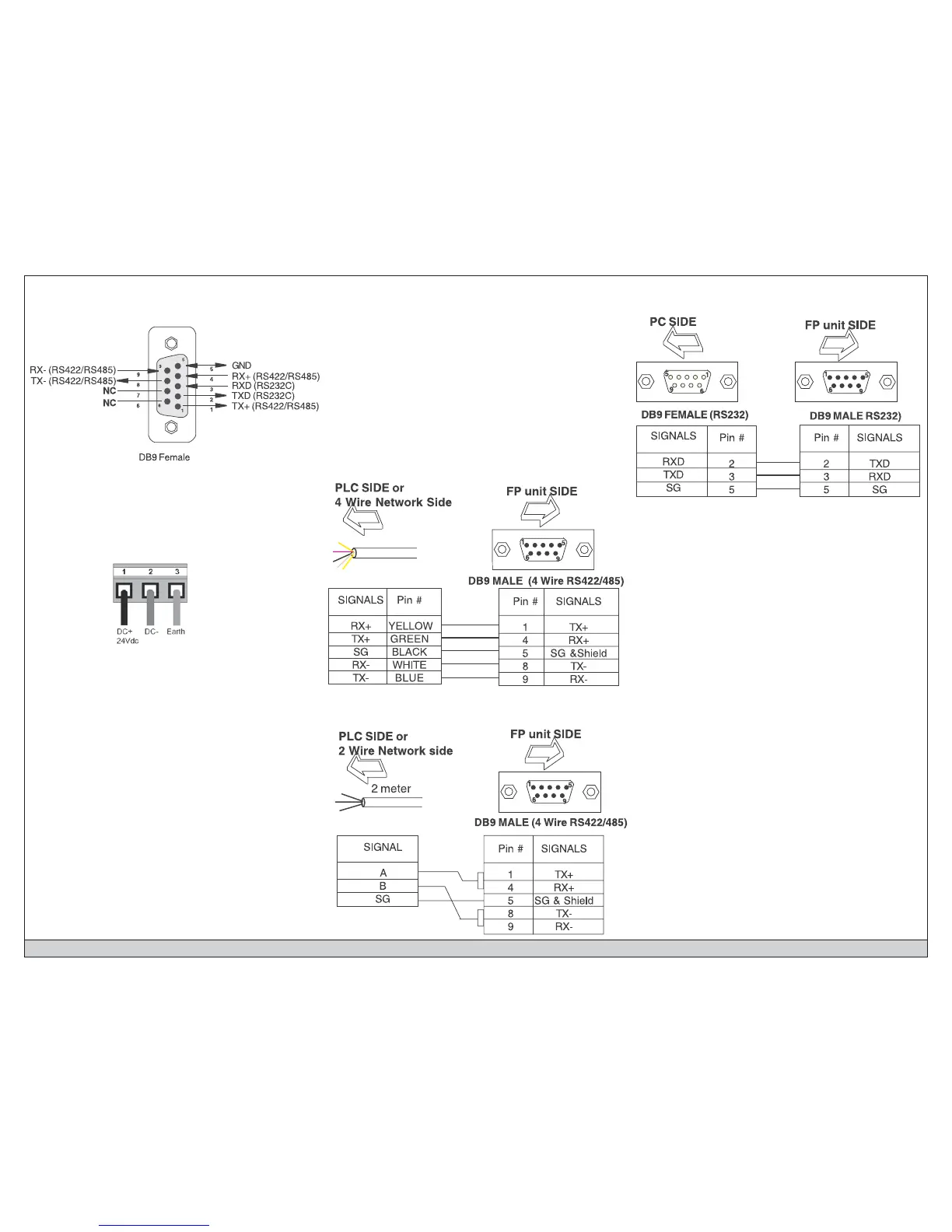
Cable Diagrams:
4 Wire RS422/RS485 Cable connections:
Cable Diagrams:
PC to unit programming cable:
Cable Diagrams:
2 Wire RS485 Cable connections:
Quick Start Manual Doc. No.: QS\FP5\0310; Ver.: 1.00C Renu Electronics Pvt. Ltd.; Pub.: 06/2011
Grounding:
The optimum method for grounding electronic equipment is to
ground it separately from other high-power systems, and to
ground more than one unit of electronic equipment with a single-
point ground.
The grounding marked terminal (see below) is provided on the
unit.
Note: Do not use a ground that has an unstable impedance, such
as painted screws, or ground subject to vibration.
Port Details (COM1 and COM2):
Pin description of communication port for FP models is as follows:


 To Next Page
 Loading...