05
Product Features
Support uncompressed 2-channel LPCM digital audio signal output;
Supports 24-bit S/PDIF input bit stream on R/L channel;
Supports sampling rates of 32, 44.1, 48 and 96192KHz
Provide electromagnetic noise-free transmission;
If you use a TV as the audio source, please don’t forget to set the TV audio output to PCM/LPCM (Steps
Device Homepage - System Settings - Image and Sound - Voice Settings - Digital Audio Output -
PCM/LPCM); (for example, use Panasonic TV as audio resources, please set the TV audio output to SPDIF
output; use a Samsung TV as a speaker, please turn on its external speakers (steps: menu-sound-speaker
settings-external speakers-on)
Other audio accessories
Instructions
Before official use, please prepare according to the following requirements:
1. Connect the power adapter cable to the transmitter, and at the same time, use the audio cable to connect
the TV and the transmitter together; and confirm that the TV can be viewed correctly;
2. The headphones are powered by two AAA batteries, and the batteries must be fully charged (you can
observe through the "power" indicator light on the headphones shell).
Transmitter
Power on/off
After the adapter of the transmitter is powered on, the transmitter automatically enters the power-on state;
when the power adapter is unplugged, the transmitter enters the power-off state.
The SIGNAL indicator lights up white and flashes quickly for 5 seconds (0.25s on/0.25s off) when the device
is turned on; the SIGNAL indicator does not respond when the device is turned off.
Pairing State
In 2.4G mode, press and hold the headphones "2.4G/Bluetooth switch button" for 5s to enter the pairing
state. At this time, the SIGNAL signal light of the headphones enters the state of white light flashing quickly
(0.25s on/0.25s off); at this time, connect to the power adapter cable of the transmitter to the power supply.
If the pairing is successful, the SIGNAL indicator of the transmitter will always be white, and the SIGNAL
indicator of the headphones will also be always white (the headphones will broadcast TV Connected). If the
pairing fails, the SIGNAL will not stay on white.
Short press the "2.4G/Bluetooth mode switching button" to put the headphones into Bluetooth mode --
SIGNAL enters the blue light flashing slowly (0.5s on/0.5s off), and the headphones broadcasts "Bluetooth
Headphones". At this time, under the Bluetooth function of the mobile phone, search for the list of
connectable devices - select "RETEKESS TA007" to complete the Bluetooth pairing (Bluetooth connected
will be broadcast if the pairing is successful).
Audio Input
After connecting the TV to the transmitter with the audio cable, the SIGNAL indicator of the transmitter is
always white;
At this time, after unplugging the audio cable of the transmitter, the SIGNAL indicator light will be on in white
for 1min, and then the white light will flash slowly (0.5s on/0.5s off); after there is no audio input for 4min,
the white light will turn off and enter the standby state ( When there is an audio signal input again, the
transmitter is reactivated, and SIGNAL enters the white light state).
Standby Mode
If the signal volume of the audio input is too low, the SIGNAL indicator light will be on for 1MIN, then the
white light will flash slowly (0.5s on/0.5s off), If there is no audio input for more than 4min, the white light
turns off and enters standby mode (When there is audio input again, the SIGNAL indicator will reactivate
and enter the state of steady white light.)
Headphones
Power on/off
Long press the "power button" of the headphones for 2 seconds to turn on the power indicator light will
always be red, and "Power on" will be broadcast.
Long press the "power button" of the headphones for 2 seconds to turn off, the power indicator light will off,
and "Power off" will be broadcast.
2.4G/Bluetooth BT Mode Selection (Default 2.4G When Booting)
After the headphones are turned on, short press the "mode selection" button. The SIGNAL indicator light of
the headphones will be white in TV 2.4G mode; SIGNAL indicator light will be blue in BT connection mode.
Connection Mode Priority
Every time the headphones is turned on, it is in TV Headphones mode. If the headphones has a pairing
record with the mobile phone before, the headphones will be connected to the mobile phone again, but the
Bluetooth Headphones mode does not work, and the headphones needs to be switched to Bluetooth mode
to start working.
Pairing
In 2.4G mode, press and hold the headphones "2.4G/Bluetooth switch button" for 5s to enter the pairing
state. At this time, the SIGNAL signal light of the headphones enter the state of white light flashing quickly
(0.25s on/0.25s off); at this time, connect the power adapter cable of the transmitter to the power supply. If
the pairing is successful, the SIGNAL indicator of the transmitter will always be white, and the SIGNAL
indicator of the headphones will also be always white (the headphones will broadcast TV Connected). If the
pairing fails, the SIGNAL will not stay on white.
Short press the "2.4G/Bluetooth mode switching button" to put the headphones into Bluetooth mode --
SIGNAL enters the blue light flashing slowly (0.5s on/0.5s off), and the headphones broadcasts "Bluetooth
Headphones". At this time, under the Bluetooth function of the mobile phone, search for the list of
connectable devices - select "RETEKESS TA007" to complete the Bluetooth pairing (Bluetooth connected
will be broadcast and the SIGNAL light will be steady blue if the pairing is successful).
Failed to Connect Normally After Booting
In 2.4G mode, if the headphones are not connected back to the previous transmitter normally after turned
on, the SIGNAL indicator will turn white and flash slowly (0.5s on/0.5s off), enter the reconnection state, and
automatically shut down after no operation within 5min ( Announces Power off when shutting down).
In Bluetooth mode, after turning on the headphones and switching it to Bluetooth mode , if the headphones
cannot be connected back to the Bluetooth device that was paired successfully in the past (disconnection
occurs), the SIGNAL indicator light will flash blue slowly (0.5s on/0.5s off),the headphones enter the
alternate state of reconnection and pairing, and automatically shut down after no operation within 5min
(playing Power Off)
Disconnect
In 2.4G mode, turning off the power of the transmitter in the connected state, and the SIGNAL indicator of
the headphones enter the reconnection state, the white light flashes slowly at this time (0.5s on/0.5s off),
and they will automatically shut down after 5min without operation.( Announces Power off when shutting
down).
In Bluetooth mode, turning off the Bluetooth function of the mobile phone, and then disconnect the
Bluetooth connection with the headphones. At this time, the headphones SIGNAL will flash blue light slowly
(0.5s on/0.5s off) to enter the alternate state of reconnection and pairing, and they will automatically shut
down after 5 minutes of no operation. ( Announces Power off when shutting down).
Pairing Distance Exceeded
In 2.4G mode, if the distance between the earphones and the transmitter exceeds the pairing distance of
2.4G, the SIGNAL indicator will enter the reconnection state with the white light flashing slowly (0.5s on/0.5s
off), and the headphones will automatically shut down after 5 minutes of no operation. ( Announces Power
off when shutting down).
In Bluetooth mode, after the headphones exceed the pairing distance with a Bluetooth terminal such as a
mobile phone, the SIGNAL indicator will flash blue light slowly (0.5s on/0.5s off) to enter the alternate state
of reconnection and pairing, and the headphones will automatically shut down after 5 minutes of no
operation. ( Announces Power off when shutting down).
Low Battery Shutdown
When the battery voltage of the headphones is less than 2.2V, the SIGNAL indicator enters the state of red
light flashing slowly (0.5s on/0.5s off), and the headphones will automatically shut down after 5 minutes of
no operation. ( Announces Power off when shutting down).
At the same time, the headphones in the low battery state will emit a "BE" sound every minute until the
earphones are automatically turned off.
Play Music
Play/Pause: Short press the power button
Next song: Press the volume + button 1S
Previous song: Press volume- button 1S
Volume +: Short press the volume + button to increase the volume step by step (When the volume level
reaches the maximum, the headphones will announce "Maximum volume")
Volume-: Short press the volume- button to reduce the volume step by step (When the volume level
reaches the maximum, the headphones will announce "Maximum volume")
Voice Assistant (BT)
Double-click the power button to turn on SIRI of the phone (provided that the headphones has been
connected to the phone via Bluetooth), and double-click the power button again to turn off SIRI.
BT Mode
Please confirm that the headphones have been connected to the transmitter/TV through 2.4G mode, and
connected to the mobile phone through Bluetooth mode first.
If the mobile phone suddenly receives a call when you are listening to TV programs with headphones, the
headphones will automatically exit 2.4G mode, switch to Bluetooth mode, and automatically enter 2.4G TV
mode after the call is hung up.
When the earphone receive an incoming call through Bluetooth mode, the earphone will play the incoming
call music of the mobile phone, and the SIGNAL indicator will also be steady blue light. If you want to
answer/hang up the call, short press the power button of the headphones. If you want to reject the incoming
call, you need to press and hold the power button of the headphones for 2S.
If you have already used the mobile phone to perform a dial-up call operation, and want to cancel the call at
this time, you need to short press the power button of the headphones to cancel the dial-up operation.
Headphones Charging
After confirming that the battery in the headphones is a rechargeable Ni-MH battery, you can use the
charging function.
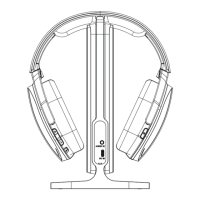
Put the headphones on the transmitter to charge (the transmitter should be connected to the power supply),
the CHARGE indicator on the transmitter will flash green light slowly (1S ON / 1S OFF); when the earphone
is fully charged, the green light of the CHARGE indicator on the transmitter will always be on.
Remarks: When using the charging function, please make sure to use a rechargeable Ni-MH AAA battery;
when the battery is fully charged, please remove the headphones from the transmitter or power off the
transmitter.
Connecting to TV Instructions
Connect TV via audio cable & RCA


 To Next Page
 Loading...