11
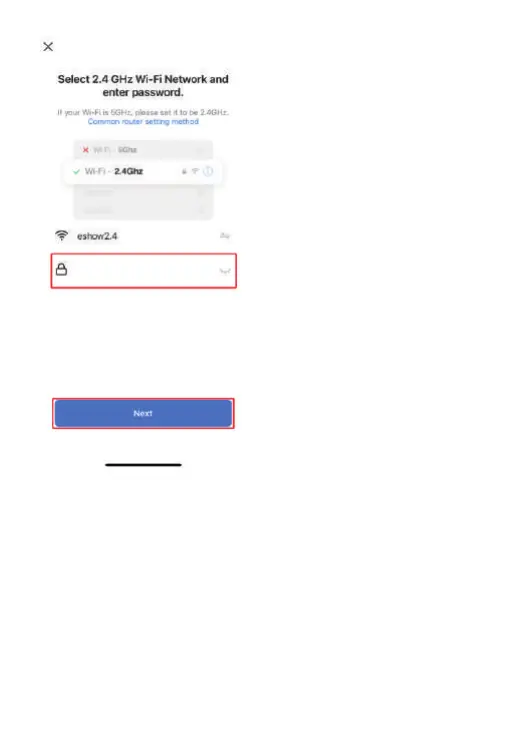
3) Click APP [Conrm indicator light ashes] and select [Slow ash] to enter
the APP conguration page. Click "Connect" to jump to the mobile phone WIFI
connection page. Follow the prompts on the APP page to connect to the WIFI
hotspot distributed by the device (the name of the WIFI hotspot distributed
by this button : Smar Life-XXXX, no password). After connecting to the WIFI
hotspot, return to the APP operation page and follow the APP operation steps
to complete the APP connection.


 To Next Page