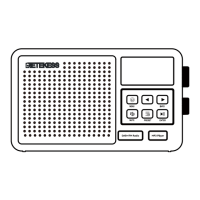
2.2 Backside Connections and Features
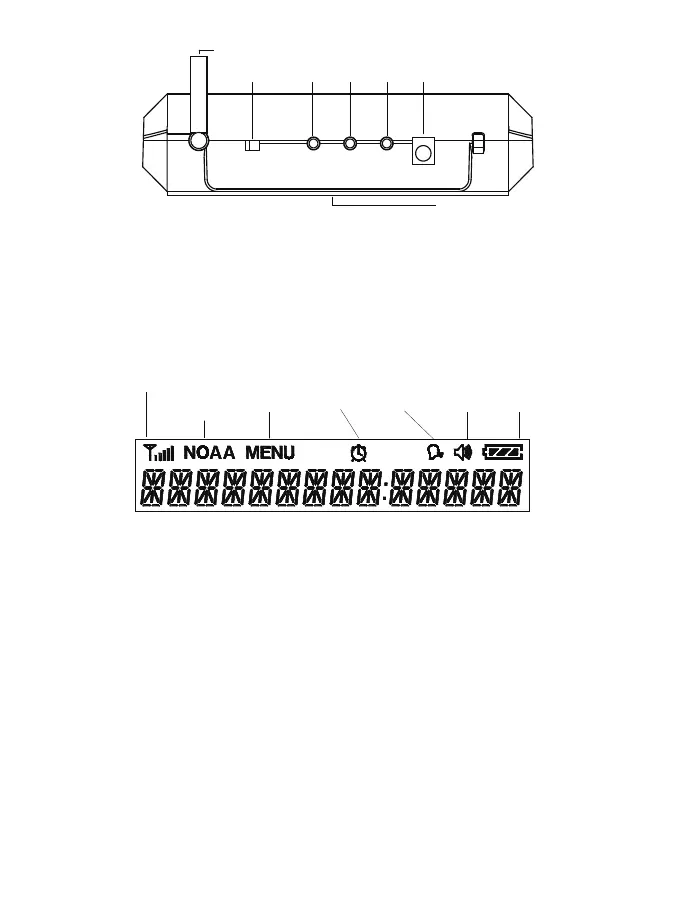
1.Telescopic Antenna
2.NOAA Switch: Switch ON/Off NOAA mode
3.External Antenna: Connect external antenna to improve reception
4.Cloning Port: Data copy function between two machines
5.AUX Port: Output power and audio signal
6.DC Plug Jack
7.Battery Compartment: Insert 3*AA 1.5V alkaline batteries
1
2 3 4 5 6
7
1.Rssi: Signal Strength
2.NOAA: Indicates when the radio is in weather radio mode
3.Menu: Indicates when the radio is in MENU mode, the radio will not receive NOAA while operating MENU.
4.Alarm Clock: Indicates if the alarm clock is activated
5.Voice: Displayed if user has chosen the Voice Alert
6.Tone: Displayed if user has chosen the Tone Alert
7.Battery Level: Indicates when the battery level is low
8.Alphanumeric Message
Operation Instructions
3.1 Set Time
1. Press Menu button to enter setting mode
2. Press ∧ and ∨ buttons to scroll through menu to Set Time.
3. Press SELECT to enter time setting and hour option will begin flashing
4. Press ∧ or ∨ buttons until the current hour is displayed.
5. Press “>” to save current hour and advance to minute settings. Press “<” to save current minute and advance
to hour setting
6. Program both minute digits the same way.
7. Press OK button to store the current time.
8. Press Menu/SELECT to exit menu mode
3.2 Set Clock Alarm
1. Press Menu button to enter setting mode
2. Press ∧ and ∨ buttons to scroll through menu to Set Alarm.
3. Press SELECT button to enter alarm setting
2.3 Icons on the Display
Rssi
Indicates
rssi level
NOAA
Indicates
When the
radio is in
weather radio
mode
MENU
Indicates
When the radio
is in Menu
mode
Alarm Clock
Indicates
if the alarm
colck is
activated
Tone
Displayed if
user has
chosen the
Tone Alert
Vioce
Displayed
if user has
chosen the
Vioce Alert
Battery
Indicates
When the
battery
level
02



 To Next Page