Rotate【 】to show the following settings, and press【ENTER】to confirm.
Note: manual time setting, to operate when NTP
is set to DO not use network.
NTP: [Use network time] *
Use network time (Use the network to update
the time automatically)
Do not use network (Update the time
automatically without the network)
GTM: ±12(choose time zone)
12/24 hour(choose 12/24 hour schedule)
day/month/year (Format: DD/MM/YYYY)
month/day/year (Format: MM/DD/YYYY)
* Note: After switching NTP to Use network time, it needs to power off and then power on before it
takes effect.
4.9.3 Language Settings
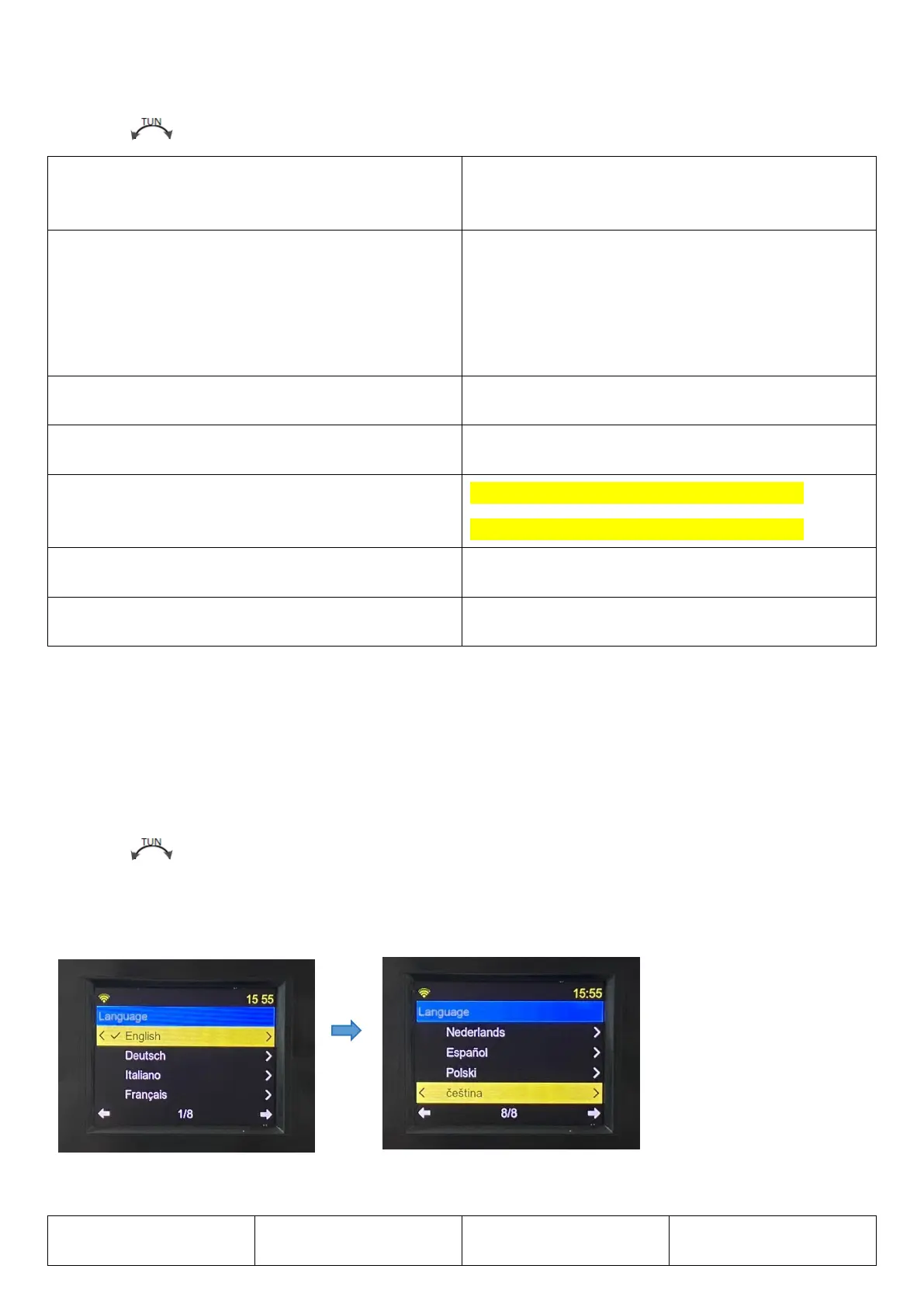
Rotate【 】for the following settings, and press【ENTER】to confirm.
There are eight languages to choose from, select and press [ENTER] to confirm.


 To Next Page