RetiCAM MT-01
TabletopTripod
Standard 1/4”-20 Tripod Screw
Safety
• Always ensure that the tripod head and legs
are locked ghtly and the tripod is resng firmly
on a level surface before using your Tripod.
• Avoid leaving tripod unaended or in areas
where people could trip over.
• To raise the tripod, extend the largest
diameter leg secons first and raise the Center
Column only when necessary.
• Do not exceed the maximum specified load
capacity. Do not use the tripod when
temperature is below −20°C or above 70°C.
• Always clean and dry the tripod aer it has
been exposed to wet, dusty, sandy or salty
condions.
• Detach mounng plate from base before
mounng a camera to the plate.
• Do not li or move the tripod by holding the
tripod head only.
• Remove camera or other equipment from
tripod when transporng.
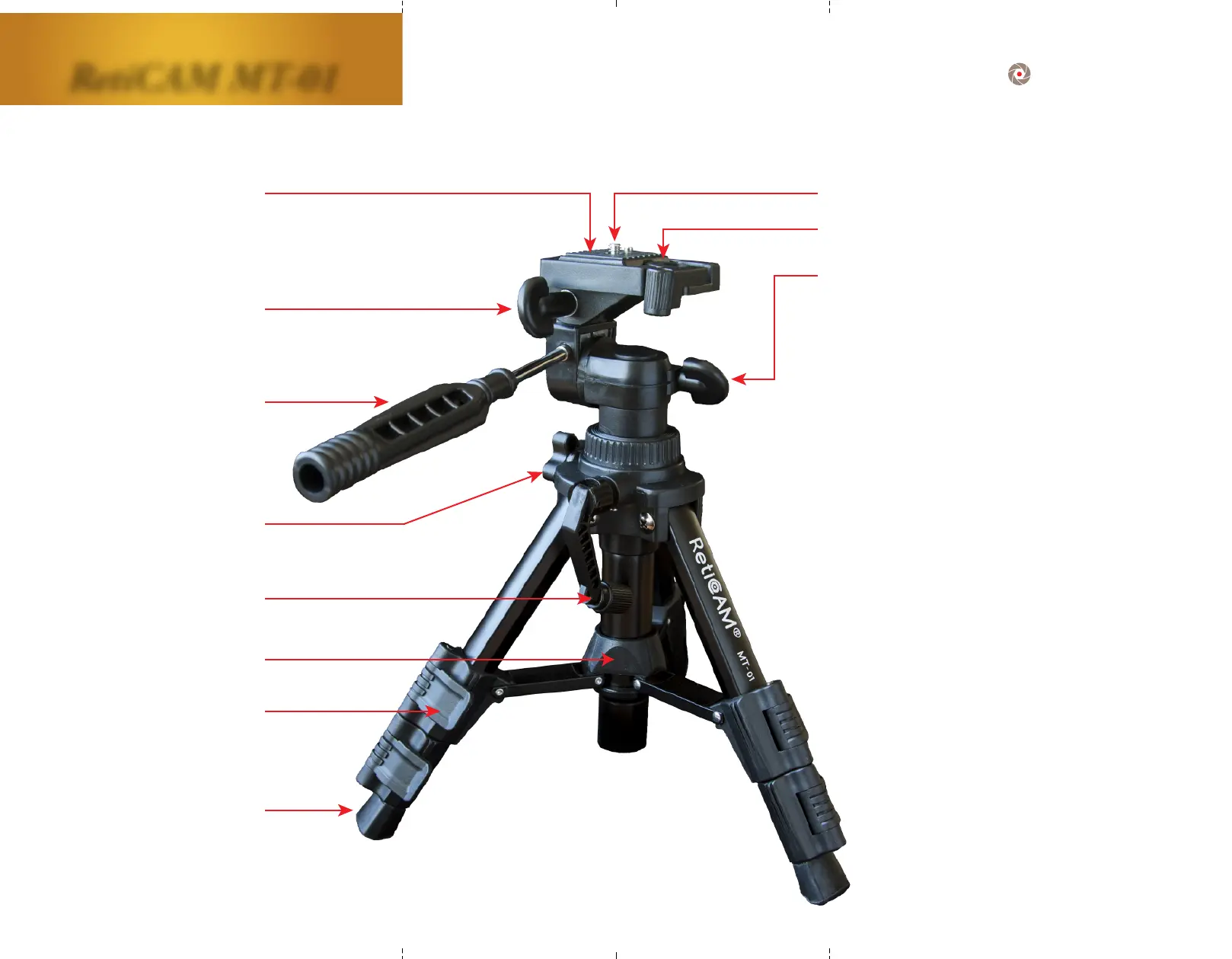
FeaturesandComponents
Mounng Plate Release/Lock
Pan Head Lock
Quick Flip Leg Lock
Quick Release
Mounng Plate
Le/Right Tilt Lock
Tilt/Pan Handle Bar
Center Column Lock
Center Column Crank
Mid Level Spreader
Rubber Foot



 To Previous Page