Sensor
Rear Headliner
Adjusting the Cap Fit can be helpful to ensure a snug fi t on
your head. A front biosensor awakens the cap and needs to be
close against the forehead to operate during treatment. Use the
included rear foam pads in the Accessory kit to adjust the fi t of
the cap.
Pull away the rear foam headliner from the velcro pads and
replace with a thicker or thinner foam pad as needed.
For Best Results
• Use your cap for 10 minutes a day. The time of day is up to you, but daily consistency drives good results.
• Take a Day Zero picture (or before picture) of your hair loss area that you most want to improve.
• Set reminders for your daily treatment so you do not miss your treatments.
• Read the full instructions for use in your app or at revian.com/contact/customer-support/
Connect with us at REVIAN.com
1240-000005_02
Additional Tips and Recommendations
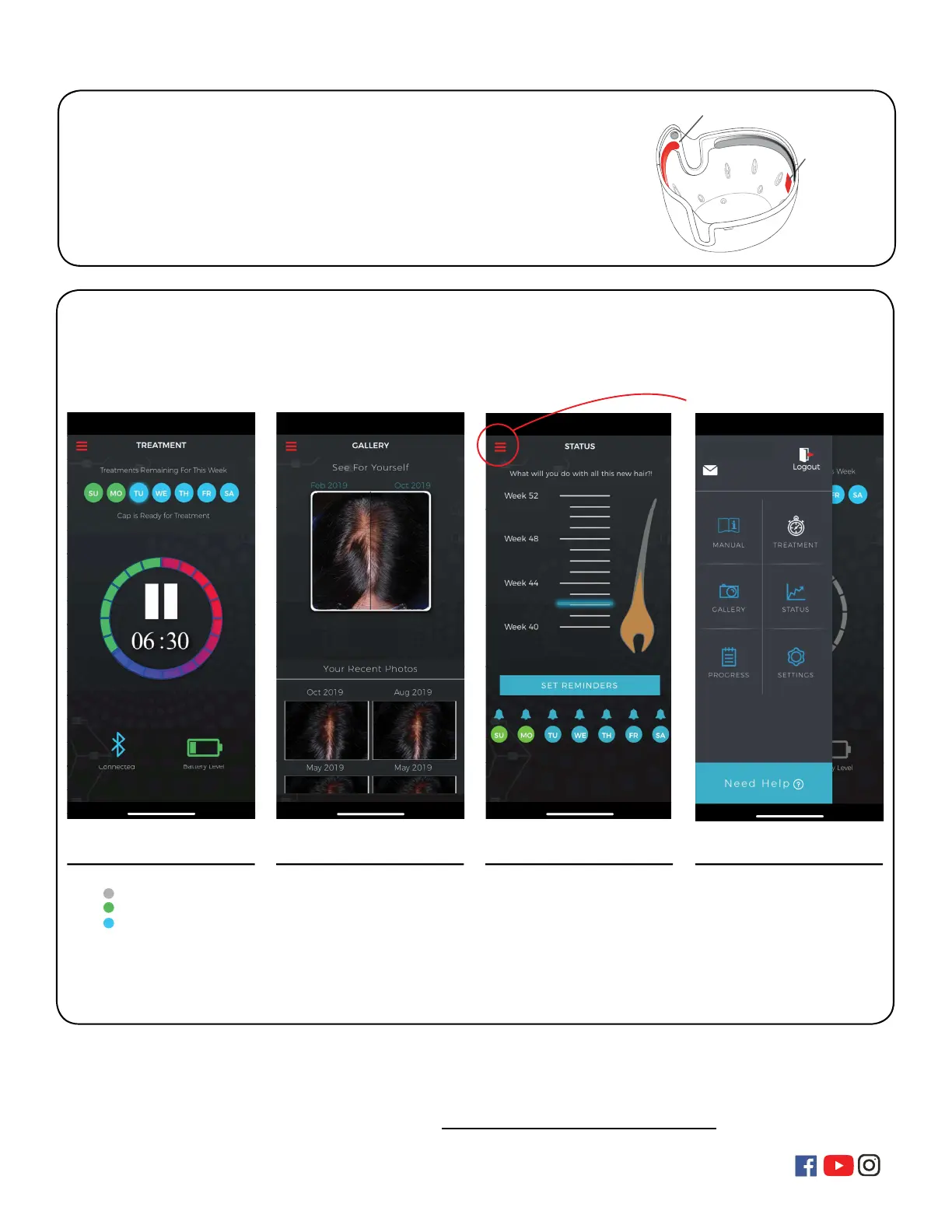
REVIAN App Features
The app has been designed to control your 10-minute daily treatments, guide your progress and
help motivate you to stay compliant with your treatments. Here are a few of the features included
in the app to help during your hair growth journey.
Treatment
• Weekly Treatment Indicators
- Missed Treatment
- Completed Treatment
- Future treatments
• Treatment Play/Pause
• Treatment Timer
• Cap Bluetooth Connection
• Battery Level Indicator
Photo Gallery
• Comparison Slider
• 8 Week Image Gallery
• Past Photos for Viewing
Seeing is believing so make sure
and take good quality photos so
that you can see the difference
over time.
Status
• Motivational Messaging
• Weekly Tracking
• Animated Hair Growth Chart
• Set Daily Reminders
• Daily Treatment Reminders
Set treatment reminders at a time
that works for you schedule.
Slide out Tray
• Slide out, Quick Navigation
• Instruction Manual
• Treatment
• Photo Gallery
• Progress Calendar
• Settings
• Logout
Your Name
Click to View



 To Previous Page
 Loading...