EasyManua.ls Logo

RHINO EVO - User Manual

RHINO EVO
16 pages
Print Icon
To Next Page IconTo Next Page
Loading...
Question and Answer IconNeed help?

Do you have a question about the RHINO EVO and is the answer not in the manual?

Summary

Rhino Slider EVO Modes

Manual Slider Operation

Instructions for manual slider use, including belt removal for smoother slides.

Flywheel Setup and Use

Instructions for attaching and using the flywheel for ultra-smooth manual shots.

Motion Control System

Overview of the Motion system for responsive and precise slider control.

Slider and Camera Setup

Setting Up the Slider Base

Choose between all-terrain legs or mounting the slider to a tripod.

Mounting Your Camera

Attach a ball or fluid head to the carriage, then mount your camera.

Getting Ready to Shoot

Prepare for Shooting

Unlock the carriage brake to prepare the slider for filming.

Care and Storage

Slider Storage Solutions

Protect your slider during travel and between shoots using specialized cases.

Maintenance and Cleaning Guide

Learn the importance of keeping rails and rollers clean for smooth operation.

Summary

Rhino Slider EVO Modes

Manual Slider Operation

Instructions for manual slider use, including belt removal for smoother slides.

Flywheel Setup and Use

Instructions for attaching and using the flywheel for ultra-smooth manual shots.

Motion Control System

Overview of the Motion system for responsive and precise slider control.

Slider and Camera Setup

Setting Up the Slider Base

Choose between all-terrain legs or mounting the slider to a tripod.

Mounting Your Camera

Attach a ball or fluid head to the carriage, then mount your camera.

Getting Ready to Shoot

Prepare for Shooting

Unlock the carriage brake to prepare the slider for filming.

Care and Storage

Slider Storage Solutions

Protect your slider during travel and between shoots using specialized cases.

Maintenance and Cleaning Guide

Learn the importance of keeping rails and rollers clean for smooth operation.

Overview

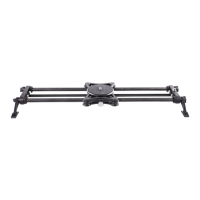
The Rhino Slider EVO is a versatile camera slider designed to provide smooth and precise camera movements for various shooting scenarios. It offers three distinct setup options: Manual, Flywheel, and Motion, catering to different levels of control and desired shot quality.

Function Description:

The Rhino Slider EVO serves as a camera movement tool, allowing users to achieve smooth, linear camera glides. It can be operated manually for simple slides, with a flywheel for enhanced smoothness in manual shots, or with the Rhino Motion system for automated, precise, and repeatable movements. This flexibility makes it suitable for a wide range of applications, from simple tracking shots to complex time-lapses and stop-motion animations.

Important Technical Specifications:

While specific technical specifications like length, weight capacity, or material composition are not explicitly detailed in the provided pages, the images suggest a robust construction, likely utilizing carbon fiber rails for lightweight durability. The slider features a carriage that moves along these rails, equipped with rollers for smooth operation. It supports mounting a flat-based 3/8"-16 ball or fluid head, indicating compatibility with standard camera support equipment. The drive system, which can be belt-driven for motion control or removed for manual operation, is a key component. The inclusion of built-in all-terrain legs suggests adaptability to various shooting environments, and the option to mount it to a tripod provides further setup flexibility.

Usage Features:

  • 3 Setups (Manual, Flywheel, Motion):

    • Manual Setup: For basic sliding shots without the need for extreme smoothness or automation. To achieve the smoothest possible manual slide in this mode, the belt (used for Flywheel or Motion) should be removed from the carriage. This allows the carriage to move freely on the rails, minimizing any resistance from the drive system.
    • Flywheel Setup: Designed for manual shots that require an "ultra-smooth slide." The flywheel adds rotational inertia to the drive system, which helps to dampen inconsistencies in manual pushes, resulting in a more fluid and consistent movement. To attach the flywheel, the rubber o-ring (typically used for Rhino Motion) must first be removed from the drive shaft. The flywheel is then placed on the drive shaft and secured by tightening a set-screw.
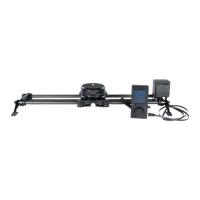
    • Motion Setup: This setup integrates with the Rhino Motion system (sold separately) for responsive and precise control of the slider. Rhino Motion enables automated movements, time-lapses, and other advanced motion control features. Users are directed to the Motion Quick Start Guide for detailed explanations on this setup.
  • Slider Setup Options:

    • Built-in All-Terrain Legs: The slider comes with integrated legs that allow it to be set up directly on various surfaces, including uneven terrain. This provides quick and flexible deployment without the need for additional support.
    • Tripod Mounting: The slider can also be mounted onto a tripod, offering elevated shots and more stable setups, especially for longer slides or heavier camera rigs.
  • Camera Mounting:

    • The carriage of the slider is designed to accept a flat-based 3/8"-16 ball head or fluid head. This allows users to attach their preferred camera head, which then holds the camera itself. This standard mounting option ensures broad compatibility with existing camera support accessories.
  • Preparation for Shooting:

    • Before filming, it is crucial to unlock the carriage brake. This brake secures the carriage in place when not in use, preventing accidental movement. When using Rhino Motion, unlocking the brake is especially important to ensure the motor can move the carriage freely.
  • Storage:

    • To protect the Rhino Slider EVO during transport and between shoots, Rhino Armor carrying cases are recommended. These cases are designed to keep the slider safe from damage, ensuring its longevity and performance.

Maintenance Features:

  • Rail and Roller Cleaning:
    • To maintain the smooth operation of the Rhino Slider EVO, it is important to keep the rails and rollers clean. Over time, debris can accumulate on these surfaces, potentially affecting the smoothness of the slide.
    • For routine cleaning, a clean cloth can be used to wipe down the rails and rollers.
    • In cases of "excess amounts of debris built up," the carriage can be removed to allow for a more thorough cleaning of both the rollers and the rails. This ensures that the moving parts remain free of obstructions and continue to provide optimal performance.

The Rhino Slider EVO is designed for filmmakers and photographers who require reliable and smooth camera movements, offering a modular approach that adapts to different creative needs and technical requirements.

RHINO EVO Specifications

General IconGeneral
BrandRHINO
ModelEVO
CategoryCamera Accessories
LanguageEnglish

Related product manuals