Richcomm System Technologies Co.,Ltd
Tel:+86 20 6685 4299
Fax: +86 20 8230 6916
www.richcomm.com.cn/e
2.6Web Monitoring Interface
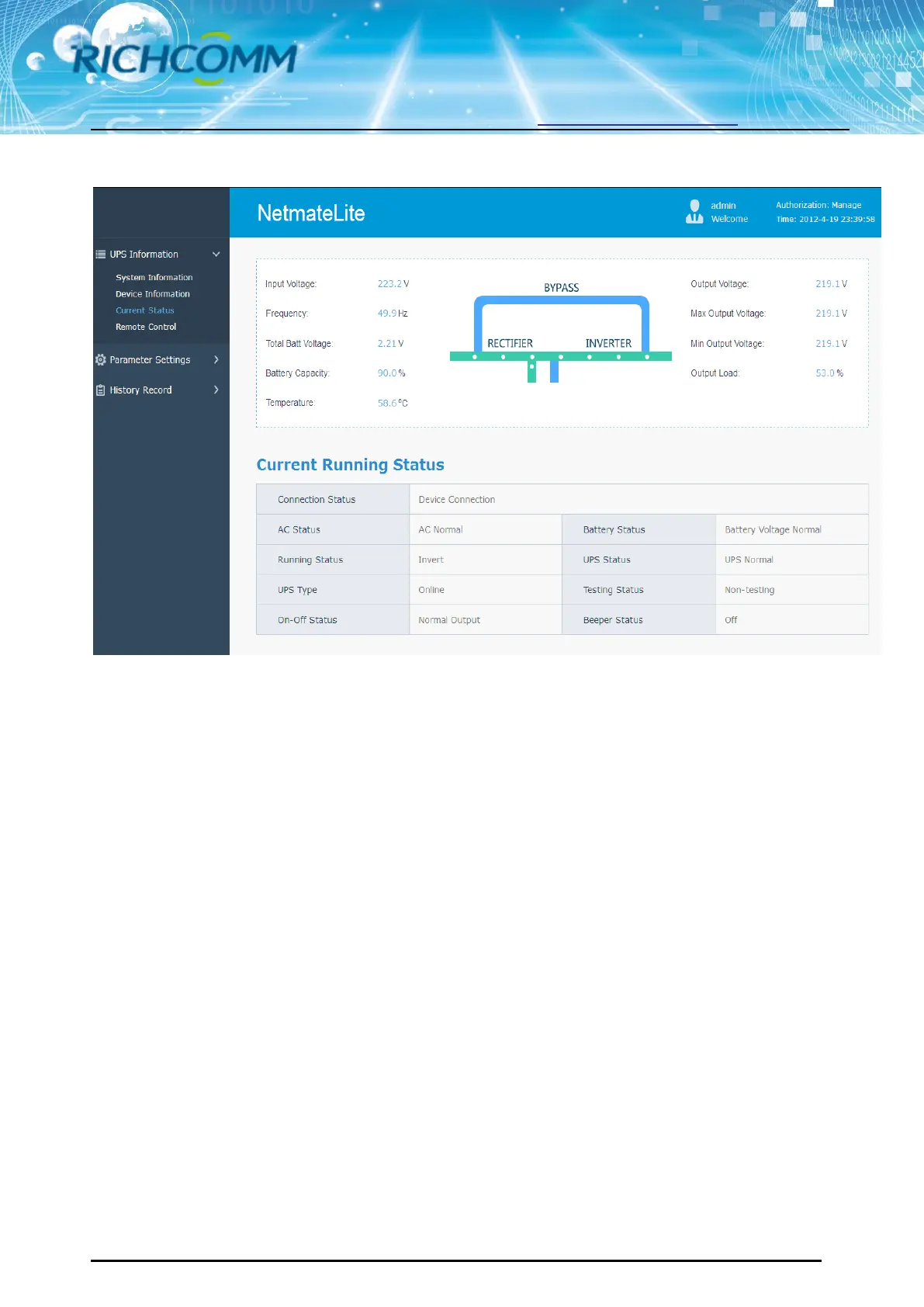
After input the user name and password, the monitoring homepage will come out soon, and then we
can check the UPS current status and do other software setting
3. Software Setting Introdution
3.1 UPS Information
Sub-Menu:
System Information
Device Information
Current Status
Remote Control
3.1.1 System Information
This page is to display UPS basic information and network information. The info shown here are
provided by NetmateLite SNMP card itself and parameter settings



 To Next Page