RICOH Ri 1000
Procedure for long-term storage
17 / 22
4. Preparing Your Printer for Storage/Shipping
Note: Please have cleaning cartridges available for all channels
1.
Clean the Maintenance Unit.
For details about how to clean, see “How to Clean the Maintenance Unit and the Flushing
box” in User Manual.
2.Remove ink cartridges.
3.Insert cleaning cartridges.
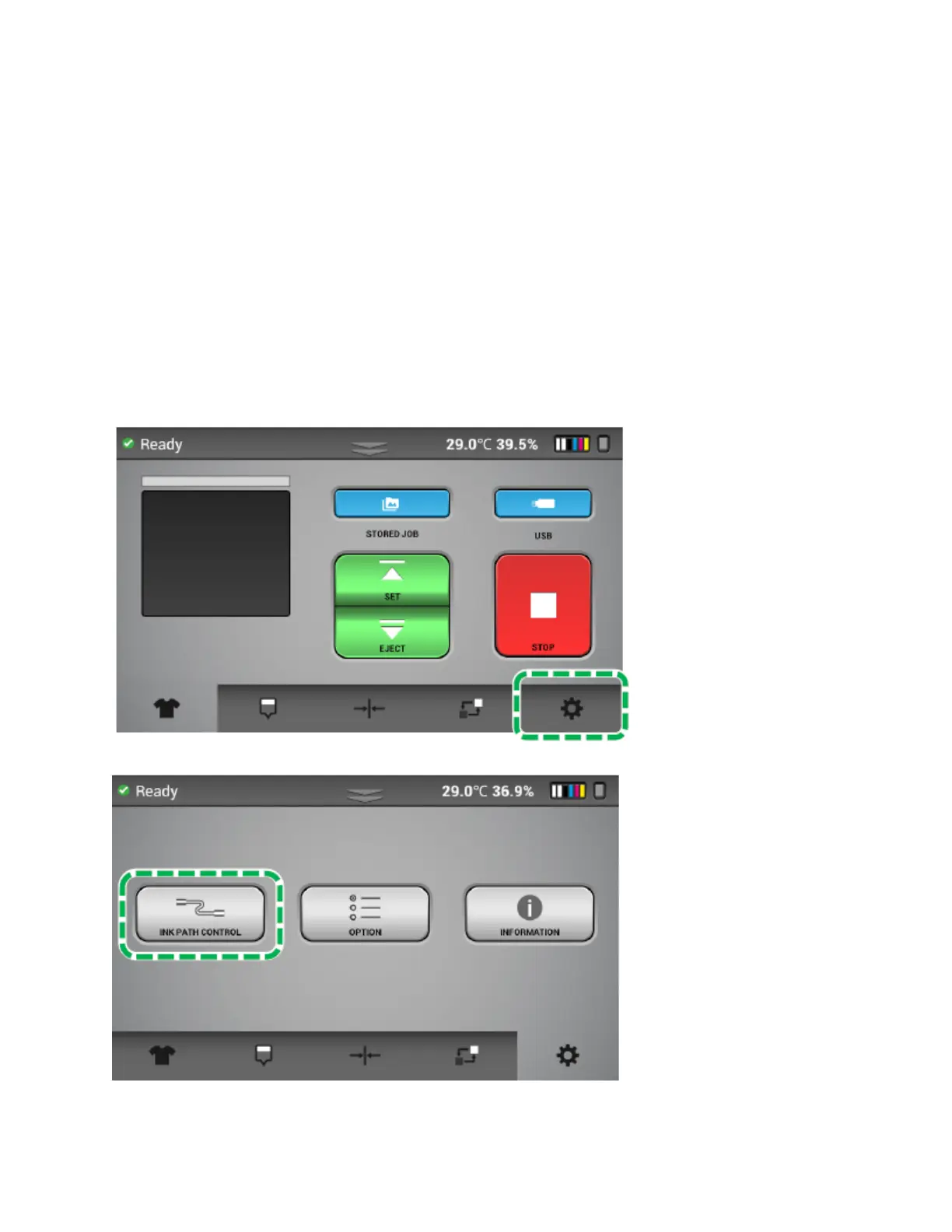
4.Press the Settings tab.
5.Press [INK PATH CONTROL].



 To Next Page
 Loading...